7
1. About Product
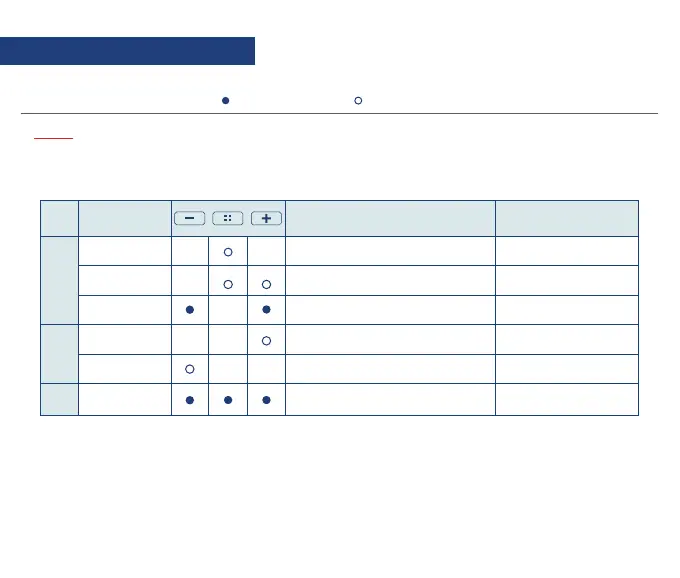
: Hold for 5 seconds
+, -buttons are for adjusting sensitivity levels for each mode.
To return to driving mode, press the center button repeatedly.
: Press once
NOTE:
1.3 Button Description
Mode
DVR
VOL
ETC
Function Description Voice Guidance
User Recording Start video recording manually Recording
(Increasing sound)
(Decreasing sound)
Rebooting the system
Please press the center button
to format Micro SD card
Voice recording started
/ended
Voice recording on/off
Format SD card
Volume up
Volume down
Reboot MDAS-9Reboot
Mic.On/Off
Volume Up
SD Card Format
Volume Down


 To Next Page