Camera
Using Camera app to take photos, seles
and video.
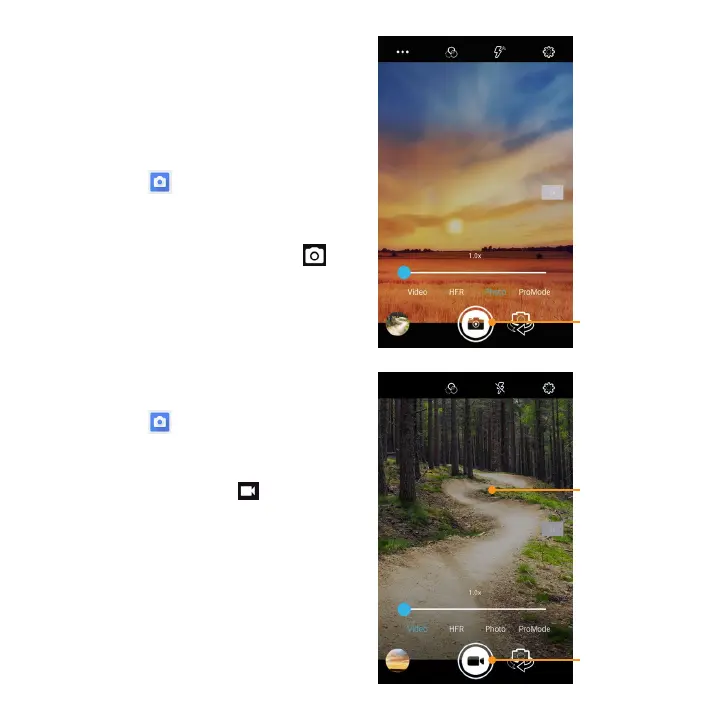
Taking pictures
1. Tap Camera
on the Home
screen, tap screen to adjust
focus on dierent subject.
2. When ready to take picture, tap
Taking video
1. Tap Camera
on the Home screen, tap
to change camera mode to video mode.
2. Point the camera at the subject and
when ready to take tap
icon.
3. Tap Pause to temporarily stop and
Resume to continue recording.
4. When nished recording, tap Stop.
Take picture
Start the video
Tap the screen
to take a
picture during
recording


 To Next Page