Functions:
Pair:Pairing is necessary when you change the wireless thumb controller, gimbal or upgrade the firmware.Long press ‘
OPTIONS’ to enter the menu. Then choose ‘Pair’ and move the joystick rightwards to enter the secondary menu.
Move the joystick downwards to choose the ‘YES’ option, and move the joystick rightwards again to enter the Pairing
mode. The interface of "Pairing"will appear.Then turn on MOZA Air gimbal,The screen of the thumb controller
shows‘OK’ in about 3 seconds.
Camera:Choose the camera type you will use with the gimbal to control the camera start/stop recording.
Profile:There are 4sets of parameters are optional for different camera and lens in different weights.
Follow Speed: Gimbal movement speed along with the operator. Three follow modes are available.
Power:Motor torque.
Gyro Calibrate:Calibrate the Gyro. Turn off the motor before calibration.
Habits:Set the motor and direction controlled by joystick, and time shown in the screen.
Motor:Turn on or off the motor.
Version:View the current firmware version of the wireless thumb controller.
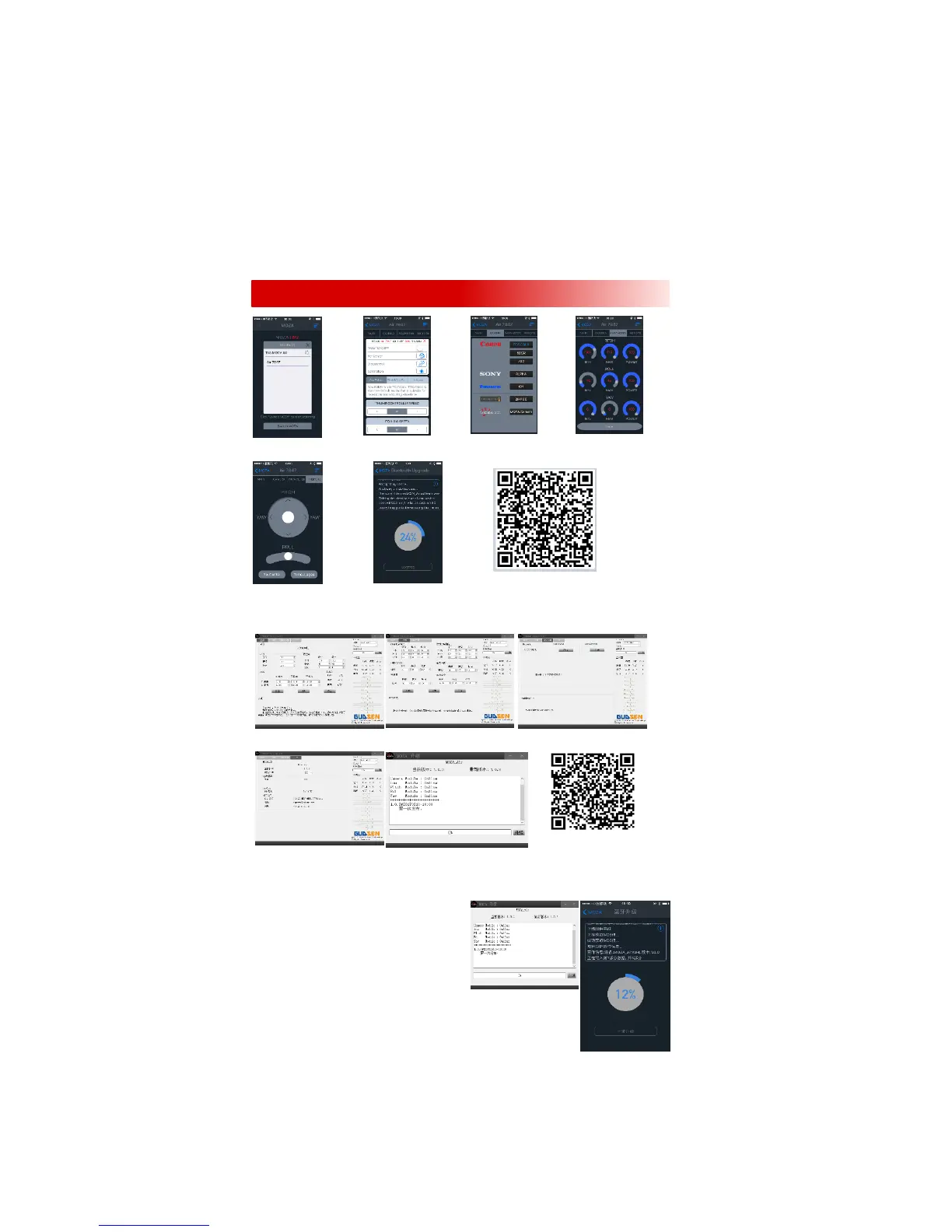
APP:(Only for iOS)
Search for your MOZA MOZA Air status. Set controlChoose camera type. Change parameters.
Device.Speedand calibrate Gyro.
MOZA Assistant for iOS
Control the gimbal movements Firmware upgrade
GUI:(Currently supports Window & Mac OS system)
Download the file and install the driver. Turn on the MOZA Air and connect it to computer to enter the interface
for parameter adjustment.
Gimbal Interface: adjust Endpoint range, Control interface:adjust control Calibrate interface: calibrate Gyro
motor torque and follow mode. Speed and parameters of dead angle.
DownloadMOZA Assistant GUI
Info Interface: Check info about Firmware Upgrading Interface: Pressthe
version and battery level.joystick button to turn MOZA Air on. Enter
the firmware upgrading mode. Then connect
Upgrade Firmware:
1. MOZA Assistant Software:
2. Press the joystick to turn on MOZA Air and enter
the firmware upgrading mode. The indicator will blink and
the motors will power off. Connect the gimbal to computer
with USB cable and then launch GUI. GUI will automatically
recognize MOZA Air's status and enter the firmware
upgrading interface. Connect to the network and click
"Upgrade". The GUI will automatically download the latest
firmware and rewrite it to the
MOZA Air. After upgrading is 100%. Disconnect the USB cable and restart the MOZA Air.
3. MOZA Assistant App:
Press the joystick to turn MOZA Air on and enter the firmware upgrading mode. The
indicator will blink and the motors power will off. Turn on Bluetooth and search your
MOZA device to connect. The MOZA Assistant App will recognize MOZA Air's status and enter the firmware upgrading
interface.Make sure network is connected and click "Upgrade". The App will automatically download the latestfirmware
and rewrite it to the MOZA Air. After the upgrading is 100%, disconnect and restart the MOZA Air.。It can take around 20
minutes to upgrade firmware on the mobile phone.
HAPP & GUI



 To Next Page
 Loading...








