Vertical Mode (Portrait Mode)
Mounting the Mobile Phone
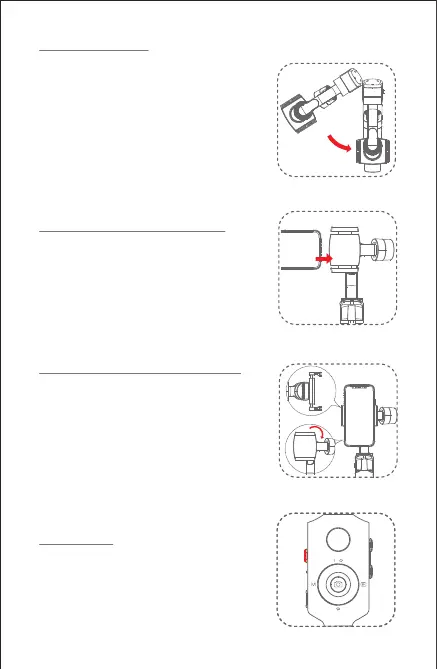
Foldable Design
● Folded Status to Expanded Status
Loosen the lock and rotate the gimbal
180° clockwise. Then it locks
automatically.
● Expanded Status to Folded Status
Loosenthe lock and rotate the gimbal
180° anticlockwise. Then it locks
automatically.
Place the mobile phone in the phone
holder with its camera facing outwards,
And then level the phone.
Hold the handle and rotate the phone
holder 90° clockwise to switch from
horizontal mode to vertical mode.
Hold the handle and rotate the phone
holder 90° anticlockwise to switch from
vertical mode to horizontal mode.
● Long Press Power button:
Power On/O
● Short Press Power button Once:
Standby/Wake Up
Starting Up
2



 To Next Page