EasyManua.ls Logo

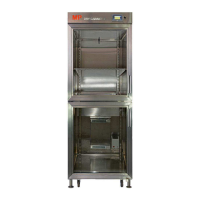
MP DRY CABINET II - User Manual

MP DRY CABINET II
22 pages
Print Icon
To Next Page IconTo Next Page
Loading...
page 1/22
DRY CABINET II
User´s manual
MP Elektronik Technologie, s.r.o.
Dlouhá 219
678 01 Blansko - Klepačov
Czech Republic
Tel: +420 516 416 937
Fax: +420 516 417 641
E-mail: info@mpelektronik.cz
www.mpelektronik.cz
Question and Answer IconNeed help?

Do you have a question about the MP DRY CABINET II and is the answer not in the manual?

Summary

Introduction

Intended Use of the Device

Specifies the intended purpose of the drying cabinet for PCBs and electronic components.

Acts, Regulations and Standards

Lists directives and harmonized technical standards the device complies with.

Type of the Device

Differentiates models based on door count (I, II, IV).

Safety at Work, Fire Protection

Obligations of the Operator

Outlines operator's duties for safe operation, maintenance, and safety markings.

Qualification Requirements on Employees

Details required qualifications for device assembly, wiring, and operation.

Conditions of Safe Operation of Electric Devices

Specifies conditions for safe operation, including manual availability and prohibitions.

Fire Protection

States device does not increase fire hazard; warns against water/foam use.

Safety Labels and Significance

Explains safety labels, focusing on the 'Do not extinguish with water or foam' warning.

Technical Specification

General Description

Construction Layout

Identifies and labels the main components of the device, including front and rear views.

Preparation for Use

Storage

Provides guidelines for storing the device, including temperature, humidity, and protection.

Transport and Assembly

Details procedures and safety precautions for transporting and assembling the device.

Power Supply Connection

Explains how to connect the device to mains power, including cable specifications.

Operational Check

Describes the steps for performing an initial operational check after connecting the device.

Instructions to Use

Control Panel Description

Explains the basic menu and components of the device's control panel display.

Log in of the Engineer

Details accessing the 'Engineer' profile for parameter changes via password.

Setting Parameters

Guides users on setting parameters like temperature, opened door alarm, and time/date.

Saving Measurement Data

Explains transferring measurement data to a PC via a USB storage device.

Packing List

Parts of Delivery

Lists items included in the delivery package, such as the cabinet and cables.

Delivery, Service and Warranty Conditions

Summary

Introduction

Intended Use of the Device

Specifies the intended purpose of the drying cabinet for PCBs and electronic components.

Acts, Regulations and Standards

Lists directives and harmonized technical standards the device complies with.

Type of the Device

Differentiates models based on door count (I, II, IV).

Safety at Work, Fire Protection

Obligations of the Operator

Outlines operator's duties for safe operation, maintenance, and safety markings.

Qualification Requirements on Employees

Details required qualifications for device assembly, wiring, and operation.

Conditions of Safe Operation of Electric Devices

Specifies conditions for safe operation, including manual availability and prohibitions.

Fire Protection

States device does not increase fire hazard; warns against water/foam use.

Safety Labels and Significance

Explains safety labels, focusing on the 'Do not extinguish with water or foam' warning.

Technical Specification

General Description

Construction Layout

Identifies and labels the main components of the device, including front and rear views.

Preparation for Use

Storage

Provides guidelines for storing the device, including temperature, humidity, and protection.

Transport and Assembly

Details procedures and safety precautions for transporting and assembling the device.

Power Supply Connection

Explains how to connect the device to mains power, including cable specifications.

Operational Check

Describes the steps for performing an initial operational check after connecting the device.

Instructions to Use

Control Panel Description

Explains the basic menu and components of the device's control panel display.

Log in of the Engineer

Details accessing the 'Engineer' profile for parameter changes via password.

Setting Parameters

Guides users on setting parameters like temperature, opened door alarm, and time/date.

Saving Measurement Data

Explains transferring measurement data to a PC via a USB storage device.

Packing List

Parts of Delivery

Lists items included in the delivery package, such as the cabinet and cables.

Delivery, Service and Warranty Conditions

MP DRY CABINET II Specifications

General IconGeneral
BrandMP
ModelDRY CABINET II
CategoryIndustrial Equipment
LanguageEnglish

Related product manuals