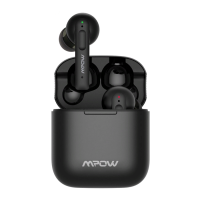
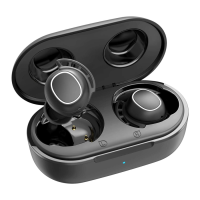
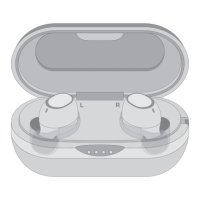
1. Take out 2 earphones, they will automatically enter the
pairing mode and then select “Mpow T5”.
2. Turn it on by pressing and holding”L”&“R”earphones
simultaneously for 1s, then press and hold the
“R”earphone for 3s to enter into pairing mode. Next,
select “Mpow T5”on your phone.
Note:If your earbuds are pairing with phone A,you have to
turn off phone A's bluetooth and do this to pair with
phone B.
Hinweis: Wenn Ihre Ohrhörer mit Telefon-A gekoppelt
sind, müssen Sie die Bluetooth-Funktion von Telefon-A
ausschalten und dann verbinden die mit dem Telefon-B.
Remarque : Si vos écouteurs sont jumelés avec le
téléphone A, vous devez désactiver le Bluetooth du
téléphone A, puis les connecter au téléphone B.
1. Nehmen Sie 2 Ohrhörer heraus, die wechseln
automatisch in den Kopplungsmodus und dann wählen
Sie bitte dann „Mpow T5“.
2. Schalten Sie das Gerät ein, indem Sie die Taste „L“ und
„R“ gleichzeitig 1 Sekunde lang gedrückt halten. Drücken
Sie dann die Taste „R“ 3 Sekunden lang , um in den
Verbindungsmodus zu wechseln. Dann wählen Sie
"Mpow T5" auf Ihrem Telefon.
1. Retirez les 2 écouteurs, ils entreront automatiquement
en mode de jumelage, puis sélectionnez «Mpow T5» sur
la liste de votre portable.
2. Appuyez sur les boutons de deux écouteurs pendant 1
seconde pour allumer les écouteurs. Après avoir appuyé
sur le bouton de l'écouteur droit pendant 3 secondes,
les écouteurs entrent dans le mode de jumelage, puis
choisissez « Mpow T5 ».
1. Saque 2 auriculares, entrarán automáticamente en el modo
de emparejamiento y luego seleccionarán "Mpow T5".
2. Mantenga presionado L / R durante 1s al mismo tiempo
para iniciar, luego presione y mantenga presionados los
EN:
DE:
FR:
ES:


 To Next Page