EasyManua.ls Logo

Mr. Coffee BMH Series - User Manual

Mr. Coffee BMH Series
14 pages
Print Icon
To Next Page IconTo Next Page
Loading...
User Manual /
Manual del Usuario
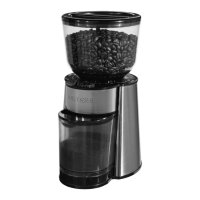
Burr Mill BMH Series
Molinillo de Piñones serie BMH
www.mrcoffee.com
© 2011 Sunbeam Products, Inc. doing business as Jarden Consumer Solutions. All rights reserved.
Distributed by Sunbeam Products, Inc. doing business as Jarden Consumer Solutions,
Boca Raton, Florida 33431.
U.S. 1-800-MR. COFFEE® (1-800-672-6333)
Canada 1-800-667-8623
Visit us at www.mrcoffee.com
You will find exciting and entertaining tips and ideas,
including great recipes!
SPR102810-661
© 2011 Sunbeam Products, Inc. operando bajo el nombre de Jarden Consumer Solutions.
Todos los derechos reservados. Distribuido por Sunbeam Products, Inc. operando bajo el nombre
de Jarden Consumer Solutions, Boca Raton, Florida 33431.
Visítenos en www.mrcoffee.com
Ahí encontrará consejos e ideas excitantes y entretenidos,
¡incluyendo excelentes recetas!
Printed in China/Impreso en China P.N. 146552

Questions and Answers

  • M
    Michelle SheltonJul 30, 2025
    Why is my Mr. Coffee Coffee Grinder not grinding?
    • C
      Christopher PowersJul 30, 2025
      Your Mr. Coffee Coffee Grinder might not be grinding due to several reasons. Ensure the hopper is securely intact by turning it clockwise until it stops, then move the indicator counterclockwise to align with your desired grind setting. Check that the hopper lid is tight and the ground coffee chamber is correctly positioned. Press and briefly hold the start/stop button. Also, verify that the unit is plugged in and there is no power outage. A clogged hopper chute can also prevent grinding; remove the hopper and empty it to clear any blockage. If the motor has overheated, unplug the unit for at least an hour, then plug it back in.
  • N
    nguyenbrianAug 4, 2025
    What to do if my Mr. Coffee Coffee Grinder stops grinding?
    • J
      Joseph DennisAug 4, 2025
      If your Mr. Coffee Coffee Grinder stops grinding, check the following: Ensure the grind setting is correct and the ground coffee chamber is properly positioned. Press and hold the start/stop button again briefly. Verify the unit is plugged in and there is no power outage. If the ground coffee chamber is full, remove, empty, and replace it. If needed, unplug the unit and clean the Burr Mill compartment. If the motor has overheated, unplug the unit for at least an hour, then plug it back in for further use.
  • A
    Amy HartmanAug 9, 2025
    What to do if the grind setting hopper on my Mr. Coffee Coffee Grinder doesn't turn?
    • M
      martinezclaudiaAug 9, 2025
      If the grind setting hopper on your Mr. Coffee Coffee Grinder doesn't turn, it might be because the hopper is at the Fine Setting. Turn it counterclockwise for your desired grind setting. Also, the unit and Burr Mill may not be clean; unplug it and clean them. Check for any foreign objects between the two Burr Mills and carefully dislodge them after unplugging the unit.
  • J
    Jordan BoothAug 14, 2025
    Why won't the cup selection dial turn on my Mr. Coffee Coffee Grinder?
    • A
      Ashley MayAug 14, 2025
      If the cup selection dial on your Mr. Coffee Coffee Grinder does not turn, it could be because the timer is at the 2-cup setting, preventing further counterclockwise movement. Turn it clockwise to set the desired number of cups. Alternatively, it might be at the 18-cup setting, restricting clockwise movement; in this case, turn it counterclockwise.
  • Q
    qvelasquezAug 25, 2025
    Why are my coffee particles inconsistent with Mr. Coffee Coffee Grinder?
    • S
      Sarah HamiltonAug 25, 2025
      Inconsistent coffee particle size with your Mr. Coffee Coffee Grinder can be due to a few factors. Ensure that the unit and Burr Mill are clean; if not, unplug the unit and clean them. Check for any foreign object between the Burr Mills and carefully dislodge it. Also, make sure your grind setting is correct by turning the hopper to the appropriate setting.
  • M
    Michael QuinnSep 10, 2025
    How to fix insufficient coffee grounds from Mr. Coffee Coffee Grinder?
    • I
      Isaac HoweSep 12, 2025
      If your Mr. Coffee Coffee Grinder isn't producing enough coffee grounds, it could be due to several reasons. First, ensure that your grinder setting is correct. Next, check that you have a sufficient amount of whole beans in the hopper. Make sure the ground coffee chamber is in the proper position. Also, verify that the Top Burr Mill is correctly placed. Clean the unit and the Burr Mill, and unplug it before cleaning. Finally, check for any foreign object between the two Burr Mills; if there is one, unplug the unit and carefully dislodge it.

Summary

Important Safeguards

Introduction

Special Cord Set Instructions

Provides essential safety information and guidelines for using the power supply cord.

Parts Diagram

Burr Mill Features and Benefits

Getting Started

How to Use Your Burr Mill

Coffee Measurement Chart

Helpful Grinding Hints for Best Results

Cleaning Instructions

Troubleshooting Your Mr. Coffee Burr Mill

Service and Maintenance

Replacement Parts

Lists available replacement parts for the Mr. Coffee Burr Mill and how to order them.

Repairs

Provides instructions on how to obtain service and repairs for the Burr Mill.

Warranty Information

How to Obtain Warranty Service

Details the process for obtaining warranty service in the U.S.A. and Canada.

Mr. Coffee BMH Series Specifications

General IconGeneral
ModelBMH Series
CategoryCoffee Grinder
TypeBurr Grinder
OperationElectric
ColorBlack
MaterialPlastic

Related product manuals