EasyManua.ls Logo

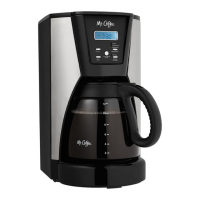
Mr. Coffee BVMC-IMX41 - User Manual

Mr. Coffee BVMC-IMX41
27 pages
Print Icon
To Next Page IconTo Next Page
Loading...
© 2016 Sunbeam Products, Inc. doing business as Jarden Consumer
Solutions. All rights reserved. Distributed by Sunbeam Products, Inc.
doing business as Jarden Consumer Solutions, Boca Raton, Florida 33431.
Sunbeam Products, Inc.is a subsidiary of Jarden Corporation (NYSE:JAH).
© 2016 Sunbeam Products, Inc. operando bajo el nombre de Jarden
Consumer Solutions. Todos los derechos reservados. Distribuido por
Sunbeam Products, Inc. operando bajo el nombre de Jarden Consumer
Solutions, Boca Raton, Florida 33431. Sunbeam Products, Inc. es una
subsidiaria de Jarden Corporation (NYSE:JAH).
U.S. 888 800-9130 Canada 888 800-9130 Visit us at www.mrcoffee.com /
Visítenos en www.mrcoffee.com
Printed in China/Impreso en China P.N. 187816
GCDS-MRC44602-BB BVMC-IMX Series_16ESM1
www.mrcoffee.com
User Manual /
Manual del Usuario
Coffeemaker / Cafetera
BVMC-IMX41
BVMC-IMX Series_16ESM1.indd 1-2 4/27/16 3:12 PM

Questions and Answers

  • A
    Alexis NelsonAug 13, 2025
    Why is my Mr. Coffee Coffee Maker not brewing?
    • D
      Douglas SmithAug 13, 2025
      If your Mr. Coffee Coffee Maker isn't brewing, there are several potential causes. First, ensure the appliance is plugged in and that there is no power outage. Check that the water reservoir isn't empty and that the filter basket is correctly inserted. Lastly, make sure the decanter is properly placed on the warming plate.
  • K
    Kristen DaughertyAug 17, 2025
    Why is Mr. Coffee BVMC-IMX41 coffee not hot?
    • J
      James PooleAug 17, 2025
      If the coffee from your Mr. Coffee Coffee Maker isn't hot enough, it might be because the auto shut-off feature has been activated. For the best results, brew a fresh pot of coffee. Also, check for any power outages that might affect the brewing temperature.
  • J
    James VillanuevaAug 21, 2025
    What to do if Mr. Coffee BVMC-IMX41 Coffee Maker only brews water?
    • J
      John RaymondAug 21, 2025
      If your Mr. Coffee Coffee Maker is only brewing water, make sure you've added the desired amount of coffee to the filter.
  • T
    Tara AbbottAug 25, 2025
    Why does my Mr. Coffee Coffee Maker brew slowly?
    • C
      Crystal GutierrezAug 26, 2025
      If your Mr. Coffee Coffee Maker is brewing slowly, the coffeemaker may need cleaning.
  • J
    johnsondanielAug 28, 2025
    What to do if the filter basket overflows on my Mr. Coffee BVMC-IMX41 Coffee Maker?
    • J
      jennifermyersAug 29, 2025
      If the filter basket in your Mr. Coffee Coffee Maker is overflowing, consider these possibilities: ensure the filter basket is properly inserted, the decanter is correctly placed on the warming plate, and the decanter lid is on. Also, check if you've put too many coffee grounds in the filter. If the decanter was removed from the warming plate for more than 30 seconds, turn off and unplug the unit, allow to cool, and wipe up any spills. Avoid placing a hot decanter back on a wet warming plate.
  • S
    smithcourtneySep 1, 2025
    Why does my Mr. Coffee BVMC-IMX41 Coffee Maker make bad tasting coffee?
    • T
      Taylor BridgesSep 1, 2025
      If your coffee tastes bad when using your Mr. Coffee Coffee Maker, check the type of coffee grounds you're using; ensure they are recommended for automatic drip coffeemakers. Also, verify that your ground coffee-to-water ratio is correct. Finally, consider cleaning your coffeemaker.
  • T
    traciemartinezSep 5, 2025
    How to stop grounds in my Mr. Coffee BVMC-IMX41 coffee?
    • P
      phillipsmichaelSep 5, 2025
      If you find coffee grounds in your coffee from the Mr. Coffee Coffee Maker, it could be due to the filter not being properly seated in the basket, or the filter may have collapsed. Make sure the filter is correctly seated within the filter basket, or remove the filter and replace it.
  • K
    Kiara LawsonSep 8, 2025
    How to fix Mr. Coffee BVMC-IMX41 Coffee Maker when the “BREW NOW”/ON light doesn't light up?
    • M
      Mary KelleySep 8, 2025
      If the “BREW NOW”/ON light on your Mr. Coffee Coffee Maker isn't lighting up, first check if the appliance is properly plugged in. Also, check for a power outage.

Summary

IMPORTANT SAFEGUARDS

General Safety Precautions

Summary of basic safety rules for appliance use.

Glass Container Safety

Specific warnings for handling glass containers.

Polarized Plug Safety Feature

Explanation of the polarized plug's function.

POWER CORD INSTRUCTIONS

PRODUCT NOTICES

Appliance Placement and Usage Tips

Advice on positioning and operating the coffeemaker safely.

PARTS DIAGRAM

Control Panel Overview

Description of buttons and displays on the coffeemaker's control panel.

Coffeemaker Components

Identification of the main parts of the coffeemaker.

COFFEEMAKER FEATURES AND BENEFITS

Key Features and Advantages

Highlights of the coffeemaker's capabilities and design.

CLEAN YOUR COFFEEMAKER BEFORE FIRST USE

Initial Cleaning Procedure

Step-by-step guide for cleaning the appliance before initial operation.

SETTING THE CLOCK AND DELAY BREW TIME

Setting the Clock

Instructions on how to set the current time on the coffeemaker.

Setting the Delay Brew Time

Guide to program the coffeemaker for future brewing.

PREPARING FOR USE

Suggested Coffee Measurement Chart

Recommendations for coffee grounds quantity based on cups.

WATER FILTRATION SYSTEM

Using the Water Filter

Steps for installing and maintaining the water filtration disk.

ADDING WATER AND GROUND COFFEE

Coffee Preparation Steps

Instructions on how to add water and coffee grounds to the machine.

BREWING COFFEE NOW

Starting the Brewing Cycle

Steps to initiate immediate coffee brewing.

THE FRESH BREW TIMER FEATURE

Understanding the Timer

Explanation of the feature that tracks how long coffee has been ready.

BREWING COFFEE LATER

Activating Delay Brew

Instructions to set the coffeemaker to brew at a scheduled time.

DAILY CLEANING AND MAINTENANCE

Routine Cleaning Steps

How to clean the coffeemaker parts on a daily basis.

DECALCIFYING YOUR COFFEEMAKER

Decalcifying Procedure

Detailed steps to remove mineral buildup from the appliance.

DECALCIFYING INTERVALS AND FILTRATION

Water Filtration Disk Replacement

Guidance on when and how to replace the water filter disk.

Cleaning the Decanter

Instructions for removing stains from the glass decanter.

DECANTER USE AND CARE

Glass Decanter Handling Tips

Advice to prevent breaking the glass decanter.

TROUBLESHOOTING YOUR COFFEEMAKER

Common Problems and Solutions

A guide to resolving typical issues with the coffeemaker.

TROUBLESHOOTING COFFEEMAKER ISSUES

Brewing Slow or Overflowing Filter Basket

Solutions for a coffeemaker that brews slowly or causes filter basket overflow.

Coffee Temperature and Taste Problems

Troubleshooting for coffee that is not hot or tastes bad.

Grounds in Coffee and Other Issues

Addressing grounds in coffee and other operational problems.

SERVICE AND MAINTENANCE

Replacement Parts and Repairs

Information on obtaining parts and how to handle service/repairs.

PRODUCT REGISTRATION

Registering Your Coffeemaker

Instructions on how to register the product for warranty or support.

WARRANTY INFORMATION

1-Year Limited Warranty Details

Terms and conditions of the product's one-year limited warranty.

Obtaining Warranty Service

Instructions on how to get warranty service in the U.S. and Canada.

Mr. Coffee BVMC-IMX41 Specifications

General IconGeneral
Compatible Coffee TypeGround Coffee
Carafe TypeGlass Carafe
ProgrammableYes
Pause and ServeYes
Water FiltrationYes
TypeDrip Coffee Maker
Brewing TechnologyDrip
Auto Shut-OffYes

Related product manuals