mrcool.com
24
Unit Overview
4
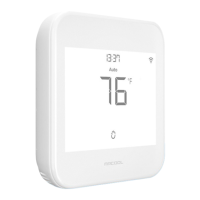
On-Device Controls:
4.3 Device Controls
Changing the Mode of your HVAC System:
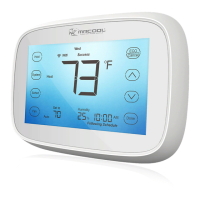
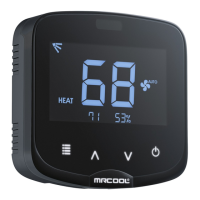
Touch the menu button once. The modes will start blinking. Use the up or down button to select the
mode (i.e., Cool, Heat, etc.).
Changing the Fan Settings:
Touch the menu button twice. The fan settings icon will start blinking. Use the up or down button to
change the fan settings (i.e., On, Auto).
Locking/Unlocking the Display Interface:
Touch and hold the Temperature Up and Down buttons simultaneously until the lock icon on the top right
of the screen turns solid or disappears.
Resetting the Wi-Fi of Smart Thermostat:
Touch and hold the Temperature Up and Hold Settings buttons simultaneously until the Wi-Fi icon
disappears, and the Bluetooth icon starts blinking.
Wi-Fi Icon:
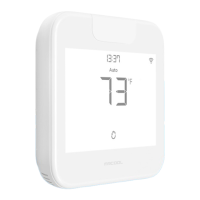
Case 1: Stable Wi-Fi Icon - Device is connected to the internet, showing Wi-Fi strength.
Case 2: Wi-Fi Icon with small triangle - Device is connected to the router but has no internet access. Ensure
you have a working internet connection and restart the device.
Bluetooth Icon:
Blinking Bluetooth icon - Device is in broadcast (AP) mode. Please complete the registration process.


 To Next Page