11
mrcool.com
Step 4:
Your device is now successfully paired with Bluetooth.
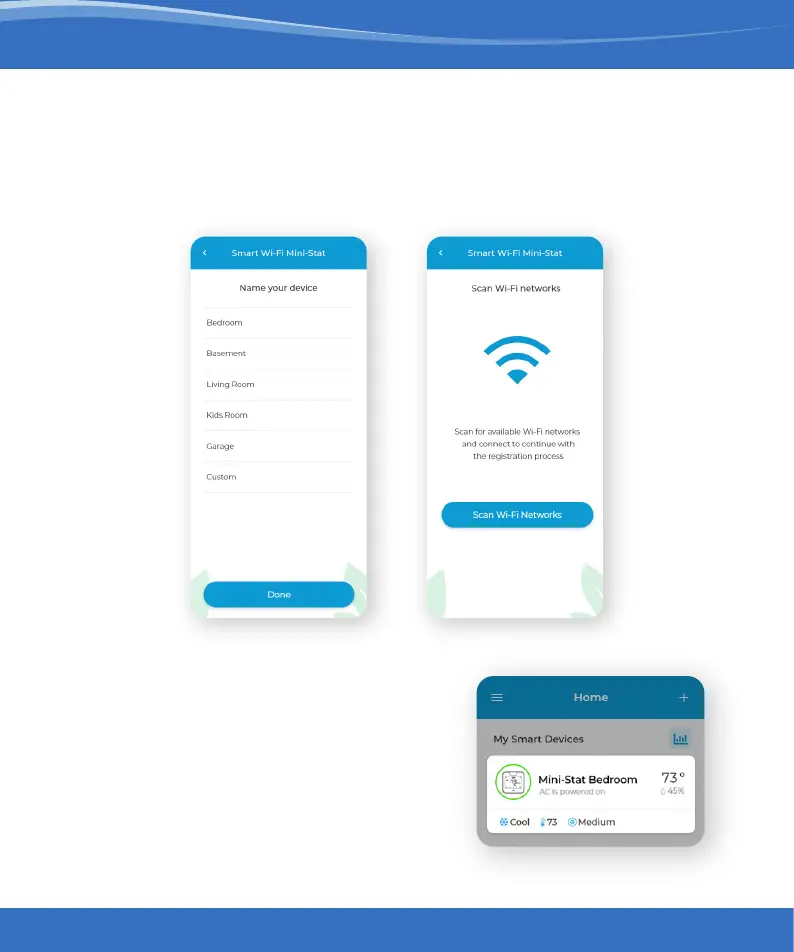
Name your device and connect it to a Wi-Fi network.
Step 5:
After Wi-Fi configuration,
your device will appear on the
home screen.
The registration process is complete.
Enjoy your smart air conditioning!


 To Next Page