EasyManua.ls Logo

MRV Communications OptiSwitch-2400/L3 - User Manual

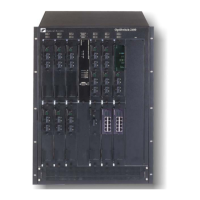
MRV Communications OptiSwitch-2400/L3
128 pages
Print Icon
To Next Page IconTo Next Page
Loading...
MRV Communications, Inc.
URL: http://www.mrv.com
OptiSwitch-2400/L3
User's Guide
ML46141 Rev. 02

Table of Contents

Question and Answer IconNeed help?

Do you have a question about the MRV Communications OptiSwitch-2400/L3 and is the answer not in the manual?

Summary

Chapter 1: Introducing OptiSwitch-2400 L3

Product Overview and Functionality

Explains what the OptiSwitch-2400/L3 is and its basic functions.

Chapter 2: Getting Started

Initial Setup and System Overview

Covers setting up, architecture, interfacing, and password configuration.

Installation Procedures

Provides instructions for physical installation, safety, and activation.

Technical Specifications

Lists the hardware and software specifications of the device.

Interfacing with the OptiSwitch-2400;L3

Command Line Interface (CLI) Basics

Details CLI conventions, modes, access levels, and navigation.

Initial Configuration Steps

Device Installation and First Login

Covers module installation and the initial login process.

Command Line Interface (CLI) Operations

Password Management Procedures

Covers setting entrance, privileged, and root passwords.

Chapter 3: Configuring Interfaces

Chapter 4: Configuring Routing Protocols

Chapter 5: CLI Commands Reference

Summary

Chapter 1: Introducing OptiSwitch-2400 L3

Product Overview and Functionality

Explains what the OptiSwitch-2400/L3 is and its basic functions.

Chapter 2: Getting Started

Initial Setup and System Overview

Covers setting up, architecture, interfacing, and password configuration.

Installation Procedures

Provides instructions for physical installation, safety, and activation.

Technical Specifications

Lists the hardware and software specifications of the device.

Interfacing with the OptiSwitch-2400;L3

Command Line Interface (CLI) Basics

Details CLI conventions, modes, access levels, and navigation.

Initial Configuration Steps

Device Installation and First Login

Covers module installation and the initial login process.

Command Line Interface (CLI) Operations

Password Management Procedures

Covers setting entrance, privileged, and root passwords.

Chapter 3: Configuring Interfaces

Chapter 4: Configuring Routing Protocols

Chapter 5: CLI Commands Reference

MRV Communications OptiSwitch-2400/L3 Specifications

General IconGeneral
BrandMRV Communications
ModelOptiSwitch-2400/L3
CategoryNetwork Router
LanguageEnglish