Thank you for buying MS wireless keyboard. In your box you will find: keyboard, nano receiver and 1xAA batteries.
FITTING BATTERIES IN THE KEYBOARD
Turn the keyboard upside down and remove the battery compartment cover by putting pressure on the recess and
carefully pushing the cover upwards. Insert the battery (1 x AA, 1.5 V) in the battery compartment of the keyboard.
Ensure that the battery poles correspond to the "+"and"-" markings. Slide the battery compartment cover back on
until it locks into place.
USING KEYBOARD
Connecting the receiver
Turn the computer on and insert the USB Nano receiver in the corresponding USB socket of your PC. Position the
keyboard so it is comfortable to use. Ensure that the keyboard is less than 10m from the USB receiver dongle.
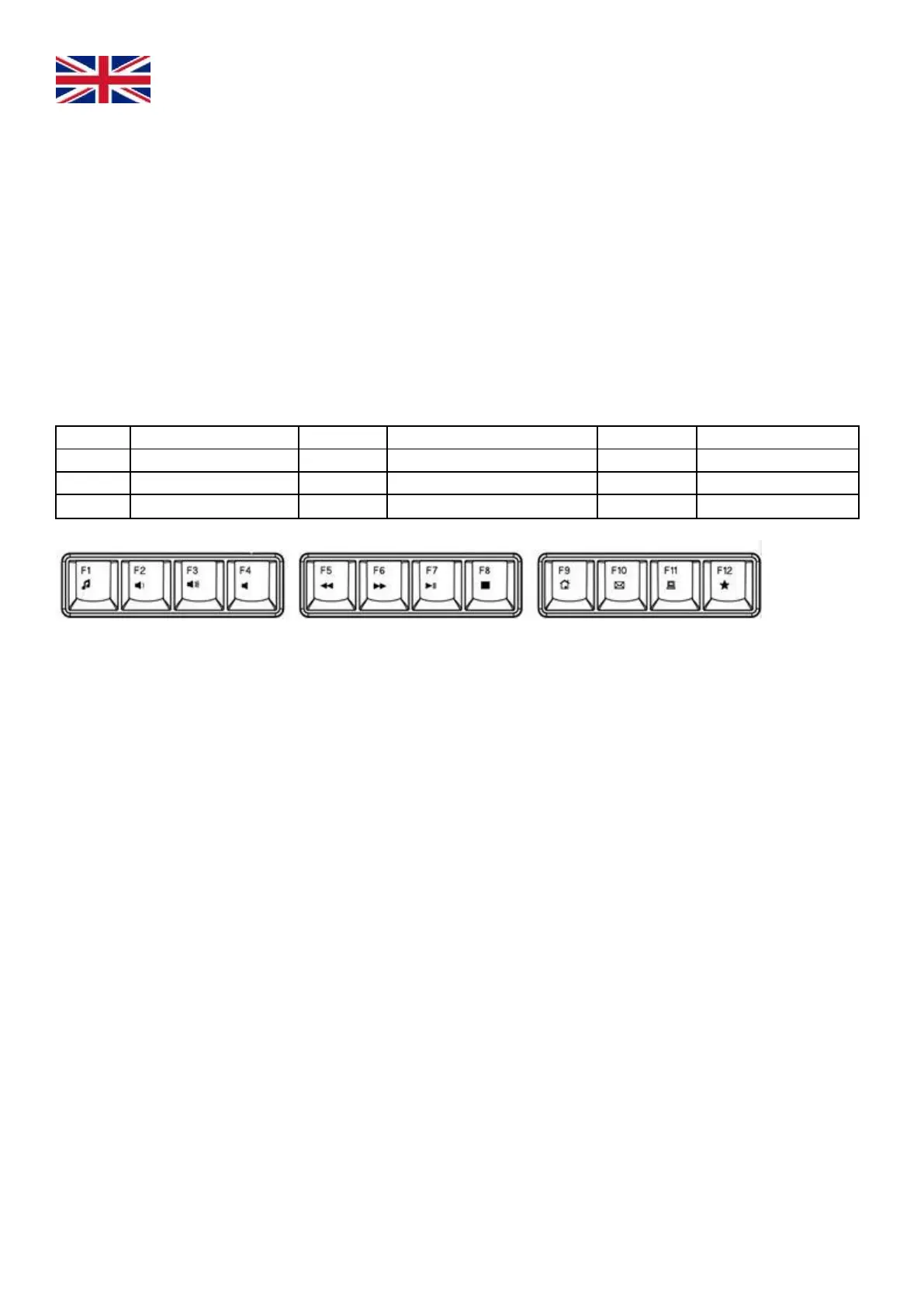
KEYBOARD MULTIMEDIA FUNCTIONS
Keyboard has 12 combination hot-keys via FN
TROUBLESHOOTING
If the keyboard stop working please try following:
• Check the polarity (+/-) on batteries, maybe they are not inserted correctly.
• Change batteries for new ones if necessary.
• Make sure the USB Receiver is plugged into a USB and the computer is on.
• Press the ESC+K keys on the keyboard for another 5 seconds. The battery low indicator will flash to indicate a
connection.
Cautions:
• Read all instructions carefully and keep this manual for future reference. Please install the
appliance with the instruction guide to use.
• Risk of explosion if battery is replaced by an incorrect type and dispose of used batteries
according to the instructions.
• Do not use water, detergents, abrasive cleaning liquids or chemical agents to clean the appliance.
• Before you clean the appliance, take the battery out.
• If the appliance is not used for a long time, please take the battery out.



 To Next Page