EasyManua.ls Logo

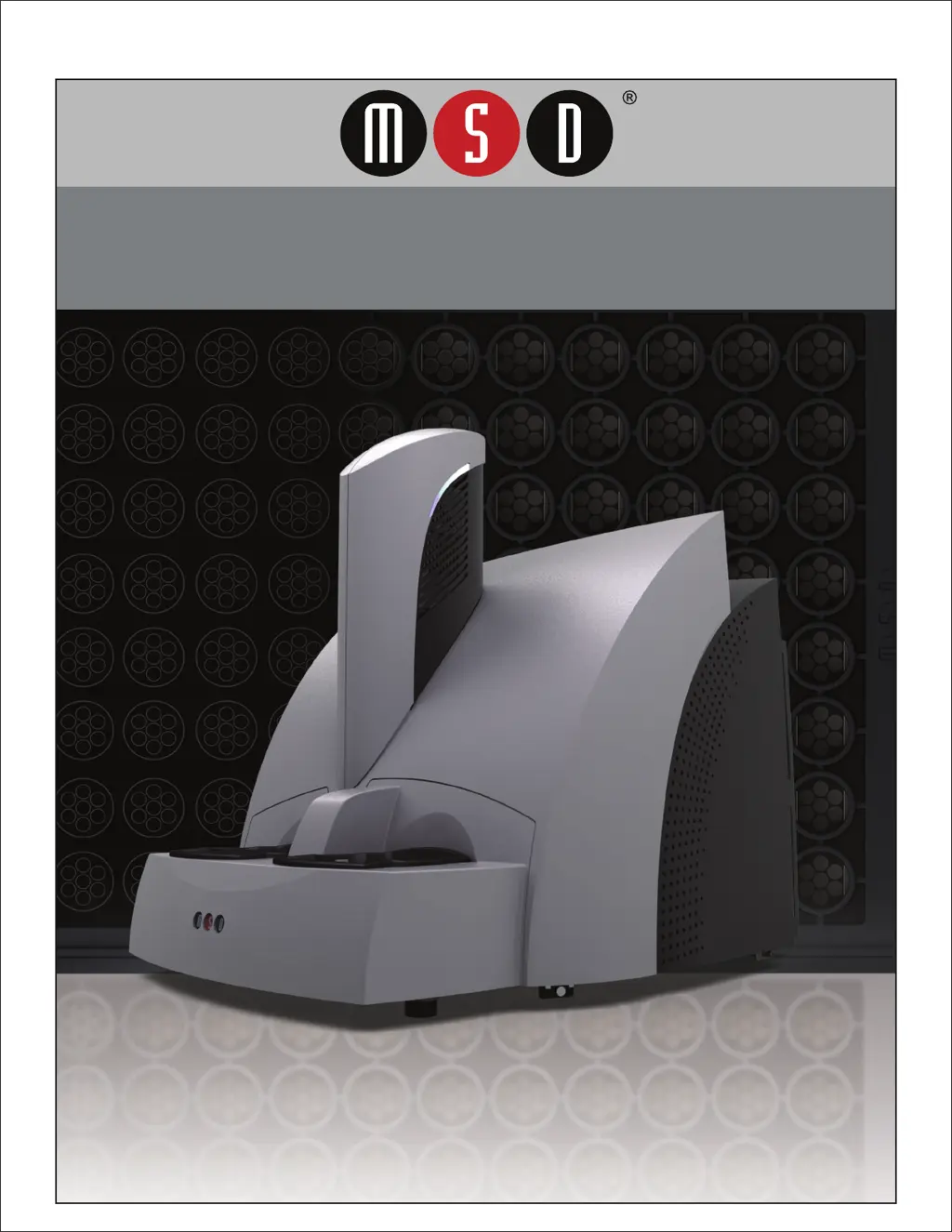
MSD MESO SECTOR S 600 - User Manual

MSD MESO SECTOR S 600
58 pages
Print Icon
To Next Page IconTo Next Page
Loading...
MESO
®
SECTOR S 600
www.mesoscale.com
®
USER MANUAL

Table of Contents

Questions and Answers

  • A
    Ann RogersAug 7, 2025
    How to troubleshoot power issues with my MSD MESO SECTOR S 600 Industrial Equipment?
    • A
      Anna BriggsAug 7, 2025
      If your MSD Industrial Equipment instrument or computer isn't powering on, first, ensure that all power cables are securely connected to both the device and the power source. If the connections are solid, test the power outlet by plugging in another electrical device to see if the outlet is functioning correctly. If the outlet works, check the fuses of the instrument, referring to Section 8.2.4: Power Requirements for fuse specifications.
  • G
    Gary StewartAug 14, 2025
    What to do if MSD Industrial Equipment shows Error 515 when reading a plate?
    • J
      Justin SanchezAug 15, 2025
      If your MSD Industrial Equipment shows Error 515 and fails to read the plate, it might be due to changes in Windows security settings, networking parameters, or the instrument name. Click OK to continue and check with your IT department for recent changes to the instrument computer. Another potential cause is incompatible anti-virus software. Try temporarily disabling your antivirus program or exclude the file C:\Program Files\MSD Discovery Workbench\lib\prefs.properties from scanning. You can also disable real-time scanning or uninstall the antivirus program and try a different one.
  • R
    ryanrodriguezAug 22, 2025
    Why is my MSD MESO SECTOR S 600 plate not being read?
    • A
      Anthony MeltonAug 22, 2025
      If the plate passes through your MSD Industrial Equipment without being read and the status jumps to 100%, the instrument likely couldn't read the barcode. Ensure the barcode is smoothly affixed to the plate. Select the correct plate type from the menu and try reading the plate again. If the barcode is damaged, try reversing the plate's orientation to use the barcodes on the other side.
  • E
    elizabeth50Aug 29, 2025
    What to do if MSD Industrial Equipment shows Error 515 during data analysis?
    • D
      David BerryAug 29, 2025
      If you encounter Error 515 during plate reading or data analysis with your MSD Industrial Equipment, the Plate Data History (database) might be full. Click OK to continue. Back up and clear the database. For DISCOVERY WORKBENCH v4, instructions on backing up and clearing the database can be found in the DISCOVERY WORKBENCH User’s Guide. The software log will contain a message such as: Could not allocate space for object 'PIDTable' .....in database 'LCPRSchema' because the 'PRIMARY' filegroup is full.

Summary

Introduction to the SECTOR S 600

Intended Audience

Manual is for users of MESO SECTOR S 600, requiring computer and lab familiarity.

How to Use This Manual

Explains manual organization, TOC, figures, tables, and appendix for quick navigation.

Warnings and Formatting Conventions

Details warning symbols, caution notes, and formatting conventions used in the manual.

Safety Information for SECTOR S 600

Regulatory and Safety Certifications

Details cSGSus mark, CE marking, EMC, FCC, and Industry Canada standards for the SECTOR S 600.

WEEE, Hazardous Substances, and Symbols

Covers WEEE compliance, hazardous substances, and explains safety symbols used in the manual.

General Operation and Hazard Overview

Describes general operation and introduces the five key hazard types for the SECTOR S 600.

Electrical Hazards

Details electrical hazards, warnings, and safety precautions related to the SECTOR S 600 instrument.

Chemical and Biological Hazards

Covers chemical and biological hazards, handling precautions, and necessary PPE for the instrument.

Mechanical Hazards

Discusses mechanical hazards, pinch points, and safety measures when operating the SECTOR S 600.

ESD and EMI Hazards

Addresses electrostatic discharge hazards and electromagnetic interference with precautions.

Decontamination Procedures

Provides procedures for instrument decontamination before shipping or servicing.

System Description

General Information and Compatibility

Covers intended use, specifications overview, plate compatibility, and system components.

SECTOR S 600 Instrument Components

Details major physical components including camera, motion system, stacker, and I/O panel.

Software, Modes, and Peripherals

Discusses workstation, software, operational modes, demonstration plate, and power supply.

Installation Overview

Installation Overview and Requirements

Outlines installation requirements, software configuration, and safety precautions for the SECTOR S 600.

Quick Start Guide

System Start-up

Guides users through powering on the system and launching the DISCOVERY WORKBENCH software.

Setup Configuration for Demonstration

Details how to configure setup selections for running the demonstration plate.

Running and Monitoring Plates

Explains how to initiate a plate read, monitor progress, and verify setup selections.

Run Operations and Results Viewing

Describes instrument controls during a run and how to view and interpret the acquired data.

Using the SECTOR S 600

Single Plate Operation

Guides users on preparing and loading a single MULTI-ARRAY plate for reading.

Stack Run Operation

Explains how to load and unload multiple plates using stack tubes for sequential processing.

Robotics Integration

Discusses integrating the instrument with robotic systems via Remote Instrument Mode.

Maintenance Procedures

Preventive Maintenance and Cleaning

Outlines scheduled preventive maintenance and general instrument cleaning procedures.

Adapter and Decontamination Procedures

Details cleaning for adapters/tubes and protocols for instrument decontamination.

Appendix

Troubleshooting Guide

Provides a comprehensive guide to troubleshoot common hardware and operating errors with corrective actions.

Specifications and Dimensions

Lists detailed specifications including performance, environmental, power, physical dimensions, and plate compatibility.

Technical Support

Reporting Issues and Suggestions

Instructs users on submitting bug reports, feature requests, and problem descriptions.

Contact Information

Provides contact details for customer service, scientific support, and instrument service personnel.

MSD MESO SECTOR S 600 Specifications

General IconGeneral
BrandMSD
ModelMESO SECTOR S 600
CategoryIndustrial Equipment
LanguageEnglish

Related product manuals