3-26 3-27
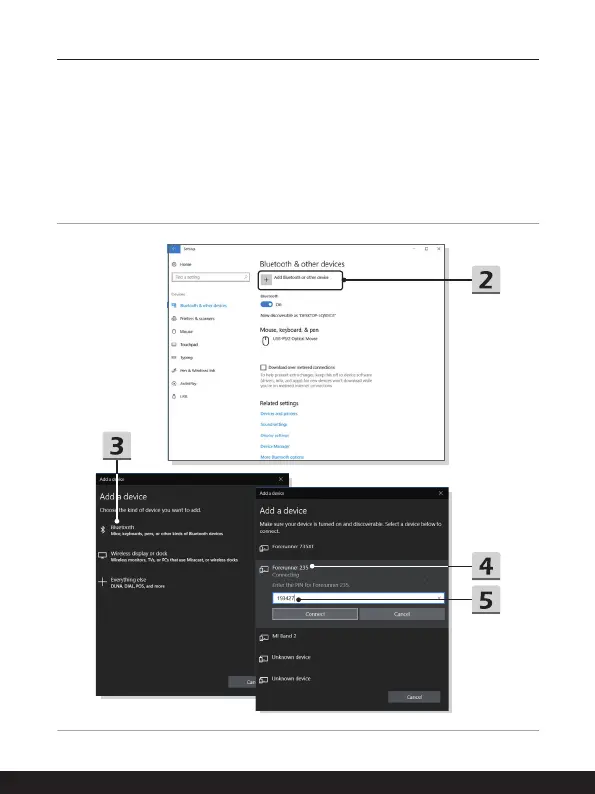
▶ Pairing the Bluetooth devices
1. Go to [Start/ Settings/ Devices], and then find [Bluetooth & other devices].
2. Click on [Add Bluetooth or other device].
3. Click on [Bluetooth].
4. Select a device to start pairing.
5. Give the passcode as instructed by the device waiting to be connected, and
then click on [Connect] to continue.



 To Next Page