Introductions
2-14 2-15
Quick Launch Keys
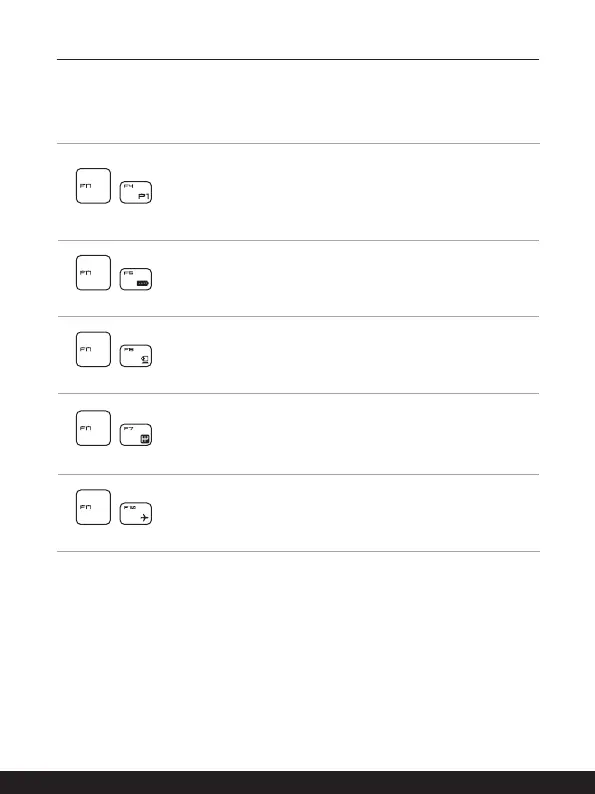
Use the [Fn] combination keys on the keyboard to activate the specific applications or
tools. With the help of these keys, users will be able to do work more efficiently.
+
Dragon Center
• This notebook may be pre-installing with a gaming utility,
Dragon Center, providing users an astonished and efficient
solution in game playing.
• Press both FN and F4 keys to launch Dragon Center
application.
+
Super Battery
• Press FN and F5 keys to switch to Super Battery mode, the
power saving mode provided by Dragon Center.
+
Webcam
• Press Fn and F6 keys to turn the Webcam function on. Press
again to turn it off.
• Webcam is turned off under default settings.
+
User Scenario
• Press FN and F7 keys repeatedly to switch between Extreme
Performance/ Balanced/ Silent/ Super Battery/ User
according to your preference, the user scenarios provided by
Dragon Center.
+
Airplane Mode
• Press Fn and F10 keys repeatedly to turn Airplane Mode on
or off recurrently.



 To Next Page