Need help?
Do you have a question about the MSI Cubi 2 MS-B142 and is the answer not in the manual?
The MSI Cubi 2 is a compact and versatile personal computer designed for a range of uses, from everyday tasks to more demanding applications. Its small form factor allows it to be easily integrated into various environments, whether at home or in an office setting, without occupying much space. The system is engineered to provide a reliable computing experience with a focus on user convenience and environmental responsibility.
The Cubi 2 functions as a full-fledged personal computer, capable of running a Windows 10 operating system and supporting various software applications. It is equipped with essential ports for connectivity and peripherals, ensuring compatibility with a wide array of devices. The system's core purpose is to deliver a stable and efficient platform for productivity, entertainment, and communication.
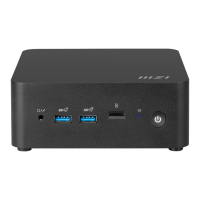
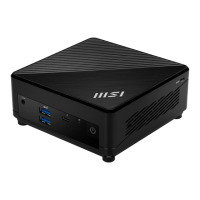
The front panel of the Cubi 2 features a power button for easy system activation and shutdown. It includes USB 3.1 Gen1 ports, one of which incorporates Quick Charger Technology, allowing users to rapidly charge USB devices even when the system is powered off. This is a convenient feature for mobile device users. A USB 3.1 Gen1 Type C port is also present, offering reversible plug orientation for enhanced ease of use. For audio connectivity, the front panel provides both a headphone jack and a microphone jack, catering to common audio peripheral needs. A Hard Disk Drive LED indicator is included to show disk activity, providing visual feedback on data access.
On the rear, the Cubi 2 offers a comprehensive set of ports for external connections. It includes a power jack for the AC/DC adapter, which converts AC power to DC power for the system. An HDMI-Out Port is provided for high-definition audio and video output, supporting various TV formats and multi-channel digital audio on a single cable. A Mini-DisplayPort offers an alternative digital audio/video interface, capable of connecting to different display types with a suitable adapter. For network connectivity, a standard RJ-45 LAN jack is available, supporting 10/100/1000 Mbit/sec data rates, indicated by LED colors (Green/Orange) for link status and activity. Additional USB 3.1 Gen1 ports are located on the rear for attaching more USB devices such as keyboards, mice, or external storage, supporting SuperSpeed data transfer rates and backward compatibility with USB 2.0.
The left side of the device features a Kensington Lock Port, which allows users to physically secure the PC to a permanent object using a mechanical PIN device and a rubberized metal cable, deterring theft.
The Cubi 2 is designed with user comfort and convenience in mind. Its compact size makes it highly portable and adaptable to different workspaces. The system supports power management features through Windows 10, allowing users to optimize energy consumption by setting the display to turn off and the system to enter sleep mode after periods of inactivity. This contributes to both energy savings and environmental benefits.
Network connectivity is straightforward, supporting both wired and wireless connections. For wired networks, users can easily set up a broadband connection by following the steps in the Windows 10 Network and Sharing Center. Wireless network setup is equally simple, involving selecting an available WLAN connection or manually adding a new one through the Windows 10 Settings.
The system also incorporates safety instructions to ensure proper and safe operation. Users are advised to read the safety instructions thoroughly, keep the user's guide for future reference, and operate the equipment away from humidity and high temperatures. It should be placed on a reliable flat surface. The power voltage should be within the safety range of 100-240V, and the equipment must be connected to an earthed mains socket-outlet. The AC power cord should always be unplugged before installing add-on cards or modules, and disconnected when the equipment is left unused for extended periods to achieve zero energy consumption. The ventilator on the enclosure should not be covered to prevent overheating. The equipment should not be exposed to extreme temperatures (above 60°C or below 0°C).
The Cubi 2 emphasizes ease of maintenance and environmental responsibility. The design allows for potential upgrades and replacements of certain components, though it is strongly recommended to contact an authorized dealer or service center for such services to avoid voiding the warranty. This approach ensures that the product can have an extended lifetime through easy upgrades.
The device adheres to various environmental policies and regulations. It is designed to enable proper reuse of parts and recycling at the end of its life, encouraging users to contact local authorized collection points for recycling. MSI also provides information on chemical substances in its products in compliance with regulations like EU REACH. The battery information highlights the importance of proper disposal and recycling of batteries, advising against discarding them as unsorted household waste.
For system recovery, Windows 10 provides a "Reset this PC" function, allowing users to restore the system to its initial manufacturer's default settings. This feature is useful for resolving operating system errors, addressing virus infections, or reinstalling the OS with different built-in languages. Users can choose to either "Keep my files" (removing apps and settings but retaining personal files) or "Remove everything" (removing all personal files, apps, and settings). If multiple hard drives are present, users can select whether to clean only the drive where Windows is installed or all drives, and whether to just remove files or remove files and clean the drive for enhanced security. Before performing a system recovery, it is crucial to back up important data to other storage devices. If recovery fails, users are advised to contact an authorized local distributor or service center for assistance.
The product's green features include reduced energy consumption during use and stand-by, limited use of harmful substances, easy dismantling and recycling, reduced use of natural resources through recycling, extended product lifetime via upgrades, and reduced solid waste production through take-back policies. These features underscore MSI's commitment to sustainability and responsible product lifecycle management.
 General
| Model | MSI Cubi 2 MS-B142 |
|---|---|
| Operating System | Windows 10 Home |
| Audio | Realtek ALC887 |
| LAN | 10/100/1000 Mbps |
| Bluetooth | Bluetooth 4.0 |
| HDMI | 1 x HDMI |
| VESA Mount | Yes |
| Graphics | Intel HD Graphics |
| Chipset | Intel SoC |
| Wireless | 802.11ac |
| Front I/O | 1 x Headphone-out 1 x Microphone-in |
| Rear I/O | 1 x HDMI 1 x VGA 1 x RJ45 1 x DC-in |
| Memory Slots | SO-DIMM |


 To Next Page