2-18
Introductions
Left Side View
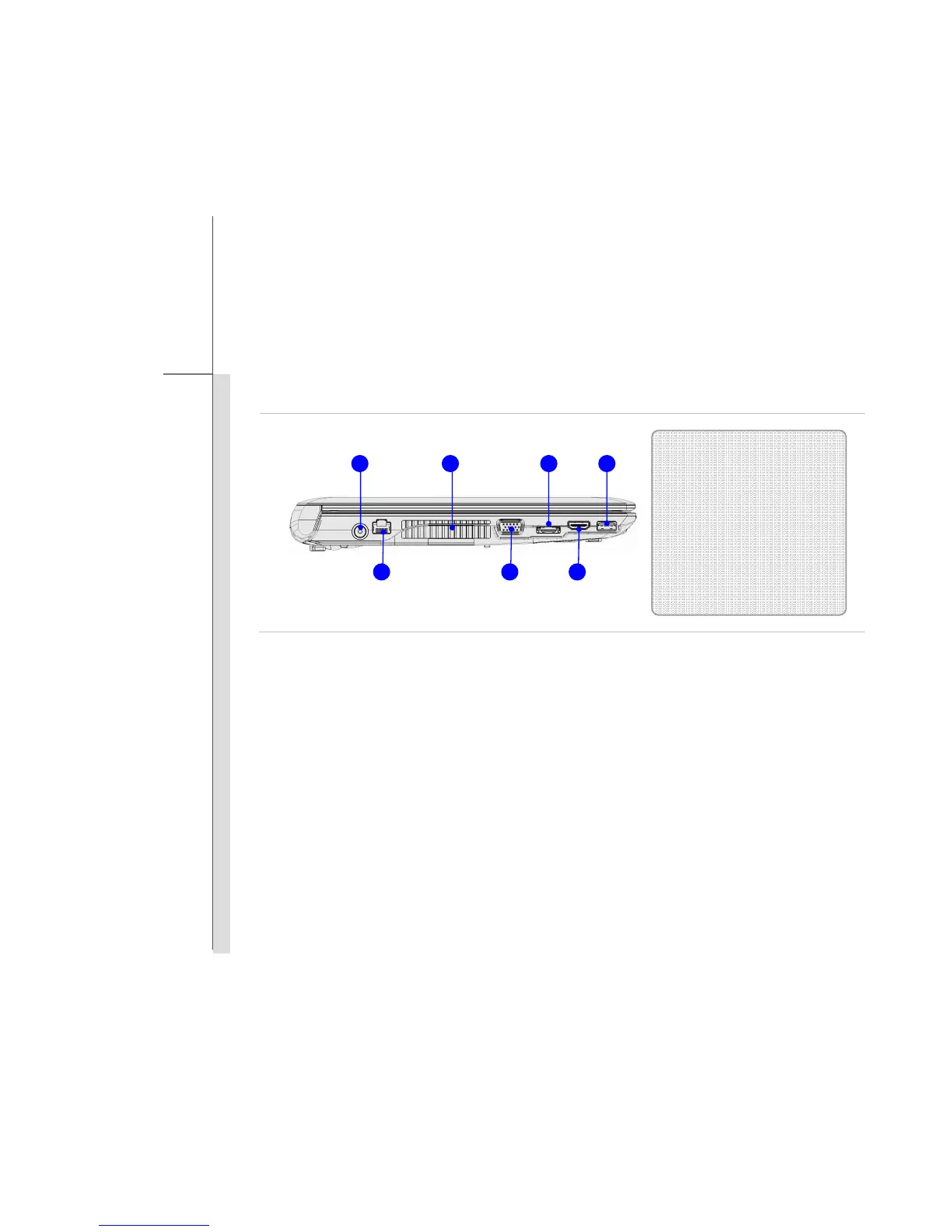
1. Power Connector
To connect the AC/DC adapter and supply power for the notebook.
2. Ventilator
The ventilator is designed to cool the system. DO NOT block the ventilator for air circulation.
3. E-SATA Connector (External Serial ATA)
The E-SATA Connector allows you to connect an external Serial ATA hard disk device. Users
can now utilize shielded cable outside the notebook to take advantage of the benefits the SATA
interface brings to storage.
1. Power Connector
2. Ventilator
3. E-SATA Connector
4. USB Port
5. RJ-45 Connector
6. VGA Port
7. HDMI Connector
1 2 3 4
5 6 7



 To Next Page