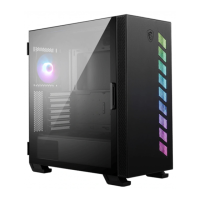
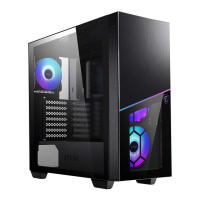
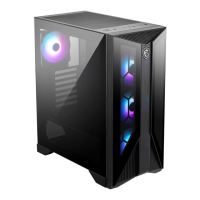
This document serves as a user guide for the MSI MAG Series PC Cases, specifically the MAG FORGE 320R AIRFLOW and MAG FORGE 120A AIRFLOW models. It provides comprehensive instructions for assembling and maintaining your PC within these cases, ensuring optimal performance and longevity.
The primary function of these PC cases is to house and protect your computer components, including the motherboard, graphics card, storage drives (SSDs and HDDs), and power supply unit (PSU). They are designed to facilitate efficient airflow, which is crucial for cooling internal components and preventing overheating, thereby extending the lifespan of your hardware. The cases also offer various expansion slots and ports for connectivity and future upgrades.
Usage Features:
The user guide details the installation process for all major components, making it accessible for both novice and experienced PC builders.
- Component Installation:
- Motherboard Installation: The guide illustrates how to securely mount the motherboard within the case, ensuring proper alignment with stand-offs and screw holes.
- Graphics Card Installation: Clear steps are provided for installing graphics cards, including how to remove PCIe slot covers and secure the card in place.
- SSD & HDD Installation: Both 2.5" SSDs and 3.5" HDDs can be installed. The guide shows how to mount these drives in their designated bays, which may involve using specific trays or mounting points depending on the drive type and case model.
- PSU Installation: Instructions are given for installing the power supply unit, typically at the bottom of the case, and securing it with screws.
- I/O and Button Functionality:
- The front panel I/O ports and buttons are clearly labeled and described. These include USB 3.2 Gen1 Type-A ports for high-speed data transfer, audio jacks (microphone and headphone) for peripherals, and essential control buttons.
- Power Button: Used to turn the PC on and off.
- Reset Button (120A / 320L): Allows for a quick system restart.
- LED Switch Button (120A / 320R): This button controls the lighting effects of the pre-installed fans and any connected ARGB LED strips.
- Cooling Fan Support: The cases are designed with extensive cooling capabilities.
- They support multiple cooling fans in various configurations (top, front, rear, PSU shroud) to ensure optimal airflow.
- The MAG FORGE 320R AIRFLOW model includes pre-installed ARGB fans (three at the front, one at the rear) and supports additional side fans.
- The MAG FORGE 120A AIRFLOW model comes with pre-installed Auto-RGB fans (two at the top, three at the front, one at the rear).
- The guide provides instructions for connecting these fans to the control board and, in the case of ARGB fans, syncing them with the motherboard for customizable lighting.
- LED Control (MAG FORGE 320R AIRFLOW):
- The MAG FORGE 320R AIRFLOW features an LED controller with Mystic Light Sync, allowing users to customize the lighting effects of their ARGB components.
- The LED Switch button offers single presses to cycle through various LED effects, such as solid colors (red, green, blue, purple, cyan, yellow, white), rainbow color cycling, color running effect, gradient color transition, rainbow color breathing, color breathing, rainbow flashing, and color flashing.
- A long press (three seconds) on the LED Switch button syncs the lighting with the motherboard, enabling software control over the ARGB effects.
- LED Control (MAG FORGE 120A AIRFLOW):
- The MAG FORGE 120A AIRFLOW also includes an LED controller (standalone) for its Auto-RGB fans.
- The LED Switch button on this model allows for a single press to activate an RGB rainbow effect and another press to turn off the LED lighting.
- Cable Management: The cases are designed to facilitate clean cable management, which not only improves aesthetics but also enhances airflow. The guide implicitly supports this by showing various connection points for front panel I/O and control boards.
Maintenance Features:
Proper maintenance is essential for the longevity and performance of your PC. The user guide highlights several aspects related to maintenance and safety.
- Side Panel Removal: The guide provides clear instructions on how to remove the side panels, which is necessary for accessing internal components during installation, upgrades, or cleaning. This typically involves unscrewing thumbscrews and sliding the panel off.
- Front Bezel Removal: Instructions for removing the front bezel are included, which is often required for installing front fans or cleaning the front dust filter.
- Dust Filters: The cases are equipped with dust filters at key intake points (top, side, bottom) to prevent dust buildup inside the PC. While the guide doesn't explicitly detail cleaning instructions, the presence and material description (magnetic for top/side, plastic for bottom) imply that these filters are removable and washable, making routine cleaning straightforward. Regular cleaning of these filters is crucial for maintaining optimal airflow and cooling performance.
- Safety Precautions for LED Components: The guide emphasizes important safety warnings regarding the ARGB LED Strip and Auto-RGB fans:
- Power Disconnection: Always turn off the power supply and unplug the power cord from the outlet before installing or removing any ARGB LED Strip or Auto-RGB fan. This prevents electrical shock and damage to components.
- LED Limit (320R): The ARGB LED Strip supports a maximum of 128 LEDs. Exceeding this limit can lead to overheating, abnormal colors, or malfunctions, underscoring the importance of adhering to specifications for safe operation.
- Cable Connections: Ensure all cables are securely connected before powering on the system. Loose connections can cause malfunctions or damage.
- Fan Header Compatibility (120A): A specific warning is given for the 120A model's control board fan header, stating it is a special specification and not compatible with standard ARGB and RGB fans. This prevents users from connecting incompatible fans, which could lead to damage.
In summary, the MSI MAG Series PC Cases (MAG FORGE 320R AIRFLOW and MAG FORGE 120A AIRFLOW) are designed to provide a robust and user-friendly platform for building and maintaining a high-performance PC. The user guide ensures that users can confidently assemble their systems, manage cooling and lighting, and perform necessary maintenance to keep their computers running smoothly.

 Need help?
 General
 Weight and Dimensions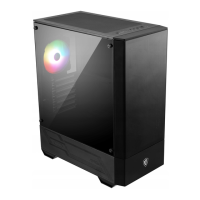



 To Next Page