This document describes the MAG META Series Personal Computer, specifically the META B934 model. It covers various aspects of the device, including its package contents, safety and comfort tips, system overview, hardware setup, system operations, safety instructions, and regulatory notices.
Function Description:
The MAG META Series Personal Computer is a personal computer designed for general use. It offers a feature-packed platform for an exciting PC experience and can be easily set up anywhere due to its design. The system is capable of running Windows 10 and supports various peripheral devices. It includes power management features to optimize energy consumption and system recovery options for troubleshooting and restoring the system to its default state.
Important Technical Specifications:
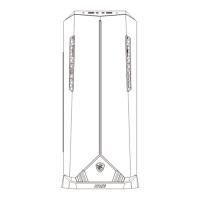
Front I/O Ports:
- Power Button: For turning the system on and off.
- Hard Disk Drive LED: Indicates HDD activity (flashes when accessing data, off when idle).
- USB 3.2 Gen 1 Port (x2): Provides connectivity for USB peripheral devices with speeds up to 5 Gbps.
- Headphone Jack: For connecting headphones or speakers.
- Microphone Jack: For connecting microphones.
- RGB LED Button: Switches lighting effects; long press (3 seconds) turns RGB LED on/off.
Rear I/O Ports:
- HDMI-Out Port: High-Definition Multimedia Interface for transmitting uncompressed digital audio/video streams, supporting all TV formats (standard, enhanced, high-definition video) and multi-channel digital audio on a single cable.
- DVI-D Port: Supports monitors and other DVI-D interface devices.
- PS/2 Keyboard Port: DIN connector for PS/2® keyboards.
- PS/2® Mouse Port: DIN connector for PS/2® mice.
- USB 2.0 Port (x4): For USB peripheral devices with speeds up to 480 Mbps. (Note: Low-speed devices like mice or keyboards are suggested for these ports).
- LAN Jack (RJ-45): Standard RJ-45 jack for connection to a Local Area Network (LAN).
- Yellow LED: Off (LAN link not established), On (steady state - LAN link established), On (blinking - communicating with another computer on LAN).
- Green LED: Off (10 Mbit/sec data rate selected), On (100 Mbit/sec data rate selected).
- Orange LED: On (1000 Mbit/sec data rate selected).
- Mic (Audio Input): For microphones.
- Line-Out (Audio Output): For headphones or speakers.
- Line-In (Audio Input): For external audio output devices.
- Power Supply Switch: Switches power supply on (I) or off (O).
- Power Jack: Supplies power to the system.
- Ventilator: Used for air convection and preventing overheating; should not be covered.
Power Rating: 100-240V~, 50-60Hz, 7-3A.
Wireless Connectivity (if applicable):
- IEEE 802.11x wireless LAN: 5.15~5.35 GHz frequency band restricted for indoor use in EU/EFTA countries.
- WiGig application: 57~66 GHz frequency band excluded for fixed outdoor installations in EU/EFTA countries.
- Radio Frequency Bands and Maximum Power Levels:
- Features: 802.11 a/b/g/n/ac, BT
- Frequency Range: 2.4 GHz, 5 GHz
- Modulation: FHSS, DSSS, OFDM
- Power Output: 10, 20, 23
- Channel Bandwidth: 1, 5, 20, 40, 80 MHz
Usage Features:
- Easy Setup: The computer is designed for easy setup anywhere.
- Peripheral Connectivity: Supports a wide range of peripheral devices through various USB, audio, video, and PS/2 ports.
- Power Management (Windows 10):
- Users can control power management features (display, hard drive, battery) via [Power Options] in Windows.
- Pre-set to turn off display after 10 minutes and initiate Sleep after 30 minutes when operating on AC power.
- System can wake up from power saving mode via power button, Wake On LAN, mouse, or keyboard.
- Network Connection (Windows 10):
- Wired Network: Connects via RJ-45 LAN jack. Instructions provided for setting up broadband (PPPoE) connections.
- Wireless Network: Connects via WLAN. Instructions provided for connecting to existing networks or manually adding new wireless networks.
- System Recovery (Windows 10):
- Reset this PC: Allows users to choose between "Keep my files" (removes apps and settings, keeps personal files) or "Remove everything" (removes all personal files, apps, and settings). Options for cleaning drives are also available.
- F3 Hotkey Recovery (Optional): Allows resetting the system to default factory settings by pressing F3 during startup.
Maintenance Features:
- System Recovery: Provides tools to restore the system to its initial manufacturer's default settings, resolve operating system errors, remove virus effects, or install the OS with other built-in languages. Users are advised to back up important data before recovery.
- Troubleshooting: The manual suggests contacting the place of purchase or local distributor for assistance if system recovery fails or if problems arise that cannot be solved using the manual. MSI's website also offers technical guides, BIOS updates, and driver updates.
- Upgrade and Replace Service: Certain preinstalled components may be upgradable or replaceable. Users are advised to contact an authorized dealer or service center for such services to avoid voiding the warranty.
- Acquisition of Replaceable Parts: Information on acquiring replaceable parts is available via MSI's support website, with availability typically within 5 years of product discontinuation, depending on regulations.
Safety and Comfort Tips:
- Workspace: Choose a well-illuminated workspace with proper desk and chair height to fit posture.
- Posture: Sit straight, keep a good posture, adjust chair back for support, place feet flat on the floor, and keep knees/elbows at about 90 degrees.
- Wrist Support: Put hands on the desk naturally to support wrists.
- Location: Avoid using the PC in places where discomfort may occur (e.g., on the bed).
- Electrical Safety: Treat the PC with care as it is an electrical device.
- Power Voltage: Ensure power voltage is within 100-240V range.
- Grounding: If the power cord has a 3-pin plug, do not disable the protective earth pin; connect to an earthed mains socket-outlet.
- Power Cord: Unplug AC power cord before installing add-on cards/modules. Always hold the connector part when unplugging. Place the cord where people are unlikely to step on it.
- Adapter: Use only MSI-provided AC adapter if the computer comes with one.
- Ventilation: Do not obstruct air ventilators.
- Surface: Use on a hard, flat, and steady surface.
- Environment: Keep away from humidity and high temperatures. Do not leave in unconditioned environments with storage temperatures outside 0°C to 60°C. Maximum operating temperature is around 35°C.
- Liquids/Objects: Never pour liquid into openings. Keep strong magnetic or electrical objects away.
- Service: If the power cord/plug is damaged, liquid has penetrated, exposed to moisture, not working well, dropped, or has obvious signs of breakage, get it checked by service personnel.
- Battery Safety: Avoid disposing of batteries in fire/hot ovens, crushing/cutting them. Avoid extreme temperatures/pressures. Do not ingest coin/button cell batteries. Replace batteries only with the same or equivalent type recommended by the manufacturer.
Environmental Policy and Regulatory Compliance:
- Green Product Features: Reduced energy consumption, limited harmful substances, easy dismantling/recycling, reduced natural resource use, extended product lifetime, reduced solid waste.
- WEEE Statement: Products should not be discarded as unsorted household waste; use public collection systems for recycling.
- California, USA: Button cell batteries may contain perchlorate and require special handling for recycling/disposal.
- RoHS Statement: Complies with Japan JIS C 0950, India E-waste (Management and Handling) Rule 2011, Turkey EEE Regulation, Ukraine Restriction of Hazardous Substances, and Vietnam RoHS.
- CE Conformity: Complies with EU Directives (RED 2014/53/EU, Low Voltage 2014/35/EU, EMC 2014/30/EU, RoHS 2011/65/EU, ErP 2009/125/EC).
- FCC-B Radio Frequency Interference Statement: Complies with Part 15 of FCC Rules for Class B digital devices. Users are advised to reorient/relocate receiving antenna, increase separation, or connect to a different circuit if interference occurs. Shielded interface cables and AC power cord must be used for compliance.

 Need help?





 To Next Page
 General