
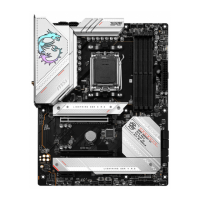
 Need help?
Do you have a question about the MSI MPG B650 EDGE WIFI and is the answer not in the manual?
 General
| Brand | MSI |
|---|---|
| Model | MPG B650 EDGE WIFI |
| Category | Motherboard |
| Language | English |
Details specifications for the CPU, including supported processors and socket type.
Details specifications for the AMD B650 Chipset.
Details memory specifications, including type, slots, capacity, and channels.
Details specifications for PCIe expansion slots, including type and number.
Details specifications for onboard graphics outputs like HDMI and DisplayPort.
Details specifications for SATA ports, including quantity and speed.
Details specifications for M.2 SSD slots, including type, speed, and supported devices.
Details RAID support for SATA and M.2 NVMe storage devices.
Details audio codec and output specifications.
Details LAN controller specifications.
Details wireless LAN and Bluetooth specifications and features.
Details power connector types and pin configurations.
Details internal USB connector types and port counts.
Details fan connector types and pin definitions.
Details system connectors like front panel, TPM, and intrusion.
Details jumper types and their functions, like Clear CMOS.
Details onboard LED features like EZ Debug and RGB connectors.
Lists and describes all back panel connectors.
Details the I/O controller chip used on the motherboard.
Details hardware monitoring capabilities like temperature and fan speed.
Specifies the motherboard form factor and dimensions.
Details BIOS features like flash size and version.
Lists included software utilities like MSI Center and drivers.
Lists features and functionalities of the MSI Center software.
Describes thermal management features like heatsink design and thermal pads.
Highlights performance-enhancing features like Core Boost and memory overclocking.
Lists features that enhance user convenience and ease of installation.
Mentions audio-related features like Audio Boost.
Details RGB lighting support and features like Mystic Light.
Refers to BIOS-related features like Click BIOS 5.
Lists the motherboard itself as part of the package.
Lists included documentation like quick installation guide and notices.
Lists included cables, such as SATA cables.
Lists included accessories like Wi-Fi antenna set and M.2 clips.
Installs an M.2 module into the M2_1 slot, including heatsink removal and installation.
Explains the function of EZ Debug LEDs for system status indication.
Describes the JPWRLED1 connector for demonstrating onboard LED lights.
Describes the LED_SW1 switch for controlling motherboard LEDs.
Step-by-step guide for installing Windows 10 or Windows 11 operating systems.
Provides steps to check the current BIOS mode (UEFI or Legacy).
Instructions for updating BIOS using the M-FLASH utility.
Instructions for updating BIOS using the MSI Center software.
Instructions for updating BIOS using the dedicated Flash BIOS button.
Statement regarding FCC compliance and radio frequency interference.
Lists the two conditions for FCC compliance.
Notes restrictions for wireless LAN usage in certain frequency bands.
Details supported radio frequency bands and maximum power levels.
 To Next Page
