63
BIOS Setup
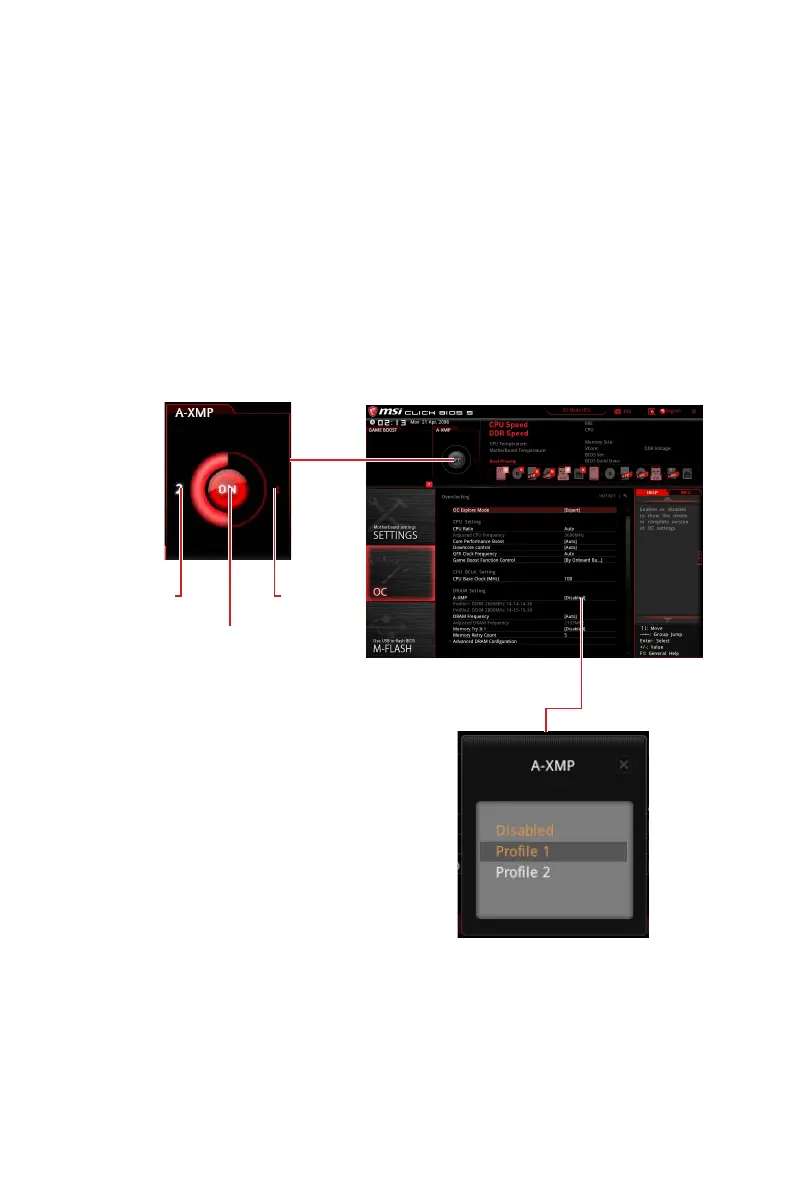
A-XMP Operation
System Requirements
y Supported AMD
®
Ryzen™ series processor
y Memory module supports XMP
How to enable A-XMP
Power on and press Delete key to enter BIOS Setup menu. Here are two methods
below to enable A-XMP.
Method 1. BIOS EZ button
Click A-XMP button 1 or 2 to enable XMP profile 1 or profile 2.
Profile1
Toggle
A-XMP
Indicator
Profile 2
Toggle
Method 2. BIOS item
Go to BIOS > OC > A-XMP and
change setting to Profile 1 or
Profile 2.
Note
y
Profile 1 is downgrade profile.
y
Profile 2 is manufacturer verifies profile.
y
The A-XMP button and item are only available when the system is supported.


 To Next Page
 Loading...