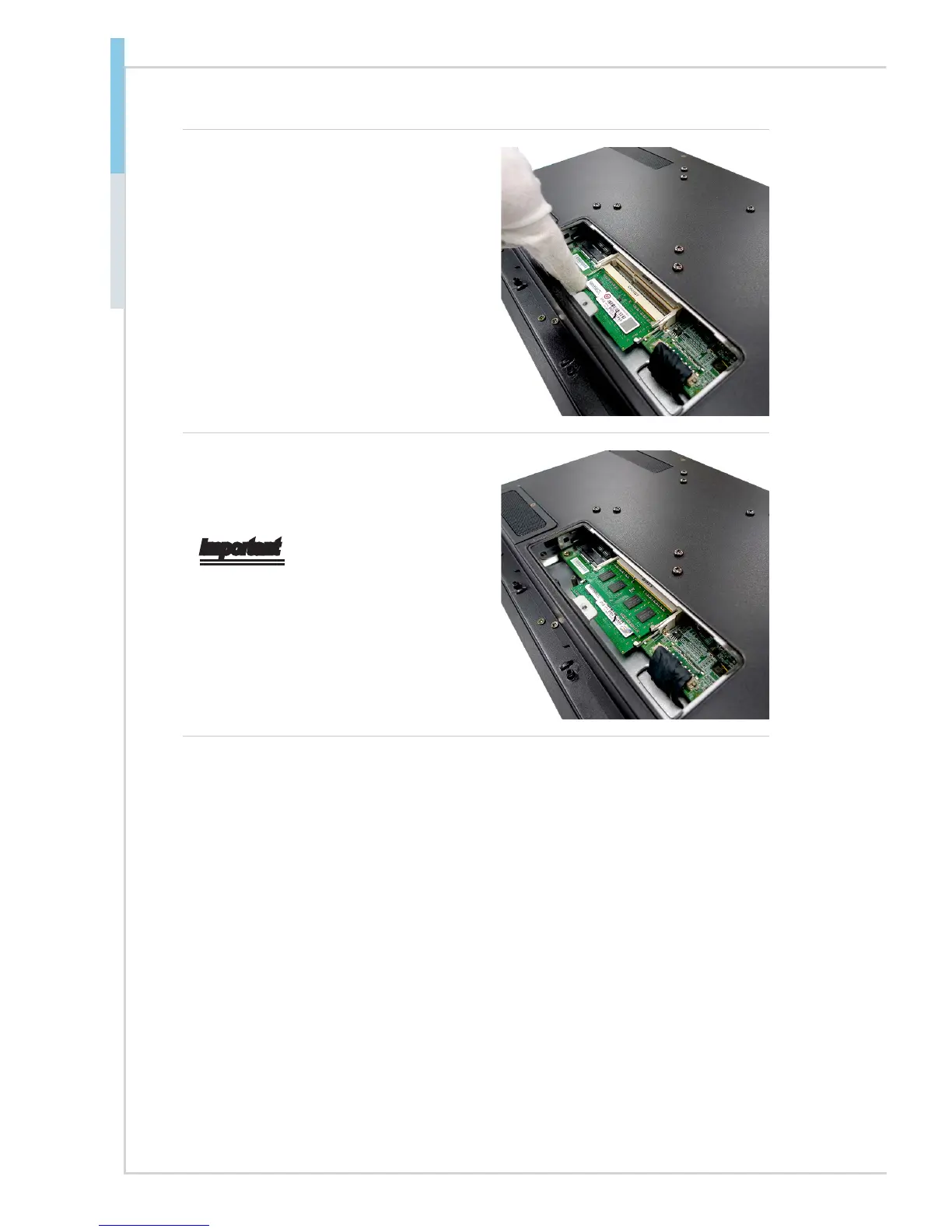
5. Push the DIMM gently downwards
until the slot levers click and lock
the DIMM in place.
6. Install the second memory if
necessary.
Important
• You can barely see the golden nger
if the DIMM is properly inserted in
the DIMM slot.
• To uninstall the DIMM, ip the slot le-
vers outwards and the DIMM will be
released instantly.



 To Next Page