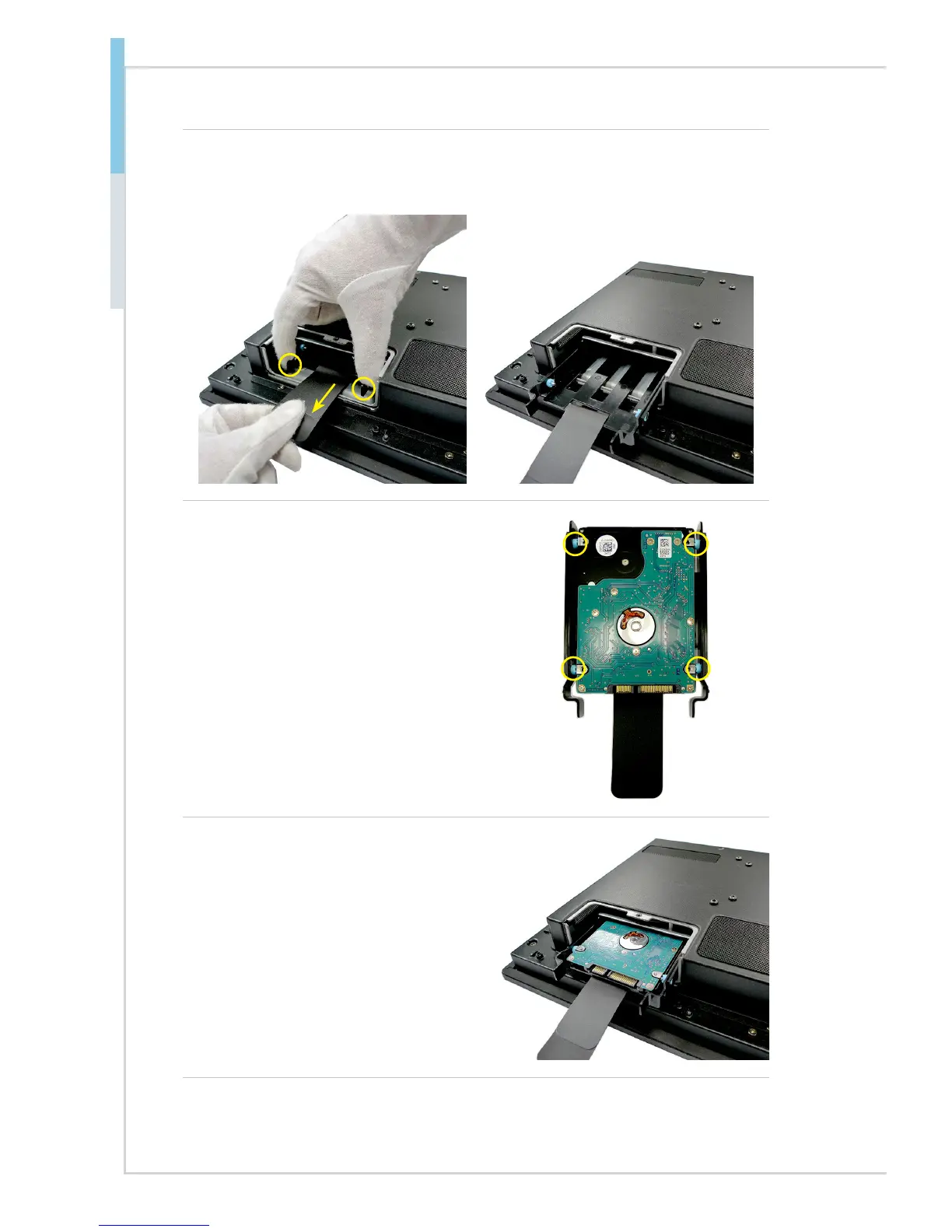
4. Gently push the tray levers inwards and carefully pull the retaining lip to
release the HDD tray out of the bay.
5. Fit the HDD into the tray. Be sure
to put the HDD in the correct
orientation and with screw holes
aligned.
6. Slide the HDD set back into the
system and connect the SATA
signal & power cable to the HDD.



 To Next Page