
 Need help?
Do you have a question about the MSI Nightblade and is the answer not in the manual?
Details dimensions, weight, motherboard type, storage bays, and connectivity ports.
Identifies external connectivity ports for peripherals and displays.
Essential safety guidelines for handling components and preventing damage.
Lists the necessary tools for installing hardware components.
Instructions for accessing the chassis and cleaning the dust container for optimal ventilation.
Visual guide to internal component placement and chassis structure.
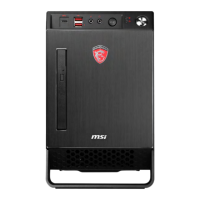
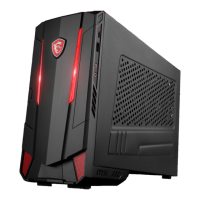
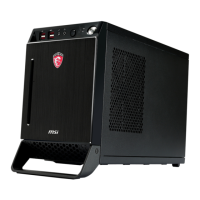
The MSI Nightblade is a barebone gaming PC chassis designed for users who want to build their own compact yet powerful gaming system. It features a sleek and aggressive design, characteristic of MSI's gaming series, with a dragon logo prominently displayed on the side. The chassis is built to accommodate Mini-ITX motherboards, making it suitable for space-conscious setups while still offering ample room for essential gaming components.
The Nightblade serves as the foundational enclosure for a custom-built gaming computer. It provides the structural framework and necessary bays for installing a motherboard, CPU, CPU cooler, memory modules, graphics card, and various storage devices. The chassis is designed to optimize airflow and cooling for high-performance components, which is crucial for gaming. It also integrates front I/O ports for convenient access to USB devices, audio peripherals, and a power button, along with a unique LED light button to control the chassis's internal lighting. The rear panel offers a comprehensive set of connectivity options, including multiple USB ports, display outputs (DisplayPort, DVI-I, HDMI), audio jacks, an eSATA port, and an Ethernet port, ensuring broad compatibility with external devices and networks. The inclusion of a PS/2 combo port caters to users who prefer traditional keyboard and mouse connections.
The Nightblade is designed with user-friendliness in mind, particularly for PC enthusiasts and gamers who enjoy assembling their own systems. The chassis features an intuitive layout that simplifies the installation process for various components. For instance, the memory modules can be easily installed into the motherboard's DIMM slots, and the CPU and CPU cooler installation is guided with clear diagrams, including a reminder to remove the cooler back pad sticker film. The chassis supports multiple storage options, including 2.5" SATA HDDs, 3.5" HDDs, and a 5.25" Slim ODD Bay, providing flexibility for different storage needs. The installation of SATA HDDs and ODDs is streamlined, with specific instructions for securing drives using screws and connecting the necessary SATA and power cables. The chassis also includes dedicated bays for 2.5" SATA HDDs, which are often used for SSDs to enhance system speed.
One of the key usage features is the support for a full-sized graphics card, essential for a gaming PC. The chassis provides a PCIe 3.0 x16 slot for the graphics card, and the installation guide includes helpful tips, such as adjusting a sponge to prevent vibration between the supporter and the graphics card, and adjusting the supporter itself for longer graphics cards. This attention to detail ensures stability and longevity for high-end components. The chassis's design allows for easy opening, with the option to replace standard screws with thumbscrews for tool-less access, which is a significant convenience for frequent upgrades or maintenance. The front panel's LED light button allows users to toggle the chassis's internal lighting, adding a customizable aesthetic element to their build. The inclusion of a Clear CMOS button on the rear panel is a practical feature for troubleshooting boot issues or resetting BIOS settings without opening the chassis.
The MSI Nightblade incorporates several features that facilitate easy maintenance, contributing to the system's longevity and performance. A prominent maintenance feature is the easily removable dust container. The manual explicitly advises regular cleaning of this container with clean water and ensuring it is dry before reinstallation. This helps maintain optimal airflow and prevents dust buildup, which can lead to overheating and reduced component lifespan. The chassis's design, allowing for quick access to internal components, simplifies the process of cleaning fans, heatsinks, and other parts that accumulate dust over time.
The ability to use thumbscrews for opening the chassis reduces the need for tools, making routine inspections and component cleaning more straightforward. This is particularly beneficial for gamers who frequently upgrade or fine-tune their systems. The manual also provides general assembly precautions, such as always turning off the power supply and unplugging the power cord before handling components, and wearing an ESD wrist strap to prevent electrostatic discharge. These guidelines, while primarily for assembly, are equally relevant for maintenance tasks, ensuring the safety of both the user and the components. The availability of BIOS and driver updates on the MSI website is another crucial maintenance aspect, allowing users to keep their system software current for optimal performance, stability, and security. The provided URL and keyword "Nightblade" make it easy for users to find the necessary support resources. Overall, the Nightblade is designed to be a user-friendly and maintainable platform for a custom gaming PC.
 General
| Memory | 16GB DDR3 (1600MHz) |
|---|---|
| CPU Support | Intel® Core™ i7 / Core™ i5 / Core™ i3 |
| Optical Drive | DVD Super Multi |
| Audio | 7.1 Channel HD Audio |
| LAN | Gigabit Ethernet |
| Wireless LAN | 802.11ac |
| Bluetooth | Bluetooth 4.0 |
| Front I/O | 2 x USB 3.0 |
| Rear I/O | HDMI, DisplayPort, Ethernet, Audio jacks |
| Graphics Type | Dedicated |








 To Next Page