En-13
Englsh
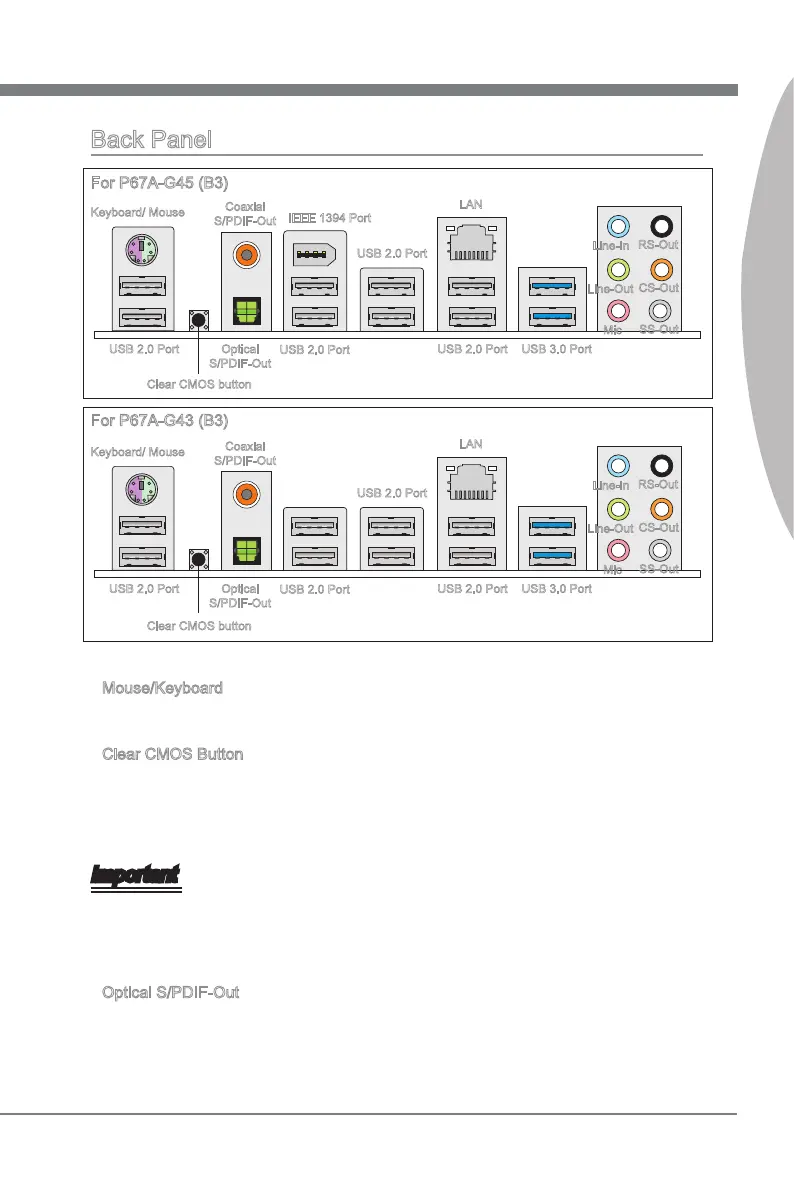
Back Panel
LAN
IEEE 1394 Port
Keyboard/ Mouse
Coaxal
S/PDIF-Out
USB 2.0 Port
Lne-In
Lne-Out
Mc
USB 3.0 Port
RS-Out
CS-Out
SS-Out
USB 2.0 Port
USB 2.0 Port
USB 2.0 Port
Optcal
S/PDIF-Out
Clear CMOS button
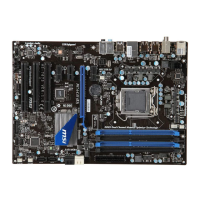
For P67A-G45 (B3)
USB 2.0 Port
LAN
Lne-In
Lne-Out
Mc
Keyboard/ Mouse
USB 3.0 Port
RS-Out
CS-Out
SS-Out
USB 2.0 Port
Coaxal
S/PDIF-Out
USB 2.0 Port
USB 2.0 Port
Optcal
S/PDIF-Out
Clear CMOS button
For P67A-G43 (B3)
Mouse/Keyboard
The standard PS/2
®
mouse/keyboard DIN connector s for a PS/2
®
mouse/keyboard.
Clear CMOS Button
There s a CMOS RAM on board that has a power supply from external battery to keep
the system conguraton data. Wth the CMOS RAM, the system can automatcally
boot OS every tme t s turned on. If you want to clear the system conguraton, use
the button to clear data. Press the button to clear the data.
Important
Make sure that you power o the system before clearng CMOS data.
After pressng ths button to clear CMOS data n power o (G3) state, the system wll
boot automatcally.
Optcal S/PDIF-Out
Ths S/PDIF (Sony & Phlps Dgtal Interconnect Format) connector s provded for dg
-
tal audo transmsson to external speakers through an optcal ber cable.
▶
▶
▶





 To Next Page