How to Get Started
3-14 3-15
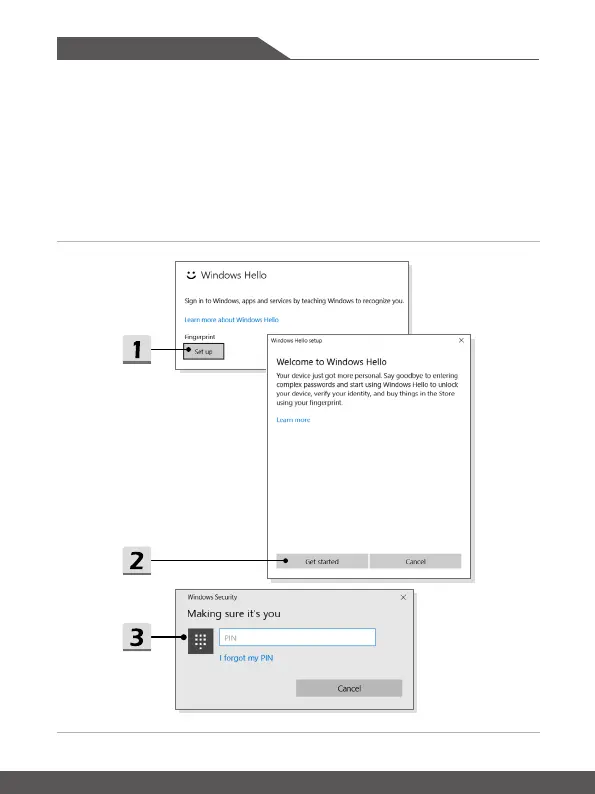
▶ Set up a Fingerprint
1. In
Sign-in options
, click the [Set up] button under
Fingerprint
.
2. On the Windows Hello setup wizard, click [Get started] button.
3. Log in with your PIN code.
4. Place your preferred finger on the upper-left corner of the touchpad.
You will be
asked swipe the same finger for a few times to setup Windows Hello.
5. Click [Add Another] if you want to repeat the process with another finger, or
close the program.







 To Next Page