27
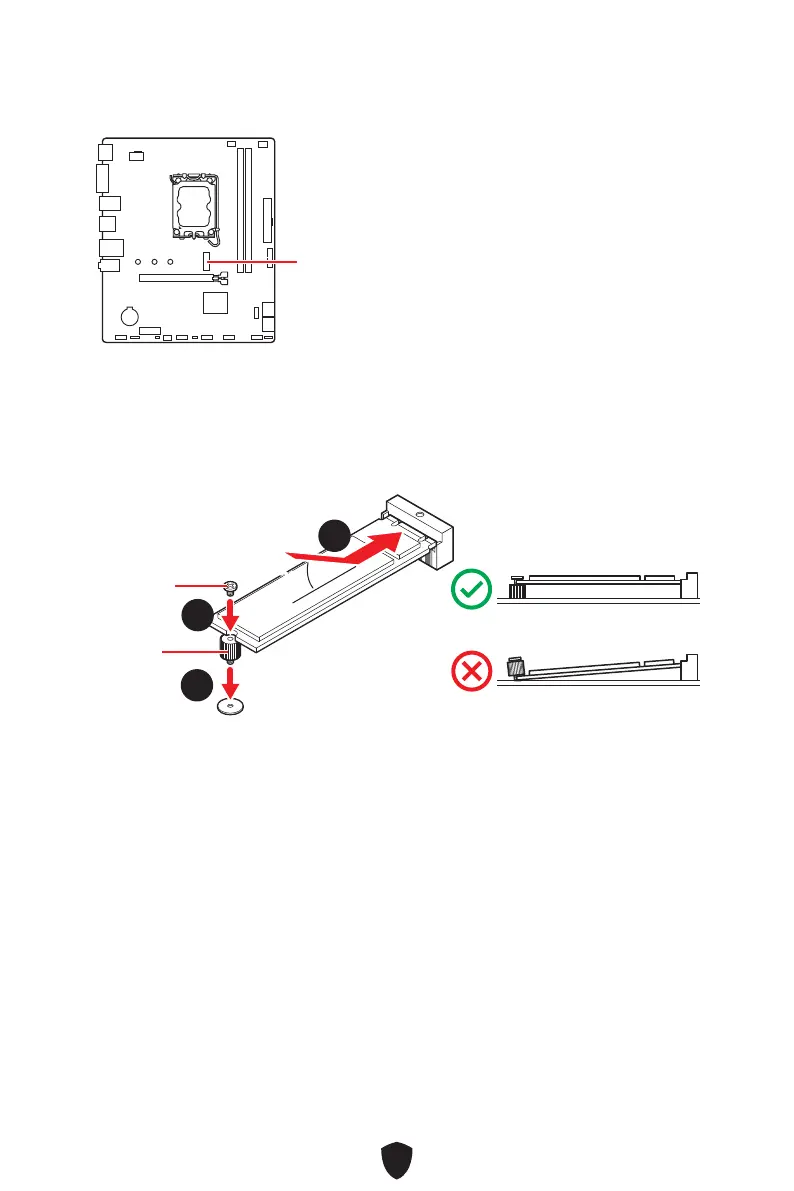
M2_1: M.2 Slot (Key M)
M2_1
Important
Intel® RST only supports PCIe M.2 SSD with
UEFI ROM.
SATA_5 will be unavailable when installing
M.2 SATA SSD in M2_1 slot.
Installing M.2 module
1. Secure the supplied M.2 standoff according to your M.2 SSD length if need.
2. Insert your M.2 SSD into the M.2 slot at a 30-degree angle.
3. Secure the M.2 SSD in place with the supplied M.2 8.5H screw.
30º30º
33
22
11
8.5H screw
Standoff



 To Next Page