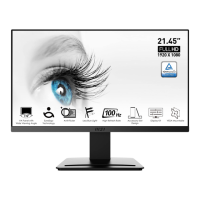
Need help?
Do you have a question about the MSI PRO MP243X and is the answer not in the manual?
Lists monitor models, documentation, and accessories included in the package.
Instructions for attaching the monitor stand to the monitor base.
Details the functions of the monitor's On-Screen Display (OSD) keys.
Details the 'Professional' OSD menu, including Mode, Response Time, and MPRT settings.
Covers image-related settings like Brightness, Contrast, and Sharpness.
Explains how to select and manage input sources for the monitor.
Covers various system settings, including language selection.
Covers power connection safety and battery handling precautions.
Guidelines for device placement, cleaning, and operating environment.
Details the ENERGY STAR program and product compliance.
Covers CE conformity and FCC radio frequency interference compliance.
Details WEEE, Chemical Substances, RoHS, and other regional compliance.
Outlines green features, environmental policy, warnings, recommendations, and support.


 To Next Page
 General