This document is a user manual for an MSI Notebook. It provides comprehensive information on the device's features, specifications, and usage instructions.
Device Description
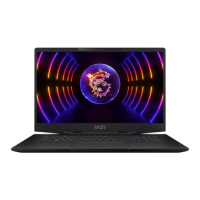
The MSI Notebook is a finely designed portable computer, thoroughly tested and certified for dependability and customer satisfaction. It is equipped with a full-functioned keyboard, a touchpad, and various input/output ports for connecting peripheral devices.
Important Technical Specifications
Physical Characteristic:
- Dimension: 380(W) x 249(D) x 17.7(H)mm
- Weight: < 1.8 kg
CPU:
- Package: BGA
- CPU Processor Type: Intel® Quad/ Dual Core Mobile Processor
Core Chip:
Memory:
- Technology: DDR4, 1866/ 2133/ 2400
- Memory: DDR4 SO-DIMM slots x 2
- Maximum: Up to 32GB
Power:
- AC/DC Adapter (1) (optional): 180W, 19.5V; Input: 100~240V, 50~60Hz; Output: 19.5V === 9.23A
- AC/DC Adapter (2) (optional): 150W, 19.5V; Input: 100~240V, 50~60Hz; Output: 19.5V === 7.7A
- AC/DC Adapter (3) (optional): 135W, 19.5V; Input: 100~240V, 50~60Hz; Output: 19.5V === 6.92A
- Battery: 3-cell
- RTC Battery: Yes
Storage:
- HDD form factor: x1, 2.5" HDD
- SSD: x1, M.2 SSD, SATA/ PCIE combo
I/O Port:
- USB: x 3 (USB 3.0), x 1 (USB 2.0)
- Thunderbolt™ 3: x 1 (USB 3.1, Type-C interface, 4K output supported. 5V/3A output charging optionally supported when AC power is connected. Maximum portable charging power limitation may up to 5V/0.9A while only battery DC power is connected.)
- Mic-in: x 1
- Headphone-out: x 1 (S/PDIF-Out supported)
- RJ45: x 1
- HDMI: x 1
- Mini-DisplayPort: x 1
- Card Reader: x1 (SD4.0/ SD3.0/ SD/ MMC) - supported memory cards may vary without notice.
Communication Port:
- LAN: Supported
- Wireless LAN: Supported
- Bluetooth: Supported
Display:
- LCD Type: 15.6" FHD/ UHD LED panel
Video:
- Graphics: NVIDIA® GeForce® discrete graphics with NVIDIA® Optimus™ supported, Intel® HD UMA graphics, Virtual Reality optionally supported
- VRAM: GDDR5, based on GPU structure
Webcam:
Audio:
Security:
- Trusted Platform Module (optional): TPM 2.0 is a hardware-based encryption device that collaborates with software measures to form a more advanced and secure data protection. TPM functionalities can be de/activated in BIOS settings where appropriate. With professional versions of Windows, BitLocker is the default console available for TPM communications serving data encryption purposes.
Usage Features
Top-open View:
- Webcam/ Webcam LED/ Internal Microphone: Built-in webcam for picture taking, video recording, or conferencing. Webcam LED glows when active. Built-in microphone functions like an external microphone.
- Keyboard: Full-sized keyboard with function keys (requires SCM application for proper functionality).
- Touchpad: Pointing device compatible with standard mouse functions. Customizable for left-handed users, size, shape, and moving speed. Supports point and click, double-click, and drag-and-drop operations.
- Power LED/ GPU Mode LED: Glows red for UMA GPU mode, amber for discrete GPU mode (optional). Flashes in sleep state, off when powered down.
Front Side View:
- Status LED:
- Sleep State: Blinks in Sleep state, off when system is turned off.
- Drive Activity Indicator: Blinks when accessing internal storage drives.
- Num Lock: Glows when Num Lock is activated.
- Caps Lock: Glows when Caps Lock is activated.
- Bluetooth: Glows when Bluetooth is enabled, off when disabled.
- Wireless LAN (WiFi): Glows when WLAN (WiFi) is enabled, off when disabled.
- Battery Status: Glows when charging, continuously blinks if battery fails, off when fully charged or AC/DC adapter is disconnected.
Right Side View:
- Power Button: Turns notebook ON/OFF, wakes from sleep.
- USB 2.0 Port: Connects USB peripheral devices.
- HDMI Connector: Connects high-definition and ultra high-definition equipment.
- Power Connector: Connects AC/DC adapter.
- Ventilator: Cools the system; do not block.
- Thunderbolt (Type-C) (optional): Supports 40Gbps data rate, dual 4K displays, USB3.1, and portable charging (5V/3A with AC power, 5V/0.9A with battery only).
- Mini-DisplayPort: Connects to displays with VGA, DVI, or HDMI interfaces via adapter.
Left Side View:
- Ventilator: Cools the system; do not block.
- Kensington Lock: Secures the notebook.
- RJ-45 Connector: Connects LAN cable for network connection (10/100/1000/10000 megabits per second).
- Audio Port Connectors:
- Microphone: For external microphone.
- Headphone out/ S/PDIF-out: For speakers or headphones; S/PDIF for digital audio transmission via optical fiber cable.
- Card Reader: Supports various memory cards.
- USB 3.0 Port: Connects storage devices, hard drives, or video cameras for high-speed data transfer.
Rear Side View:
- Ventilator: Cools the system; do not block.
Bottom Side View:
- Ventilator: Cools the system; do not block.
- Stereo Speakers: Built-in stereo speakers with HD audio technology.
- Battery Reset Hole: Used to reset system firmware (EC) or when system hangs (power off, remove AC, insert paperclip for 10 sec, connect AC, power on).
Keyboard Usage:
- Windows Key: Opens Start menu and launches shortcut menu.
- Quick Launch Keys (Fn combinations):
- Fn + F4 (User Defined): Launches user-defined application.
- Fn + F5 (ECO Mode): Switches to power-saving ECO Mode.
- Fn + F6 (Webcam): Turns Webcam function on/off.
- Fn + F7 (SHIFT): Switches among Turbo Mode (optional)/ Sport Mode/ Comfort Mode/ ECO Mode/ Power Options (Turbo/Sport/Comfort modes available only with AC power).
- Fn + F10 (Airplane Mode): Turns Airplane Mode on/off.
- Fn + Up Arrow: Increases LCD brightness.
- Fn + Down Arrow: Decreases LCD brightness.
- Fn + Right Arrow: Increases speaker volume.
- Fn + Left Arrow: Decreases speaker volume.
- Fn + Ins: Mutes speakers.
- Fn + Plus Key: Increases keyboard backlight brightness (optional).
- Fn + Minus Key: Decreases keyboard backlight brightness (optional).
- Fn + F3: Enables/disables touchpad.
- Fn + F12: Enters Sleep Mode.
- Fn + F2: Switches display output mode (LCD, external monitor, or both).
- Windows Key + P: Manages multiple monitors (PC screen only, Duplicate, Extend, Second screen only).
Power Management:
- AC/DC Adapter: Use only the shipped adapter. Be aware of heat. Unplug before disassembly. Do not cover. Unplug if unused for long periods.
- Battery: Non-removable. Keep away from moisture/extreme temperatures. Unplug AC before installing modules. Optimize battery life by suspending system, turning off when not in use, disabling unnecessary settings, and connecting AC/DC adapter when possible. No memory effect, but complete discharge once a month is suggested.
Internet Connection:
- Wireless LAN: Connects to Internet wirelessly. Instructions provided for connecting to a network and entering security keys.
- Wired LAN: Connects to Internet via cable. Instructions provided for Dynamic IP/PPPoE and Static IP connections.
Bluetooth Connection:
- Activating Bluetooth: Check Airplane mode status. Instructions for activating Bluetooth via Windows Settings or SCM.
- Pairing Devices: Instructions for pairing Bluetooth devices by adding a device and entering a passcode.
Connecting External Devices:
- Notebook auto-detects connected devices. Manual enabling via [Start Menu/ Control Panel/ Hardware and Sound/ Add a device] if not detected.
RAID Function:
- Supports RAID for data storage on multiple hard disk drives or solid state drives.
Boot Mode in BIOS:
- Instructions for selecting boot mode (UEFI for Windows 10/8.1, Legacy for Windows 7 or older) in BIOS.
Windows 10 Operating System Restore:
- Video tutorial available for restoring Windows 10 using [F3 Recovery] and [Windows 10 Settings].
MSI One Touch Install:
- One-click installer for drivers. Video tutorials available for Windows 10/8.1 and Windows 7.
Maintenance Features
- Safety Instructions: Read manual thoroughly. Keep away from humidity/high temperature. Lay on stable surface. Do not cover ventilators. Do not store in extreme temperatures (above 60°C/140°F or below 0°C/32°F). Operate under maximum ambient temperature of 35°C/95°F. Place power cord safely. Keep away from strong magnetic/electrical objects. Do not pour liquid into openings. Do not use chemical substances to wipe surfaces.
- Troubleshooting: If power cord/plug is damaged, liquid penetrated, exposed to moisture, not working well, dropped, or has obvious breakage, get equipment checked by service personnel.
- Green Product Features: Reduced energy consumption, limited harmful substances, easily dismantled/recycled, reduced natural resource use, extended product lifetime via upgrades, reduced solid waste via take-back policy.
- Environmental Policy: Product designed for reuse/recycling. Contact local collection points for end-of-life disposal. MSI website and gpcontdev@msi.com for recycling information.
- Upgrade and Warranty: Consult authorized retailer/service center for upgrades or replacement parts. Do not attempt to remove/install HDD/SSD when powered on.
- Battery Reset Hole: Used for system firmware (EC) upgrades or system hangs.

 Need help?

 To Next Page
 General