3-5
MS-6657
Step 3. Select [Create and burn a recovery disk] and click [Next] to continue.
Alternatively, choose [Advanced] to bring forth advanced options.
Choose between the provided options and click [Next] to continue.
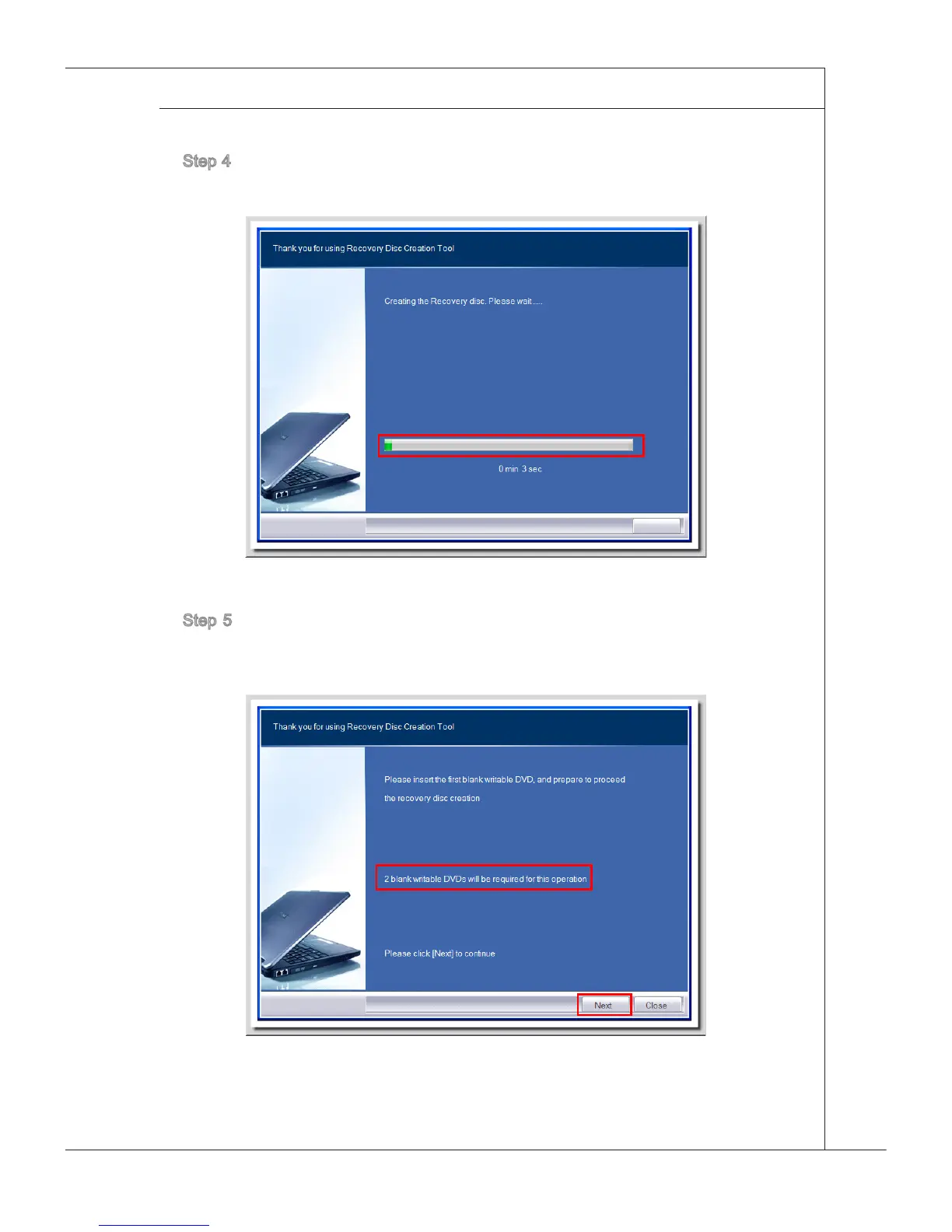
Step 4. The progress bar starts running to create the image of recovery disk. It
takes some time to nish the processing.
Step 5. Follow the on-screen instructions to prepare enough number of blank
DVD disks. Insert the blank DVD disk into the optical disk drive and click
[Next] to continue.



 To Next Page