3-11
MS-6657
Step 3. Select [Broadband (PPPoE)] to connect using DSL or cable that requires
a user name and password.
Step 4. Type the information from your Internet Service Provider (ISP) and click
[Connect] to establish your LAN connection.
Wireless LAN
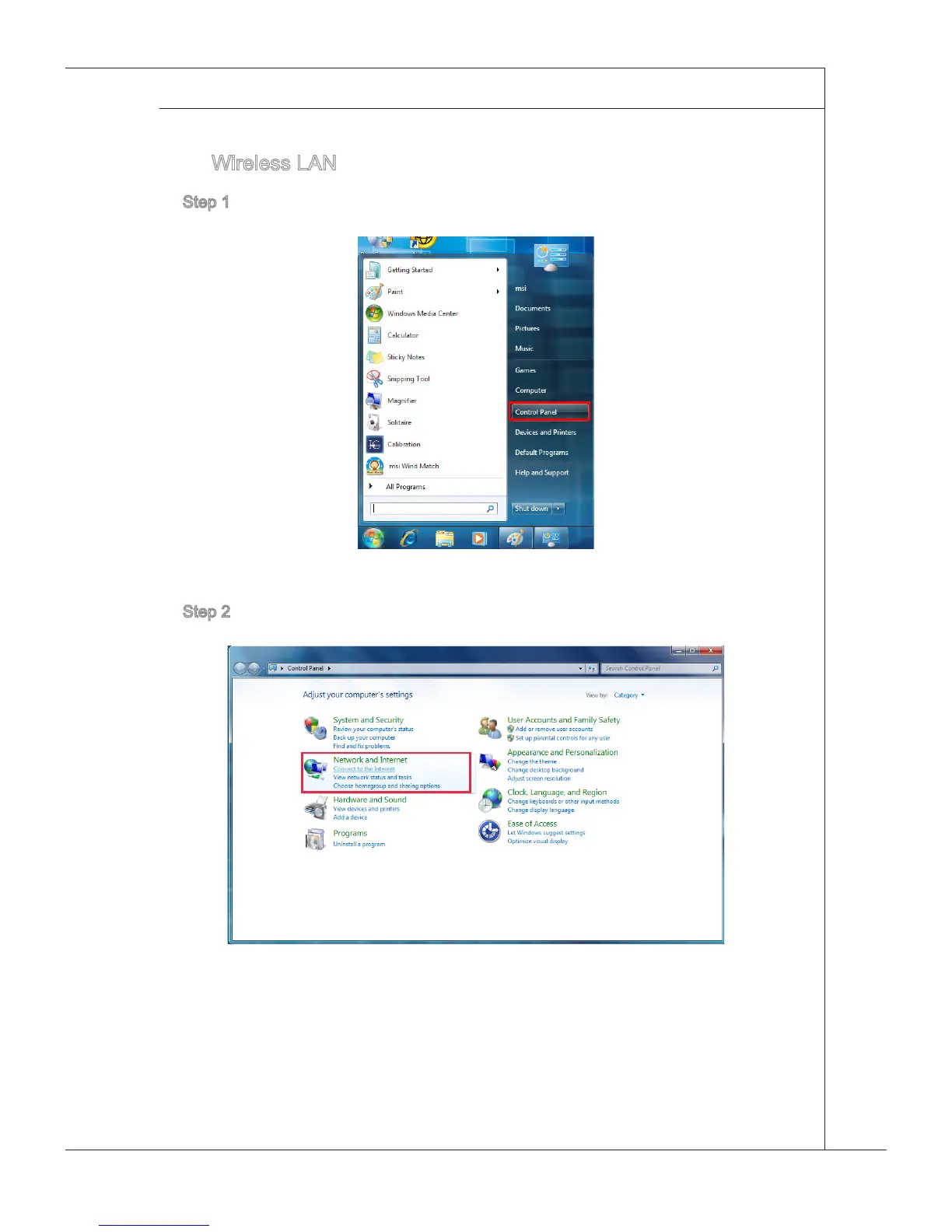
Step 1. Go to [Start] > [Control Panel].
Step 2. Select [Connect to the Internet] under [Network and Internet].



 To Next Page