31
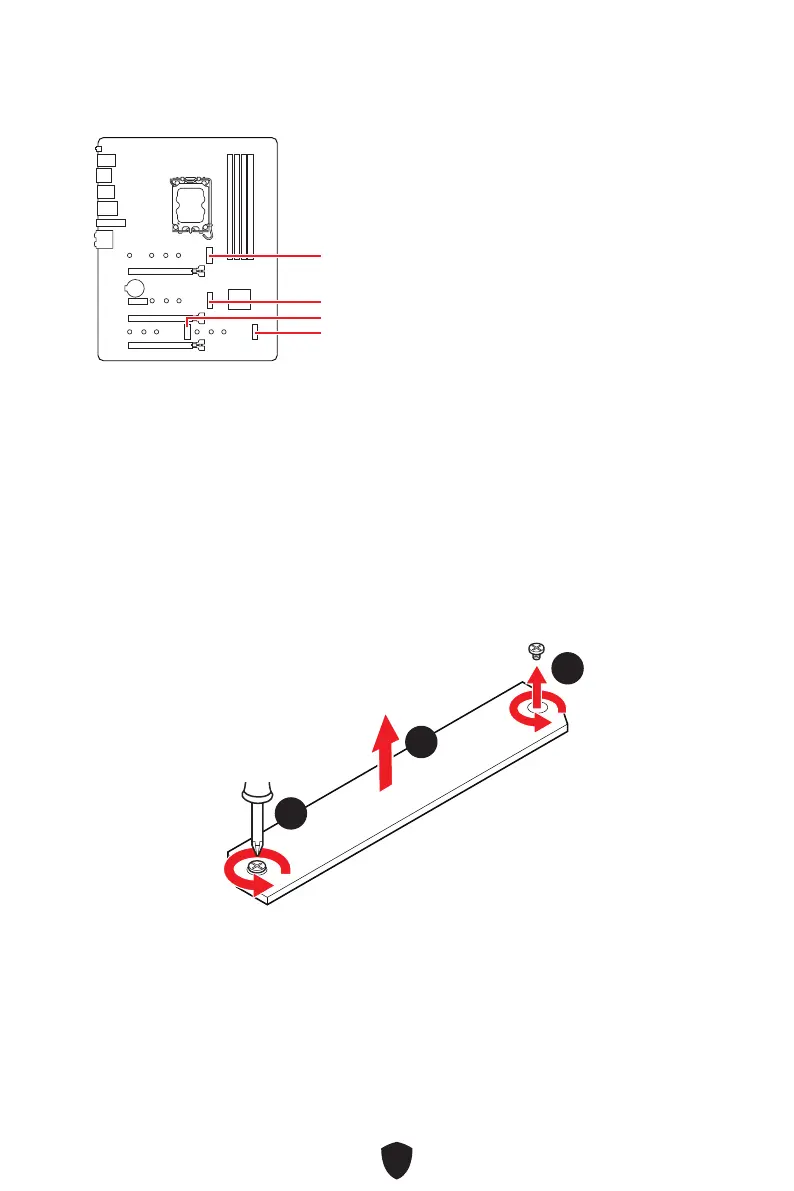
M2_1~4: M.2 Slots (Key M)
M2_1
M2_2
M2_3
M2_4
⚠
Important
∙
Intel® RST only supports PCIe M.2 SSD with UEFI ROM.
∙
If your M.2 SSD equips its own heatsink, please remove the M.2 plate or rubber cube
in the M.2 slot before installing M.2 SSD. Do not re-install the heatsink supplied with
your motherboard.
Installing M.2 module into M2_1 slot
1. Loosen the screws of M.2 Shield Frozr heatsink.
2. Lift the M.2 Shield Frozr heatsink up and remove it.
22
11
11



 To Next Page