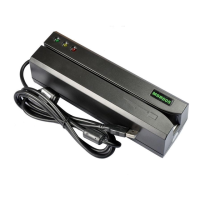
MSR6 05 Programmer
’
s Manual Rev. A
7
Description: This command is used to turn off all the LEDs.
6. Command: All LED on
Command code: <ESC> <82>
Hex code: 1B 82
Response: none
Description: This command is used to turn on all the LEDs.
7. Command: GREEN LED on
Command code: <ESC> <83>
Hex code: 1B 83
Response: none
Description: This command is used to turn on the Green LED.
8. Command: YELLOW LED on
Command code: <ESC> <84>
Hex code: 1B 84
Response: none
Description: This command is used to turn on the Yellow LED.
9. Command: RED LED on
Command code: <ESC> <85>
Hex code: 1B 85
Response: none
Description: This command is used to turn on the Red LED.
10. Command: Sensor test
Command code: <ESC> <86>
Hex code: 1B 86
Response: <ESC> 0 (1B 30) if test ok
Description: This command is used to verify that the card sensing circuit of MSR605 is working properly.
MSR605 will not response until a card is sensed or receive a RESET command.
11. Command: Ram test
Command code: <ESC> <87>
Hex code: 1B 87
Response: <ESC> 0 (1B 30) ram test ok; <ESC> A (1B 41) ram test fail
Description: This command is used to request MSR605 to perform a test on its on board RAM.


 To Next Page
 Loading...