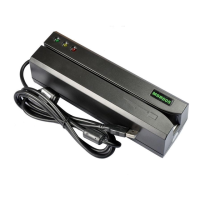
MSR6 05 Programmer
’
s Manual Rev. A
8
12. Command: Set leading zero
Command code: <ESC> z [leading zero of track 1 & 3] [leading zero of track 2]
Hex code: 1B 7A [00~ff] [00~ff]
Response: <ESC> 0 (1B 30) set ok
<ESC> A (1B 41) set fail
Description: This command is used to set how many leading zeros will be written before the card data starts, and
the space should calculated as [leading zero] X25.4 / BPI (75or210) =mm
Default setting of leading zero: [3D] [16]
TK1 & TK3: [3D] means leading zero=61
TK2: [16] means leading zero=22
13. Command: Check leading zero
Command code: <ESC> l
Hex code: 1B 6C
Response: 1B [00~ff] [00~ff]
Description: This command is used to ask MSR605 the present setting number of leading zeros.
14. Command: Erase card
Command code: <ESC> c [Select Byte]
Hex code: 1B 63 [Select Byte]
Response: <ESC> 0 [1B] [30] command Select Byte ok
<ESC> A [1B] [41] command Select Byte fail
Description: This command is used to erase the card data when card swipe.
*[Select Byte] format:
00000000: Track 1 only
00000010: Track 2 only
00000100: Track 3 only
00000011: Track 1 & 2
00000101: Track 1 & 3
00000110: Track 2 & 3
00000111: Track 1, 2 & 3
15. Command: Select BPI
Command code: <ESC> b [Density]
Hex code:
track2 : 1B 62 [D2 or 4B] // [D2]: 210bpi, [4B]: 75bpi
track1 : 1B 62 [A1 or A0] // [A1]: 210bpi, [A0]: 75bpi
track3 : 1B 62 [C1 or C0] // [C1]:210bpi, [C0]: 75bpi
Response: <ESC> 0 [1B] [30] select ok
<ESC> A [1B] [41] select fail


 To Next Page
 Loading...