Tips: For most PC, the OS hard driver (usually is C) is NTFS, just copy the folder to your desktop and then enjoy
the software; please delete/uninstall the older version of TC before installing the new one.
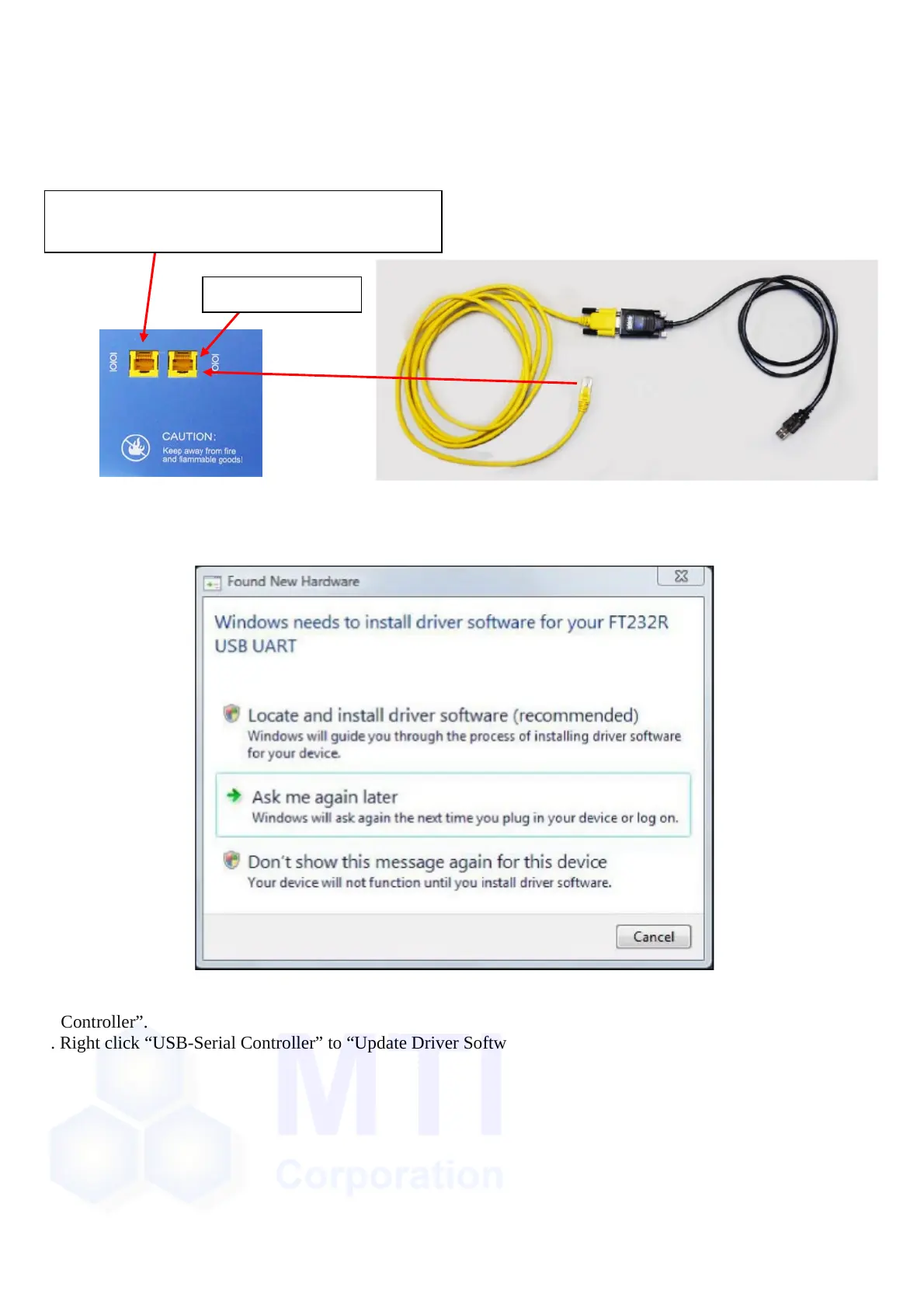
2-1. Use RS232 to connect the device to your computer if it has a serial port.
2-2. If no serial port in PC, please use the RS232 to USB adaptor to connect with PC.
2-2-1. when you done the step in 2-2, please now plug the USB port to your computer, here, we give you an
example for installing the driver in Vista/Win7 OS (XP is nearly the same):
a. First, a prompt would pop up, however, close or cancel it:
b. Right click “Computer” on the desktop---“Properties”---“Device Manager”---“Other Devices”---“USB-Serial
Controller”.
c. Right click “USB-Serial Controller” to “Update Driver Software”:
Connectto anotherbatteryanalyzerwiththeEthernet
cableincludedinthestandardaccessory.
Connectto thePC


 To Next Page
 Loading...