MTI LOCKS™ PRODUCT MANUAL
2
MTI P/N 063-00168 rev D ©2017 MTI All Rights Reserved
MTI
1050 NE 67th Avenue Hillsboro, OR 97124 T:800.426.6844 www.mobiletechinc.com
2
USING THE DOOR/DRAWER LOCK
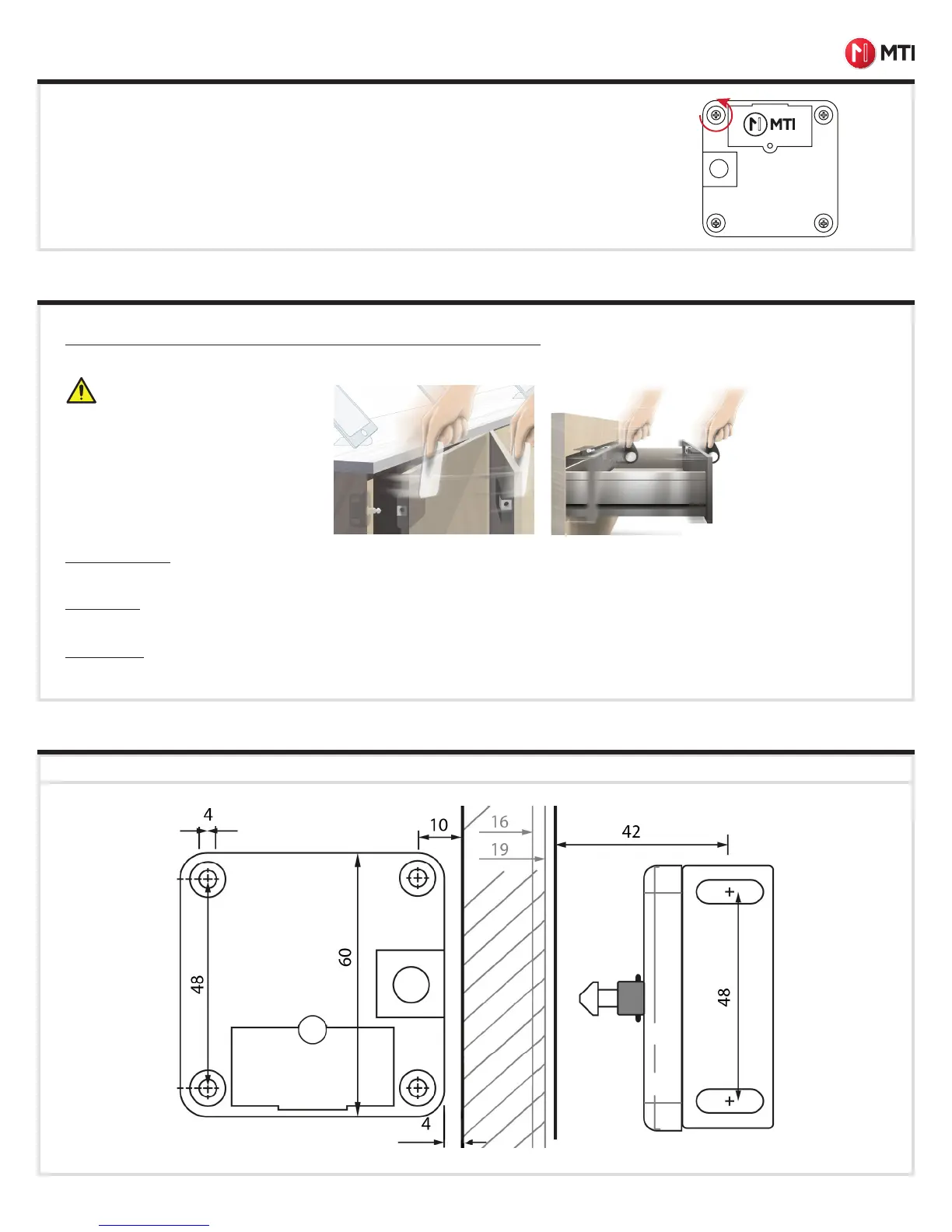
MOUNTING TEMPLATE
Print or Photocopy at 100% to assist in placing the Door/Drawer Lock.
Self-closing hinges may prevent proper
function of the door/drawer lock.
Door/Drawer Locks (For initial lock setup prior to use, please see page 4):
Place the User Key within 30 mm of where the lock is placed. One you hear a click, open the door or drawer. Close door or drawer to relock.
Door Open Mode
If a door/drawer has been left open for 5 minutes, the lock will emit a continuous on and off beep tone for 10 minutes or until the door is closed.
Stuck Lock:
If a lock is jammed or unable to unlock, the lock will emit a slow beep tone to indicate that the lock is stuck.
Low Battery:
If the lock battery is low and needs replacement, the lock will emit a long single beep on every key swipe.
After install, but before closing the door/drawer, be sure to program locks.
Once programmed, swipe programmed key on lock to test the lock. The lock motor should spin, opening
the lock.
Note: If the lock emits a slow, low beep tone, then the motor is stuck due to overtightening the mount-
ing screws. Slowly unscrew the screw to the left of the battery door (when the MTI logo is right-side-
up) one-quarter turn at a time until the motor can spin, opening the lock.
DOOR/DRAWER INSTALLATION, CONTINUED


 To Next Page
 Loading...