8
English
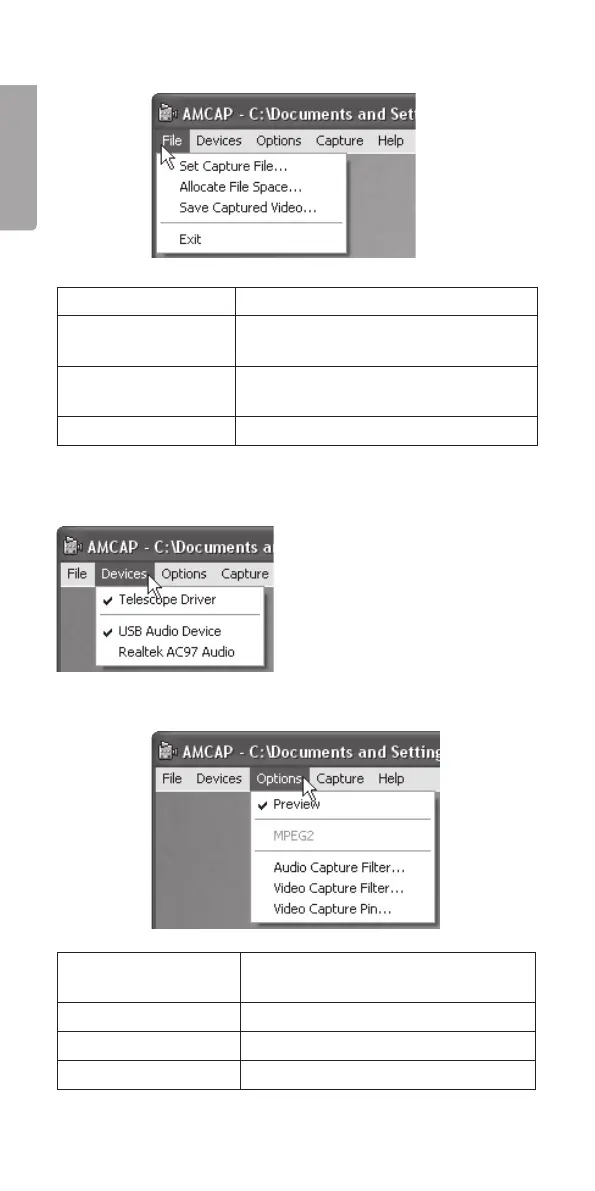
Filing options
File
Set Capture File Records a video sequence.
Allocate File Space Determines the amount of memory
used for a video sequence.
Save Captured
Video
Saves the video sequence.
Exit End the program.
Devices
Choose which camera you
wish to display on the screen.
This inspection camera is
listed as “Telescope Driver”.
Options
Preview Previews the image before clicking
the shutter release button.
Audio Capture Filter Opens the audio settings window.
Video Capture Filter Opens the image settings window.
Video Capture Pin Opens the video settings window.


 To Next Page