EasyManua.ls Logo

MTX Thunder Sports MUDSYS31 - User Manual

MTX Thunder Sports MUDSYS31
8 pages
Print Icon
To Next Page IconTo Next Page
Loading...
MTX.COM
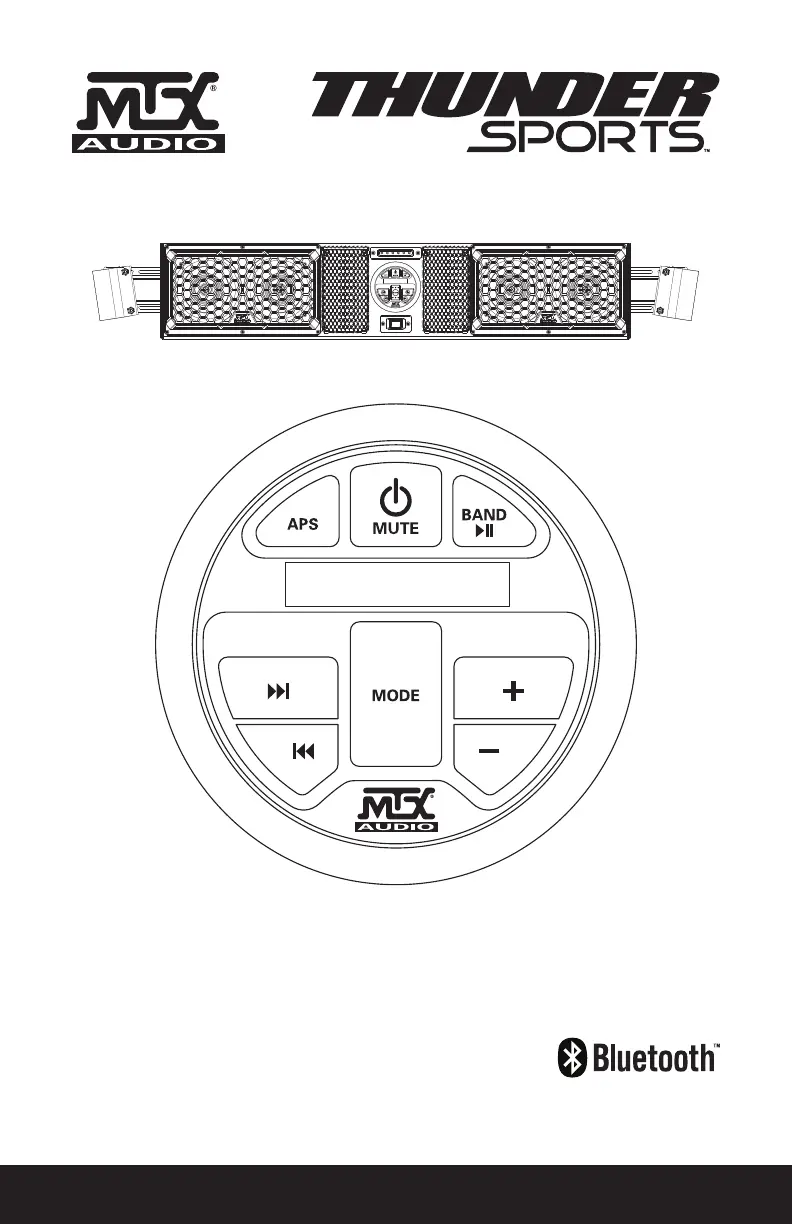
OWNER’S MANUAL
MUDSYS31 / MUDSYS41 / MUDSYS46
BLUETOOTH OVERHEAD AUDIO SYSTEMS

Questions and Answers

  • A
    alyssa37Aug 6, 2025
    What to do if my MTX Thunder Sports MUDSYS31 Stereo System has no sound?
    • B
      Brandon McdanielAug 6, 2025
      If your MTX Stereo System isn't producing any sound, there are a couple of things to check. First, make sure the volume isn't set too low and increase it. If the output is blown, call for repair assistance.
  • T
    Tina JacksonAug 13, 2025
    How to fix MTX Thunder Sports MUDSYS31 Stereo System when it has no power?
    • J
      jenniferjacksonAug 13, 2025
      If your MTX Stereo System isn't turning on, start by checking the wiring to ensure there are no shorts and that everything is connected correctly. Also, check the fuse and replace it if it's blown.
  • J
    Jennifer HoustonAug 21, 2025
    Why my MTX Thunder Sports MUDSYS31 Stereo System has no radio reception?
    • C
      Christy ShawAug 21, 2025
      If your MTX Stereo System isn't picking up radio stations, ensure the antenna cable is fully inserted. If the signals are too weak, try selecting a station manually.
  • L
    Leslie NobleAug 28, 2025
    What to do if media device does not work through USB on MTX Stereo System?
    • J
      James RodriguezAug 29, 2025
      If your media device isn't working through the USB input on your MTX Stereo System, it might be because the USB input only reads USB memory sticks. Try playing the media device through the auxiliary input instead.

Summary

Important Notices and Warnings

Important Notice

Crucial installation advice, safety precautions, and cleaning instructions for the audio system.

Warnings

Safety guidelines for cleaning, solvent use, and vehicle battery protection.

Product Information and Contents

Product Information

Details product specifics, serial number, dealer name, and date of purchase.

In The Box

Lists all items included in the package, such as the audio system and installation cables.

Introduction and Features

Introduction

Introduces the audio system's purpose and highlights its main capabilities for off-road vehicles.

Features

Highlights key specifications like speakers, amplifier, radio, inputs, and LED dome light.

Models and Fitment

MUDSYS31

Details fitment for roll cages between 32.25" and 38.75" wide.

MUDSYS41

Details fitment for roll cages between 43.0" and 49.0" wide.

MUDSYS46

Details fitment for roll cages between 49.25" and 56" wide, with extension options.

Wiring Diagram

Source Unit Button Layout

Basic Controls (Power, Volume, Mode)

Covers power, mute, volume adjustment, and mode selection for audio sources.

Track and Tuning Controls

Manages track skipping, radio tuning, and playback control for media.

Radio and Station Presets

Details radio band switching, scanning, and auto-programming stations.

Settings Menu Operations

Bluetooth Pairing and Operation

Guides on connecting Bluetooth devices and streaming audio wirelessly.

USB Media Playback

Instructions for playing music from a USB drive and charging connected devices.

Clock Operation

Installation Guide

Troubleshooting Common Issues

FCC Compliance and Disclaimers

MTX Thunder Sports MUDSYS31 Specifications

General IconGeneral
BrandMTX
ModelThunder Sports MUDSYS31
CategoryStereo System
LanguageEnglish

Related product manuals