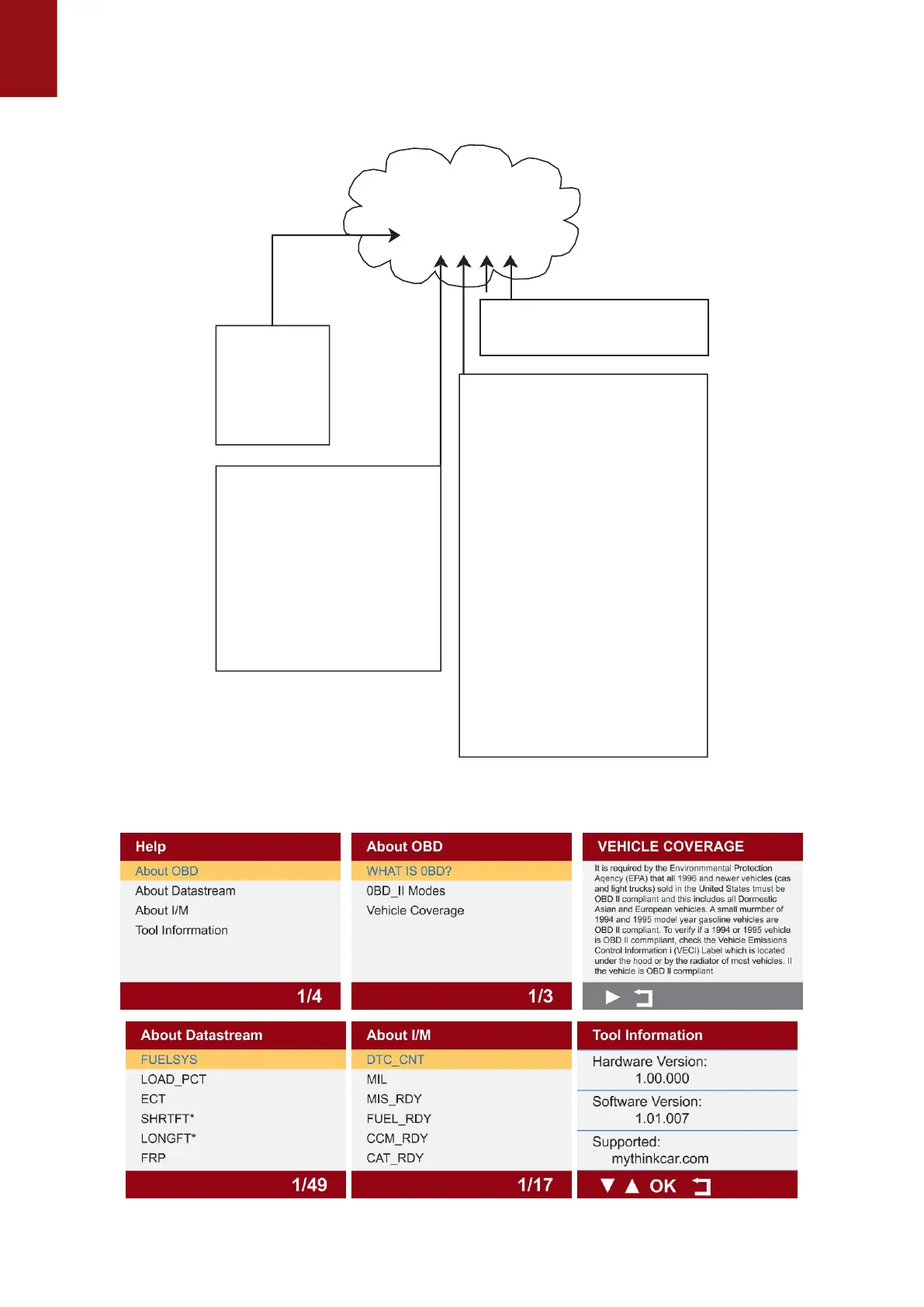
Sub-systems
Identifies the system where the
problem is located.“P”Code systems
are listed below.“B”,“C”and“U”Code
system will vary.
0 - Fuel and air metering; Auxiliary
emlssion controls
1 - Fuel and air metering
2 - Fuel and air metering (injector
circuit malfunction only)
3 - Ignition system or misfire
4 - Auxiliary emission control system
5 - Vehicle speed control and idl
control system
6 - Computer output circuits
7 - Transmission
8 - Transmission
9 - Transmission
A - Hybrid Propulsion
B - Hybrid Propulsion
C - Hybrid Propulsion
Systems
P=Powertrai
B=Body
C=Chassis
U=Network
Code Type
0 - Generic(SAE)
1 - Manufacturer Specific
2 - Generic ('P”Codes) and
Manufacturer
Specific ("B”,“C”and
“U”Codes)
3 - Includes both Generic
and Manufacturer
Specific Codes
number, 0-3; other three characters, a hex character, 0-9 or A-F provide additional information
on where the DTC originated and the operating conditions that caused it to set. Here below is an
example to illustrate the structure of the digits:
ldentifies what section of the
system is malfunctioning
3.1 Select "Help" and click "OK". You will find the device OBD function and system
instructions.
3.2 Select "Settings" and click "OK" to set the native language, unit of measure, record
7


 To Next Page