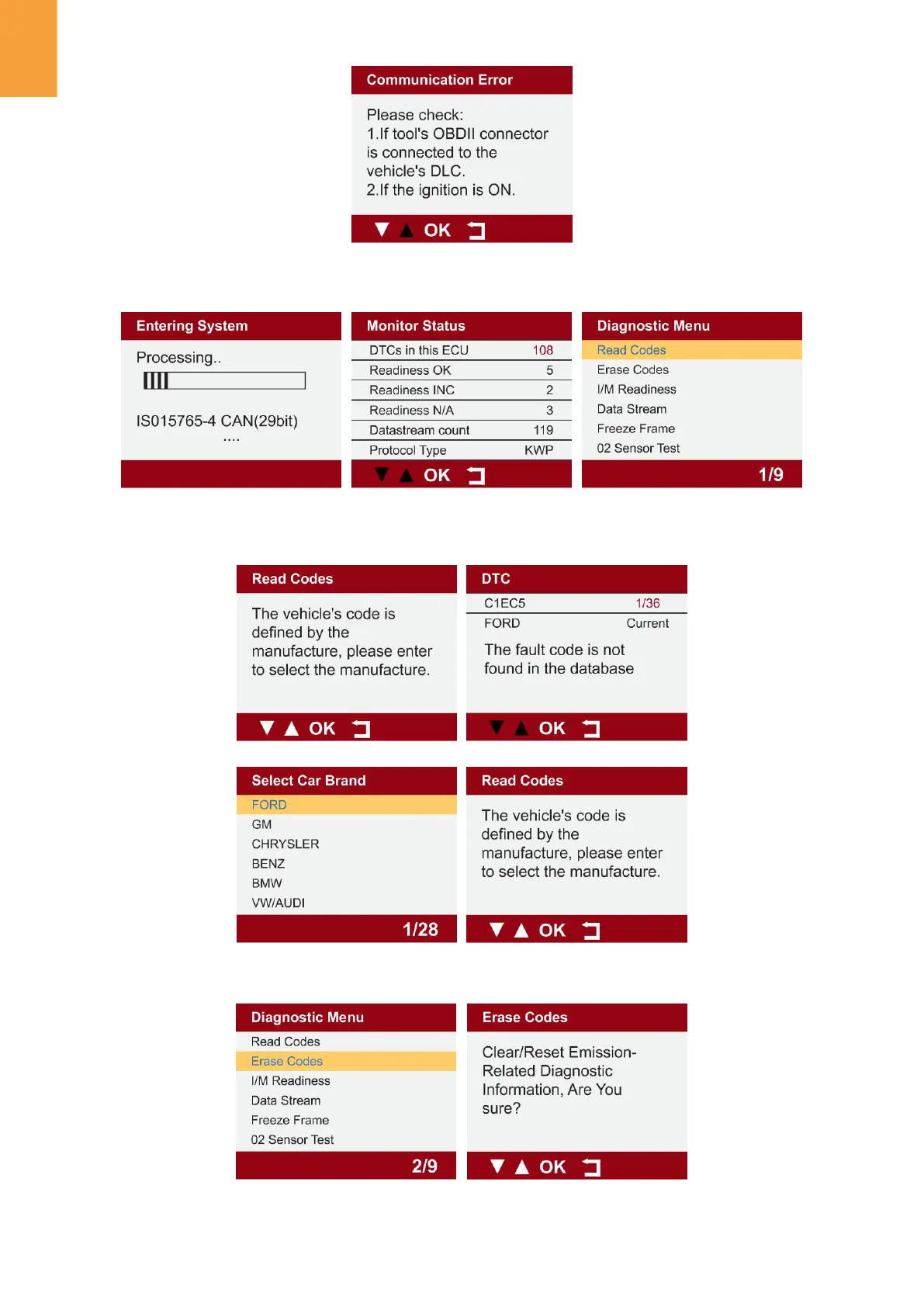
1.1.1 Seleccione "Diagnóstico", haga clic en "Aceptar" para ingresar al diagnóstico del
sistema, haga clic en "Aceptar" y acceda a la lista de funciones de diagnóstico.
1.1.2 Seleccione "LEER CÓDIGO" y haga clic en "Aceptar" para seleccionar el tipo de vehículo
y ver los datos de diagnóstico del DTC.
1.2 Seleccione "BORRAR CÓDIGOS" para borrar el código de falla.
3


 To Next Page