When installing the ACP
on
a
This T-connector, when
inserted
single phone
line
where only
in
a regular RJ-ll C
jack,
ex-
one RJ-11 walljack
is
present, it
pands the interface to support
may be advantageous to use a
RJ-11
C/RJ-31
X modular
4-pin/8-pin
series T-connector. connectors.
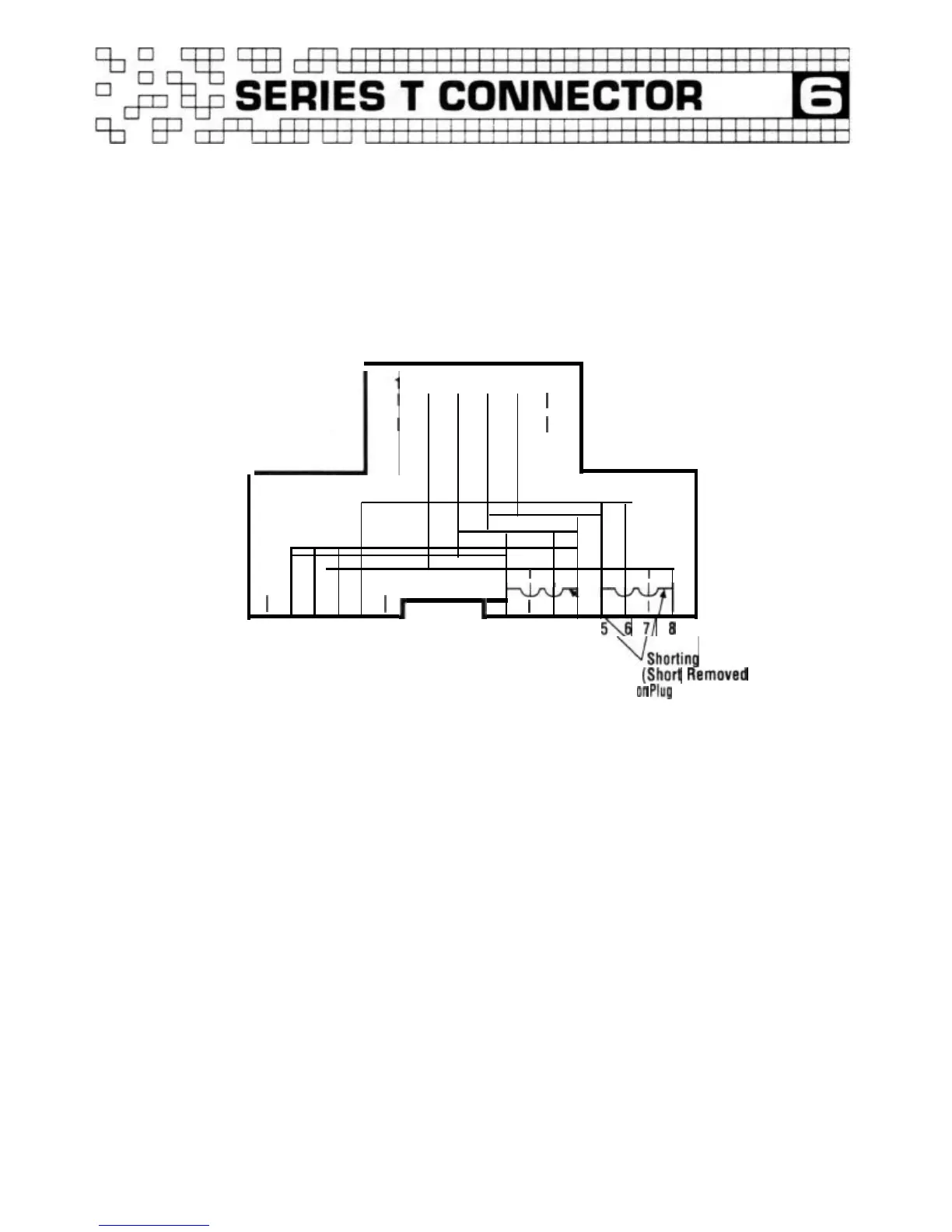
4/8 Series
T-Connector
Wiring Diagram
123456
--’
I
I
I
1
I
I
I
1
I
’
1 2 3 4
5'\6
71
0
123456
RJ-11C
RJ-31X
~Shorting
Bar
(Short
Removed
on
Plug
Insertion)
By utilizing a
4/8
pin
series
T-connector
on
a regular
RJ-11
C walljack, the ACP can
be connected to the existing
phone line without installing a
RJ-31X walljack. The ACP line
cord
plugs into the
8-pin
side
of
the T-connector and the phone
can be plugged into the
4-pin
side.
Note:
If
more than one
RJ-11
C
jack
is
present
on
the existing
phone wiring, the
4/8
pin
series
T-connector should be inserted
8
on
the first incoming walljack
on
the phone line. The phone
line wire running to the next
walljack should be discon-
nected at the first walljack. This
will
ensure that
all
incoming
calls
will
be routed through the
ACP.
If
the additional RJ-1
1 C
walljacks are needed for phone
extensions, simply crimp
an
RJ-11
C modular plug
on
the
end of the disconnected
line
and plug it
in
to the RJ-11 C
side
of the
4/8
pin
T-connector.


 To Next Page
 Loading...