119
www.multilaser.com.br
Please check the connection following these steps:
1. Is the connection between your PC and the Router correct?
Note:
The 1/2/3/4 LEDs of LAN ports which you link to on the Router and LEDs on your PC’s adapter should be lit.
2. Is the TCP/IP configuration for your PC correct?
Note:
If the Router’s IP address is 192.168.1.1, your PC’s IP address must be within the range of 192.168.1.2 ~ 192.168.1.254.
Chapter 3. Quick Installation Guide
With a Web-based utility, it is easy to configure and manage the RE027 150Mbps Wireless N Router. The Web-based utility can be used
on any Windows, Macintosh or UNIX OS with a Web browser, such as Microsoft Internet Explorer, Mozilla Firefox or Apple Safari.
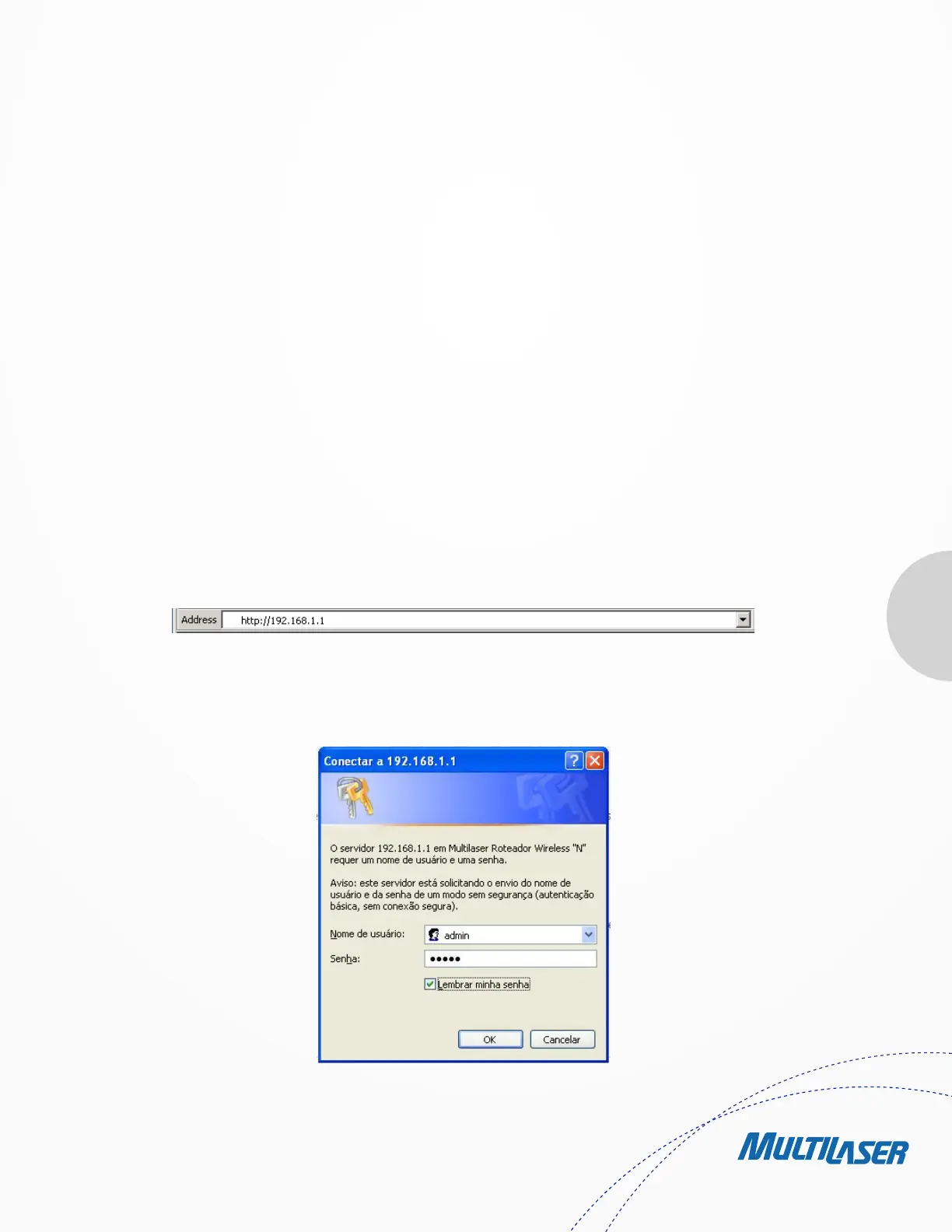
1. To access the configuration utility, open a web-browser and type in the default address http://192.168.1.1 in the address
field of the browser.
After a moment, a login window will appear, similar to the Figure 3-4. Enter admin for the User Name and Password, both in lower case
letters. Then click the OK button or press the Enter key.
Figure 3-3 Log in the Router
Figure 3-4 Login Windows


 To Next Page
 Loading...