120
www.multilaser.com.br
Note:
If the above screen does not pop-up, it means that your Web-browser has been set to a proxy. Go to Tools menu>Internet
Options>Connections>LAN Settings, in the screen that appears, cancel the Using Proxy checkbox, and click OK to finish it.
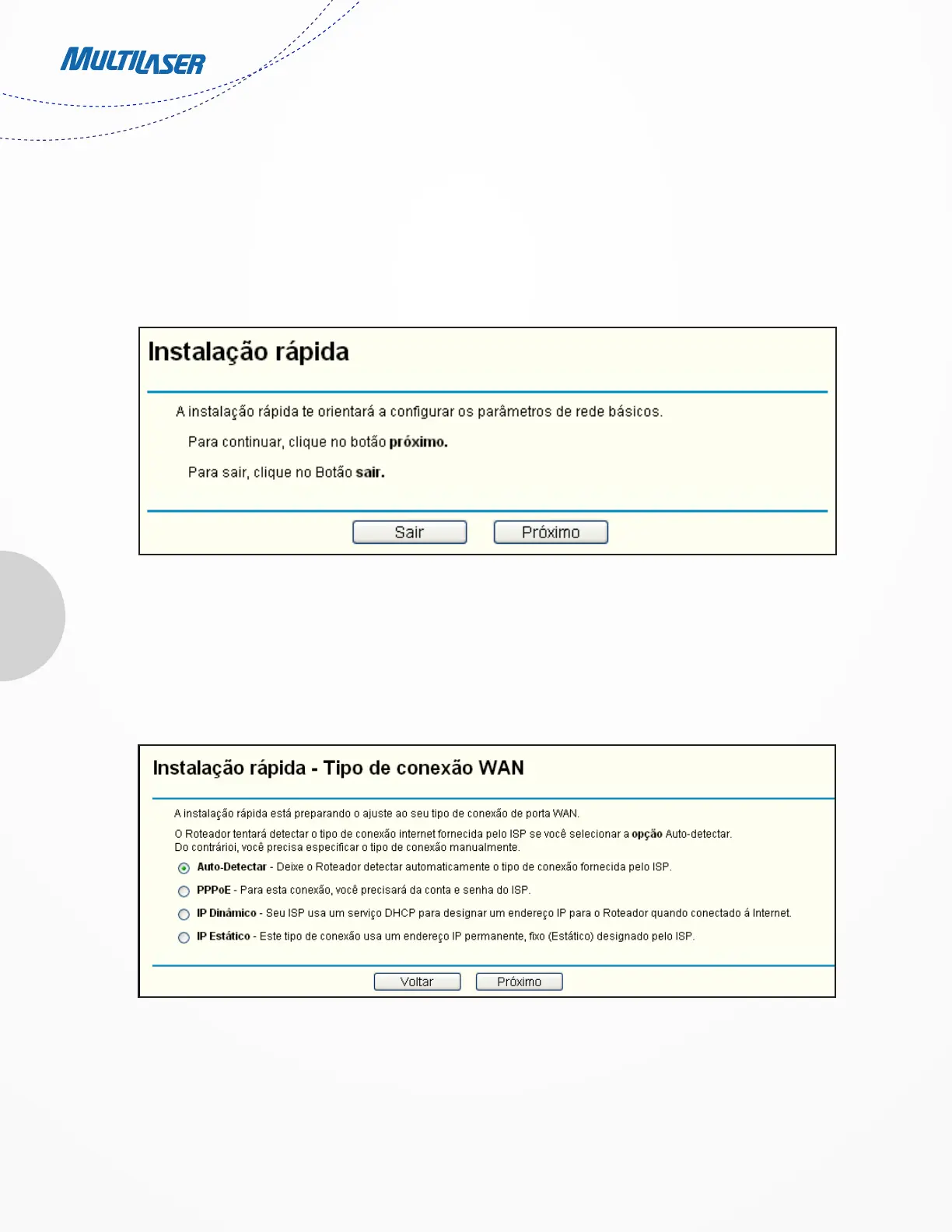
2. After successfully log in, you can click the Quick Setup menu to quickly configure your Router. .
3. Clique em Próximo, e em seguida a página Tipo de Conexão WAN será aberta, conforme mostra a Figura 3-6.
Figure 3-5 Quick Setup
Figure 3-6 WAN Connection Type



 To Next Page