171
www.multilaser.com.br
3. Click “Parental Control” menu on the left to go back to the Add or Modify Parental Control Entry page:
• Click Add New... button.
• Enter 00-11-22-33-44-AA in the MAC Address of Child PC field.
• Enter “Allow Google” in the Website Description field.
• Enter “www.google.com” in the Allowed Domain Name field.
• Select “Schedule_1” you create just now from the Effective Time drop-down list.
• In Status field, select Enable.
4. Click Save to complete the settings.
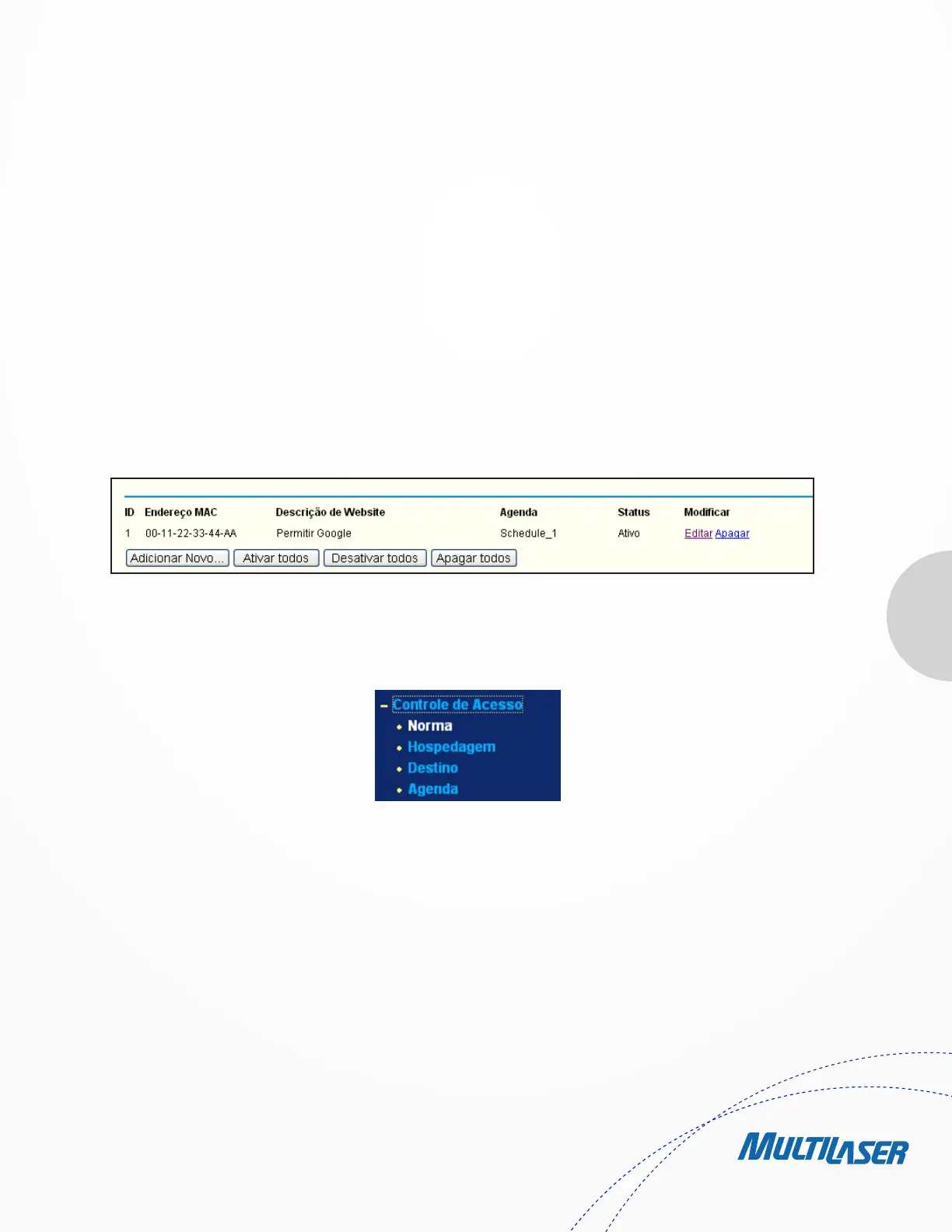
Then you will go back to the Parental Control Settings page and see the following list, as shown in Figure 4-45.
4.11. Acess Control
There are four submenus under the Access Control menu as shown in Figure 4-46: Rule, Host, Target and Schedule. Click any of them, and
you will be able to configure the corresponding function.
4.11.1. Rule
Choose menu “Access Control > Rule”, you can view and set Access Control rules in the screen as shown in Figure 4-47.
• Enable Internet Access Control - Select the check box to enable the Internet Access Control function, so the default
Figure 4 45 Parental Control Settings
Figure 4-46 Access Control


 To Next Page
 Loading...