Profi – Mixers
3 - Servoside Mixers
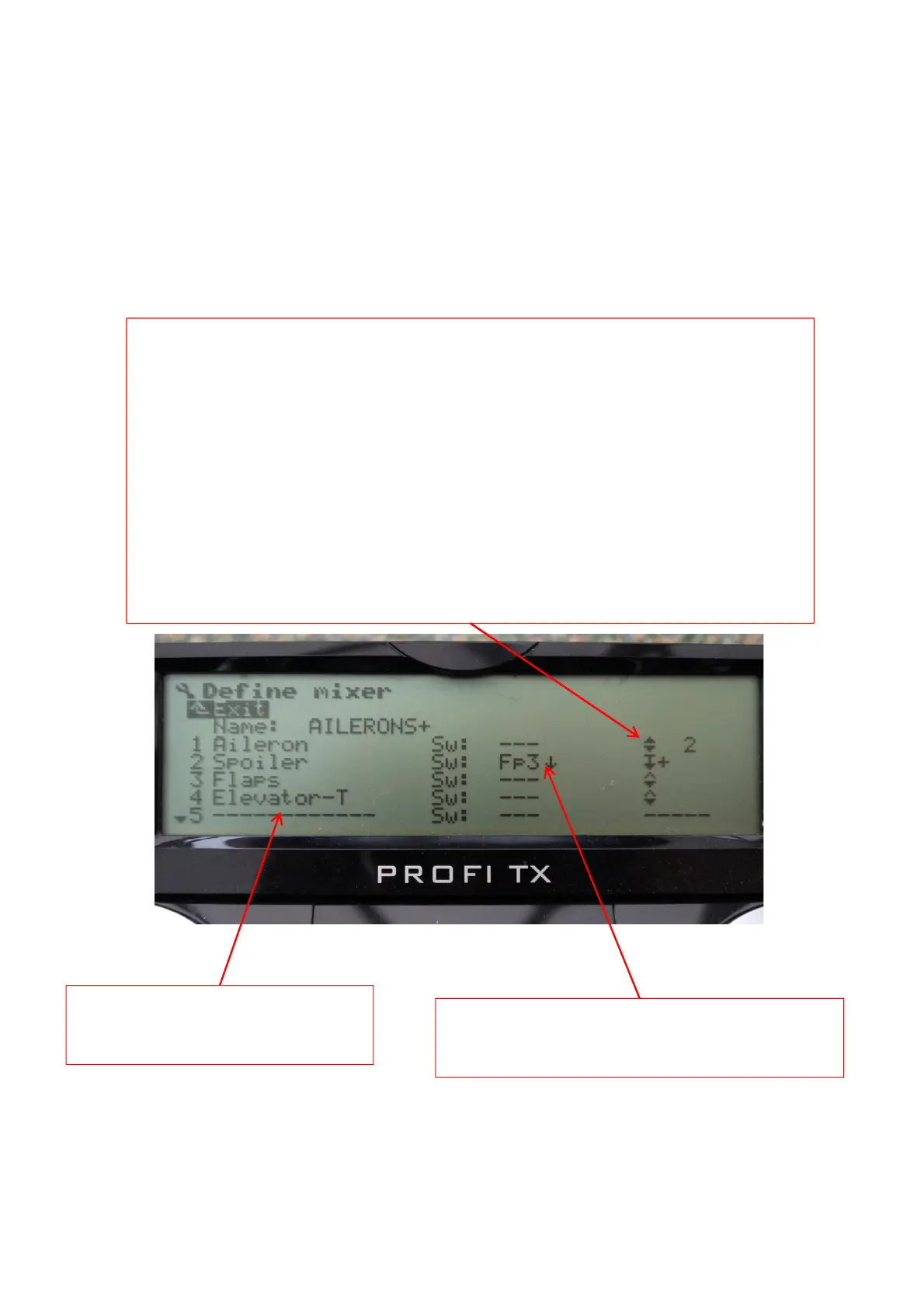
Only 4 control inputs are used in this
mixer, but there are a further 4 slots
for additional inputs if required.
The 2
nd
column shows that Spoiler control input is
only active in flightphase 3, aileron, flap and
elevator input is always available
The 3
rd
column determines the mixer curve for the representative input, in this example
Aileron is the primary input to the AILERONS+ and is symmetrical with both surfaces
moving in the opposite directions (2), in the mixer Menu (GHI3) the aileron travel can
be adjusted (Differential is best adjusted in the specific differential mixer covered
earlier) , Spoiler input is with a single sided curve with offset, allowing the ailerons to
be raised more without wasting any available servo rotation by off setting the servo
centre point., if you have both ailerons raised as spoilers it’s recommended to set the
aileron differential to SPOILER+ in the differential settings as this suppresses differential
when both ailerons are raised. The last remaining 2 input are Flaps for using the
ailerons to adjust the wing camber and Elevator less Trim, asymetrical with both
surfaces moving in the same direction, this allows the elevator to move the ailerons
(snap flap), note the input is –T, meaning input is from the stick movement only and
trim has no effect on the AILERONS+ output.
Here is an example of setting up the supplied aileron mixer template,
first in the mixer definition screen



 To Next Page