EasyManua.ls Logo

MULTIQUIP SmartStick DLW500ESA4 - User Manual

MULTIQUIP SmartStick DLW500ESA4
76 pages
Print Icon
To Next Page IconTo Next Page
Loading...
TM
OPERATION MANUAL
THIS MANUAL MUST ACCOMPANY THE EQUIPMENT AT ALL TIMES.
MODEL DLW500ESA4
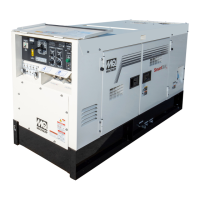
WELDER/GENERATOR
(ISUZU 4LE2T DIESEL ENGINE)
INSTRUCTION MANUAL NO. D6844301434
Revision #0 (01/13/23)
To find the latest revision of this publication
or associated parts manual, visit our
website at: www.multiquip.com

Questions and Answers

  • J
    Joseph FrankAug 5, 2025
    Why does MULTIQUIP SmartStick DLW500ESA4 engine RPM fluctuate during welding?
    • J
      Johnny MyersAug 5, 2025
      The engine RPM may fluctuate because the automatic control of engine revolutions is responding to welding output and the preset frequency of AC power in use. If the E-mode switch is set to Variable/Low, the engine revolutions are controlled based on the preset value of welding current, adjusting up or down to meet the total output for operators. Also, if the side-door is open or exhaust vents are clogged, causing insufficient cooling, or if semiconductors are heated at an over-duty rate, output is limited to prevent overheating.
  • D
    Diane ColemanAug 10, 2025
    What to do if my MULTIQUIP SmartStick DLW500ESA4 Welding System idle stop function does not operate?
    • K
      kylemartinezAug 10, 2025
      If the idle stop function doesn't work and the Main CB indicator lamp on the idle stop monitor is ON, ensure that the Idle Stop switch is set to the ON position to enable the idle stop function.
  • C
    Caroline MillerAug 15, 2025
    What to do if my MULTIQUIP Welding System has no AC power?
    • A
      Amber HoganAug 15, 2025
      If AC power is not available, make sure all circuit breakers (CB1, CB2, CB3, and CB4) are in the ON position.
  • L
    lindadunlapAug 20, 2025
    What to do if MULTIQUIP SmartStick DLW500ESA4 Welding System engine cannot be restarted from idle stop?
    • R
      rsullivanAug 20, 2025
      Make sure the Idle Stop switch is in the ON position, then push the Engine Start button to start the engine.
  • W
    williamsandreAug 25, 2025
    What does “IdS” mean on MULTIQUIP Welding System current meter display?
    • J
      Jennifer JenkinsAug 25, 2025
      If “IdS” is indicated on the welding current meter display, the welding preset time (1–30 minutes) has been reached when using the idle stop function. To resolve this, restart the engine from idle stop using any of the restarting methods, or set the starter switch to STOP once, then to RUN again, and push the Engine Start button.
  • C
    castrobrianAug 30, 2025
    What to do if MULTIQUIP SmartStick DLW500ESA4 Welding System starter switch is set to RUN but engine does not start?
    • P
      patricksmithAug 30, 2025
      Push the Engine Start button.

Summary

Proposition 65 Warning

Reporting Safety Defects

Safety Information

Safety Message Types and Symbols

Explains safety message types (DANGER, WARNING, CAUTION, NOTICE) and hazard symbols used.

General Operational Safety

Essential safety measures for operating the equipment, including protective gear and environment.

Welder Safety Guidelines

Specific safety instructions for welding operations, covering sparks, fumes, and hot metal.

Engine Safety Guidelines

Safety warnings and guidelines specific to the engine, covering exhaust, moving parts, and fluids.

Fuel and Electrical Safety

Grounding, Battery, and Transport Safety

Environmental and Emissions Safety

Equipment Specifications

Welding Generator Specifications

Details output, current, voltage, and duty cycle for various welding modes.

Engine Model Specifications

Provides details on the Isuzu engine model, displacement, and cooling system.

Fuel Consumption Rates

Lists fuel usage rates at different loads and engine speeds.

Dimensions and Component Identification

Unit Dimensions

Provides physical dimensions of the welder-generator with a diagram.

Welder-Generator Component Identification

Identifies and describes the main external parts of the welder-generator.

Engine Component Identification

Identifies key components of the Isuzu engine.

Installation Procedures

Welder-Generator Grounding

Explains proper grounding procedures for safety and electrical codes.

Outdoor and Indoor Installation

Guidelines for placing the unit in different environments, considering ventilation and stability.

Control Panel and Operation Modes

Control Panel Layout and Features

Describes the controls, indicators, and displays on the unit's panel.

Local Operation Procedures

Step-by-step guide to starting the engine and performing local welding operations.

Remote Operation Setup and Configuration

Explains how to connect and configure for remote welding operations using a wire feeder.

Maintenance, Inspection, and Troubleshooting

Maintenance Schedule and Procedures

Outlines daily, periodic, and interval maintenance tasks for the unit.

Fuel Filter Maintenance

Instructions for draining and replacing the fuel filter element.

Troubleshooting Fault and Error Codes

Lists engine and generator fault codes and their corrective actions.

Electrical Wiring Diagrams

Generator Electrical Wiring

Illustrates the overall electrical connections for the generator.

Engine Electrical Wiring

Details the electrical connections of the engine components.

Control Panel Wiring

Illustrates the wiring for the control panel and its components.

Customer Support and Assistance

MULTIQUIP SmartStick DLW500ESA4 Specifications

General IconGeneral
EngineKubota D902
Rated Voltage120/240 V
Frequency60Hz
Welding Output450A
Electrode Size1/8 in (3.2 mm)
Output Current Range50 - 200 A
Output Voltage Range20V - 40V
PhaseSingle Phase

Related product manuals