Chapter 2: Getting Started
Multi-Tech Systems, Inc. FaxFinder Admin User Guide 13
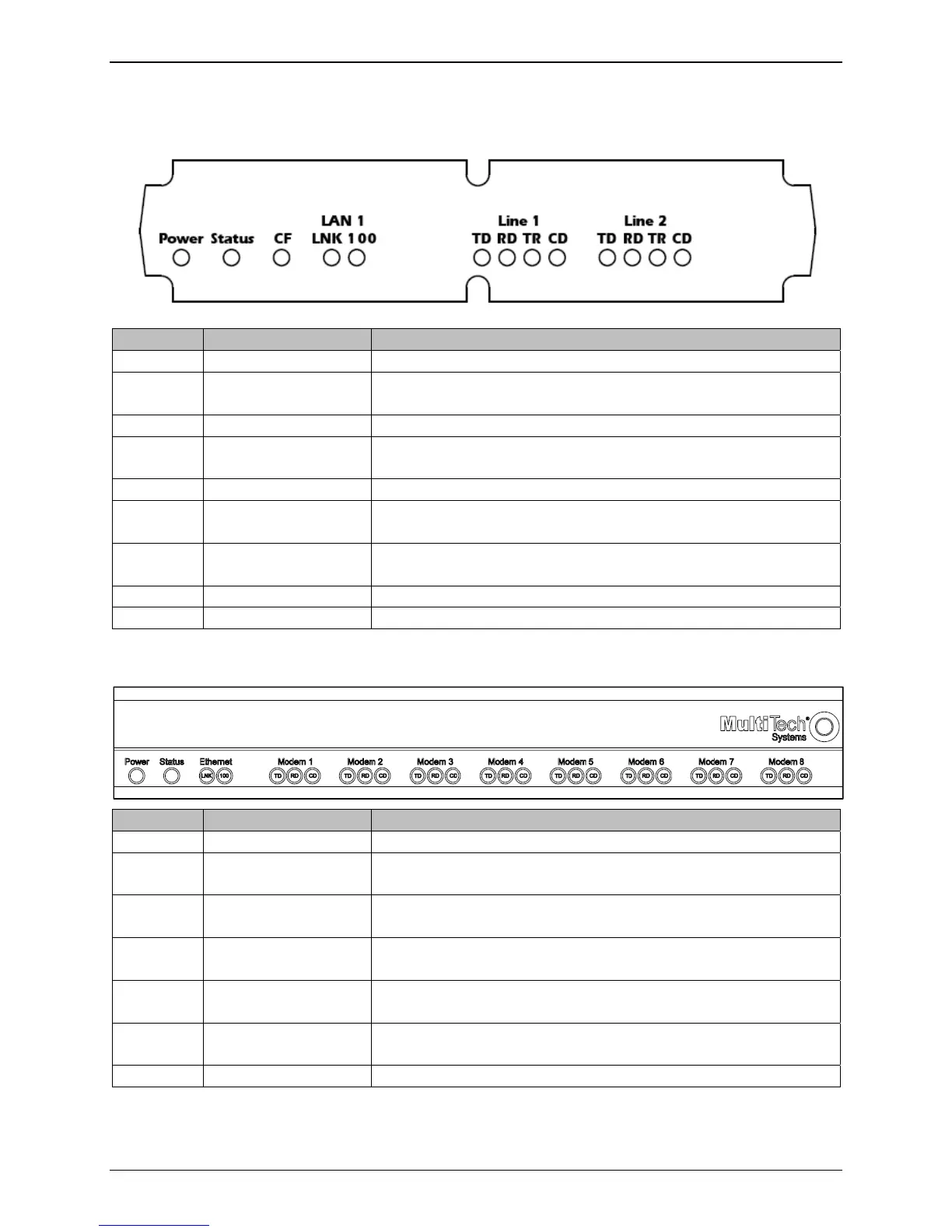
Front Panel LEDs
FaxFinder 130/230 (FF230 shown)
Label Name Description
Power Power Solid (constant) green if unit is on.
Status Status A few moments after power is on, the Status LED will be blinking
green to show normal, working state.
CF Compact Flash When the compact flash drive is accessed, this LED will light.
LNK Data Link Lit when a physical link has been established with the Ethernet
network.
100 Speed When lit, Ethernet rate is 100 MHz; when unlit rate is 10 MHz.
TD Transmit Data The TD LED flashes when the modem is transmitting data to
another modem.
RD Receive Data The RD LED flashes when the modem is receiving data from
another modem.
TR Data Terminal Ready Indicates that server is in communication with the modem.
CD Carrier Detect Carrier of remote modem is detected.
FaxFinder 430/830 (FF830 shown)
Label Name Description
Power Power Solid (constant) green if unit is on.
Status Status A few moments after power is on, the Status LED will be blinking
green to show normal, working state.
LNK Data Link Lit when a physical link has been established with the Ethernet
network.
100 Speed 10 MHz or 100 MHz | When lit, Ethernet rate is 100 MHz; when
not lit, Ethernet rate is 10 MHz.
TD Transmit Data The TD LED flashes when the modem is transmitting data to
another modem.
RD Receive Data The RD LED flashes when the modem is receiving data from
another modem.
CD Carrier Detect Carrier of remote modem is detected.



 To Next Page