Chapter 3: FaxFinder Web Management Interface
Multi-Tech Systems, Inc. FaxFinder Admin User Guide 50
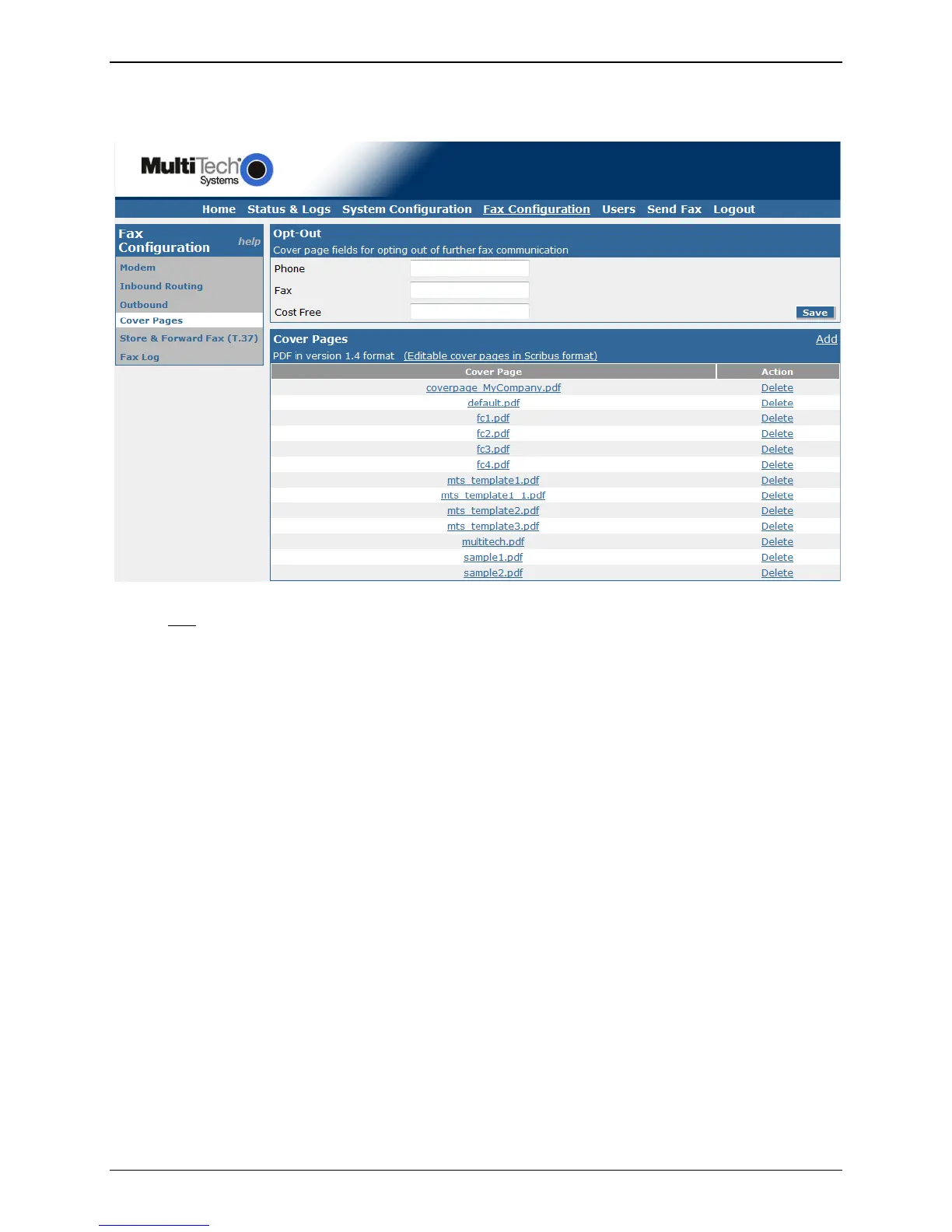
Cover Pages
Here you can view or delete a cover page from the supplied pages created by Multi-Tech, or you can
import (Add
) one of your own. For tips on creating custom cover pages, please see the customization
appendix. Cover pages must be in the PDF version 1.4 format. The Opt-Out section is available if you use
the FaxFinder for advertisement purposes.
Opt-Out
The placement of the Opt-Out information will depend on the cover page in use. Note that some cover
pages are written to expect a certain type of Cost Free method to be used; e.g. “Email _____ to opt-out
of further fax communications.”
Phone
Enter the phone number that can be called to reach you or someone who can remove a phone
number from a contact list (opt-out of receiving faxes from this unit or your business).
Fax
Enter the fax phone number that will accept opt-out faxes (to remove the recipient from contact
list of this unit or your business).
Cost Free
Enter a ‘cost-free’ method (email address, toll-free telephone or fax number, Website, etc.) that
recipients can use without incurring a cost, and be removed from the contact list of this unit or
your business.
Save
After entering your Opt-Out information, click the save button.



 To Next Page