Chapter 5: FaxFinder Operation
Multi-Tech Systems, Inc. FaxFinder Admin User Guide 81
Edit Menu Command Descriptions
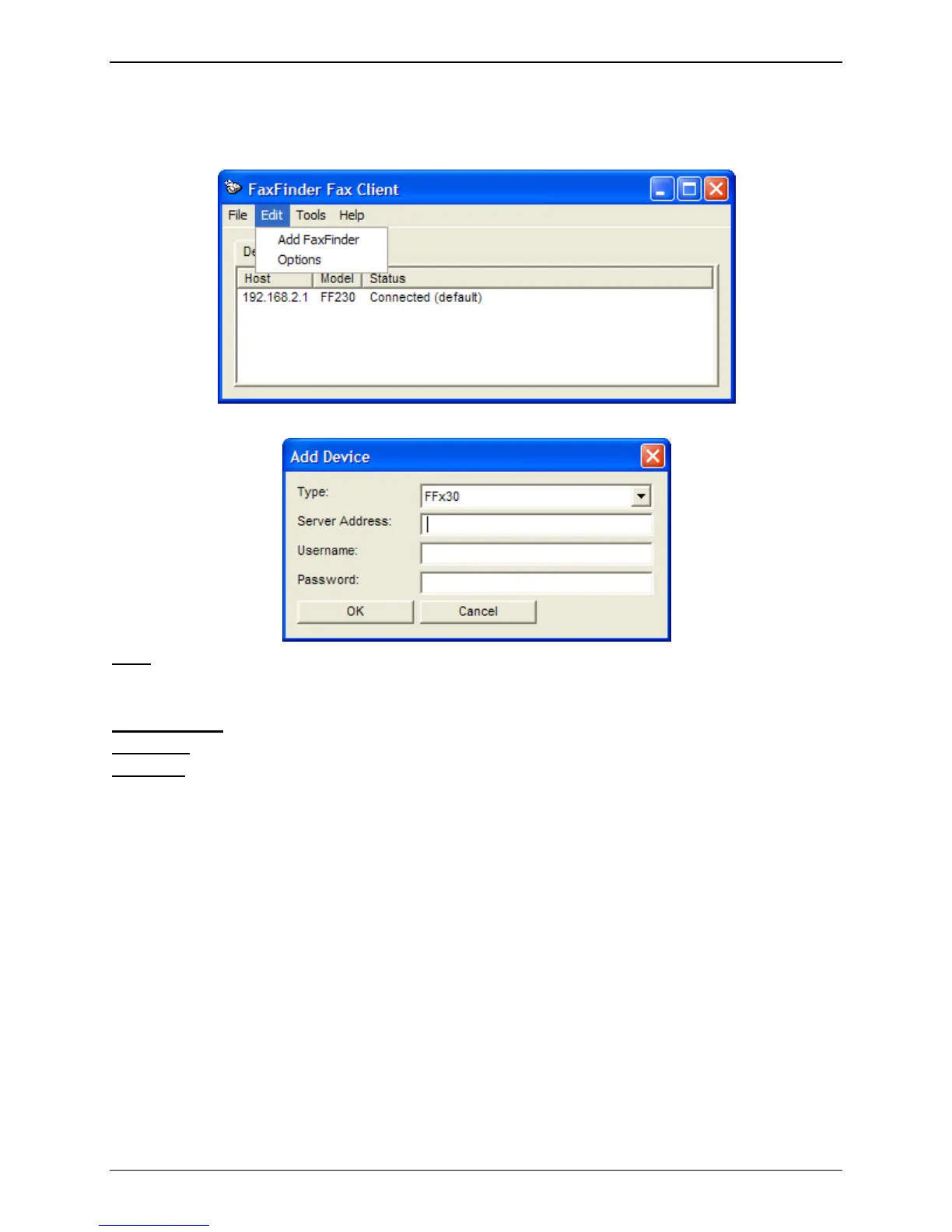
The following options are available from the Edit menu.
Add FaxFinder
Type:
Select the FaxFinder series you are connecting to.
FFx30 for the FF130, FF230, FF430 and FF830
FFx20 for the FF120, FF220, FF420 and FF820
Server Address:
Enter the IP address of the FaxFinder unit that you want to add.
Username:
Enter the user name you have been assigned for this unit.
Password:
Enter the password associated with the user name you have been assigned for this unit.
Click OK to add the new FaxFinder unit to the client software.



 To Next Page