EasyManua.ls Logo

MUNBYN IPDA018 - Scanner Functionality; Using the Scanner App; Scanner Settings and Customization

MUNBYN IPDA018
12 pages
Print Icon
To Next Page IconTo Next Page
To Previous Page IconTo Previous Page
Loading...
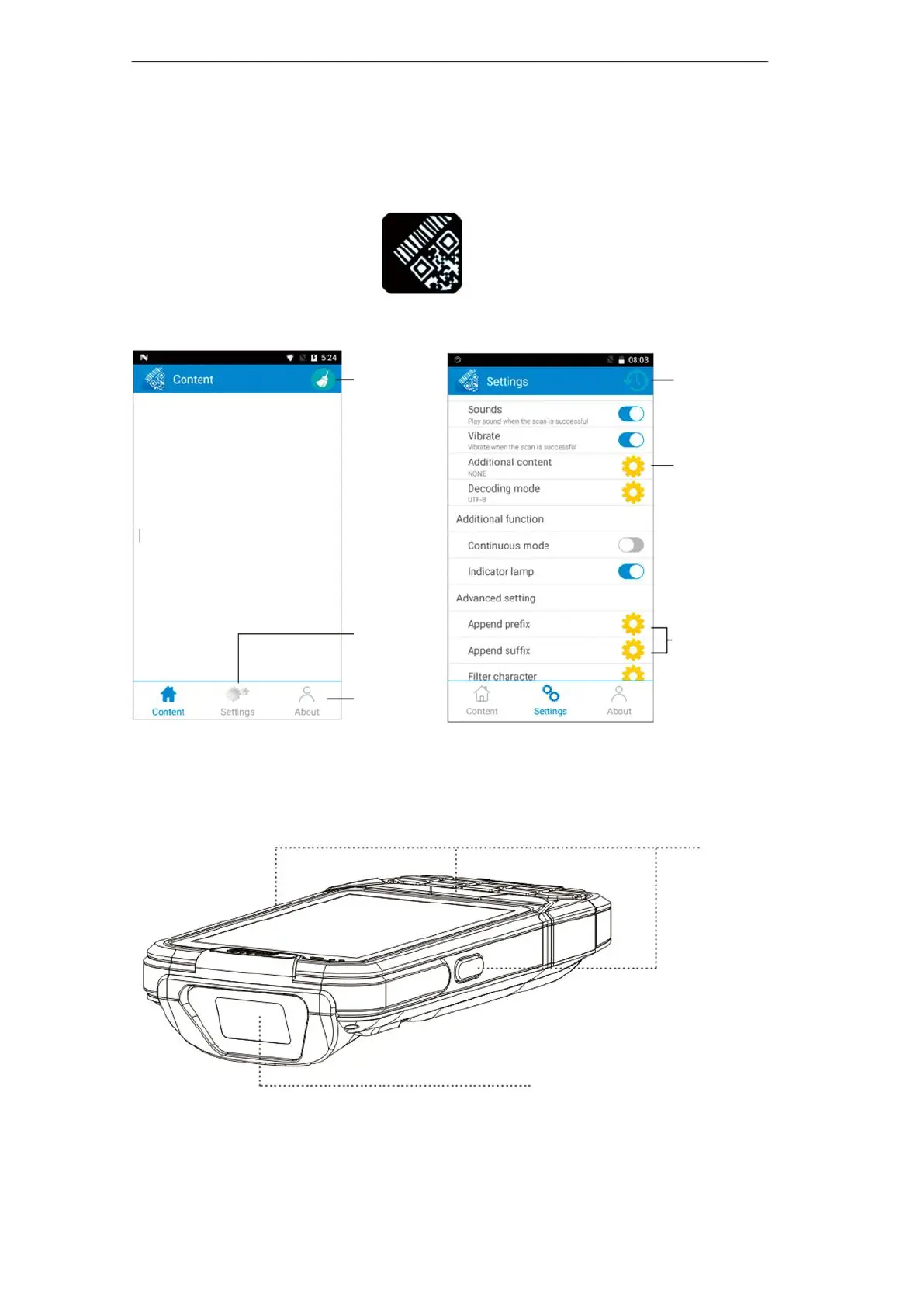
Reset scan
Settings
Scan (optional)
Scan window
Append prefix /
suffix
Function setting:
Enter / Tab
About
If your PDA have scan function, you can configure and test in our “scanner”
app:
1.Please find the “scanner app, and open it. ( As Pic 1)
2.In the ‘Content of app, you can press scan button to test the barcoding.
3.In the ‘Setting, you can set up the scanning functions

Clear the
contents
Scan key
( As Pic 1)

Related product manuals